I’ve spent years upgrading desktops, reviving aging laptops, and rebuilding family PCs that ran out of room right when somebody needed to save a project. Choosing the right internal drive matters because it shapes how a computer feels every single day, from boot time to how much of your life fits on it. The picks below cover a realistic mix of SSDs for snappy boot drives and high-capacity HDDs for bulk storage, so something here should match the build you have in mind.
A Side-By-Side Look

Fikwot FS810 250GB SSD 2.5″ SATA III (Black)

Seagate BarraCuda 4TB Internal HDD 3.5″ SATA 6Gb/s
Fikwot FS810 128GB SSD 2.5″ SATA III (Black)
Fikwot FS810 500GB SSD 2.5″ SATA III (Black)

Western Digital 2TB WD Blue PC Internal HDD 3.5″

Ediloca 128GB SSD Internal Solid State Drive 2.5″

Ediloca 512GB SSD Internal Solid State Drive 2.5″
Fikwot FS810 2TB SSD 2.5″ SATA III (Black)
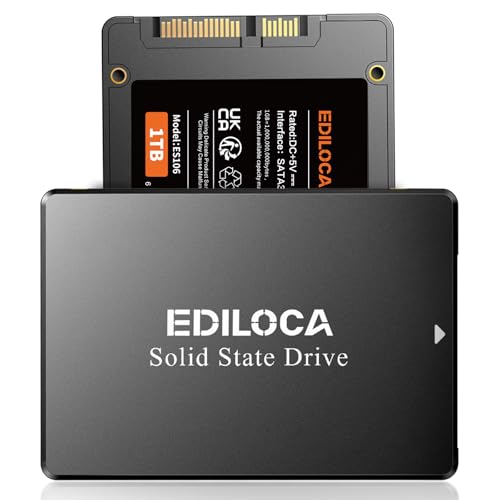
Ediloca 1TB SSD Internal Solid State Drive 2.5″
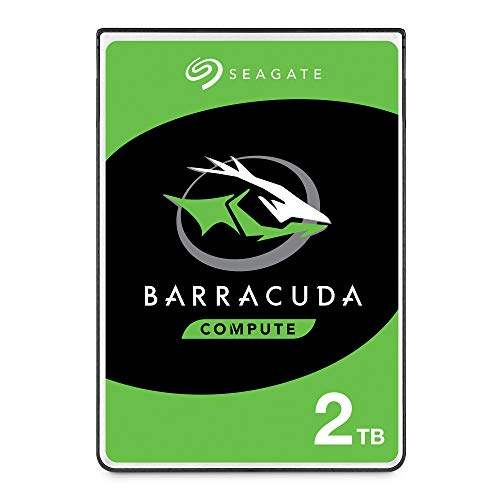
Seagate BarraCuda 2TB Internal HDD 2.5″ SATA 6Gb/s
Meet The Standout Selections
A 250GB SSD is the kind of drive that only earns its spot when you commit to keeping it lean: operating system, core apps, and a working folder, with everything else parked elsewhere. The Fikwot FS810 in this size uses the same SATA III 6Gb/s interface and 3D NAND TLC flash memory you’ll find in larger siblings later on this list, so installation feels familiar in either a desktop bay or a 2.5″ laptop caddy.
For a student machine, a kitchen PC, or a stripped-down build that boots straight into a browser, this capacity tends to be enough. People reviving older hardware commonly report that the swap from a spinning platter to this kind of 2.5″ SSD is the single change that makes an aging laptop feel responsive again.
Where It Helps
- SATA III 6Gb/s interface, broadly compatible with most desktop and laptop boards from the last decade.
- 3D NAND TLC flash memory offers a familiar balance of endurance for everyday read/write tasks.
- Trim 2.5″ form factor fits anywhere a 7mm or 9.5mm drive caddy is already mounted.
- Small footprint means quick boot and application load times compared with mechanical drives.
Things To Consider
- 250GB fills up fast once games or video projects land on it, so you’ll likely pair it with a secondary HDD.
- SATA III speeds cap out well below NVMe, so power users editing large files may notice the ceiling.
Quick Facts
Right Fit For
Owners breathing new life into an older laptop or building a stripped-down secondary PC where speed matters more than capacity.
Look Elsewhere When
You’re planning to host a sizable game library, in which case the Seagate BarraCuda 4TB Internal HDD 3.5″ SATA 6Gb/s makes more sense as a data drive alongside a smaller SSD.
This is the room where the Seagate BarraCuda 4TB starts to earn its reputation. A 3.5″ desktop drive spinning at 5400 RPM with a 256MB cache, it’s built for storing large photo libraries, archived project files, and the kind of video footage that would choke a smaller SSD in weeks.
Where the Fikwot FS810 250GB from earlier is a focused boot drive, this BarraCuda is the warehouse next door. For households running Plex servers, content creators backing up raw footage, or anyone tired of juggling external drives, a single 4TB volume simplifies daily life in a way smaller capacities can’t match.
Notable Upsides
- 4TB of mechanical storage handles multi-year photo and video archives in a single volume.
- 256MB cache helps sustain read/write throughput during sequential tasks like media streaming.
- Standard 3.5″ form factor drops into any desktop bay with a SATA data and power connection.
Worth Noting
- 5400 RPM prioritizes quiet, cool running over speed, so don’t expect SSD-class responsiveness.
- Mechanical drives benefit from being mounted securely to reduce vibration noise over time.
Made For
Home servers, creative workstations, and anyone who treats storage capacity as a primary requirement rather than a footnote.
A Better Fit Elsewhere
The Fikwot FS810 500GB SSD 2.5″ SATA III suits a shopper who prioritizes boot speed and app launch over raw archive space.
At 128GB, the smallest Fikwot FS810 in this roundup asks for a specific kind of commitment: a willingness to keep the drive lean and offload bulky media to a second bay. For a laptop that boots into a Linux distro, runs a single browser, or hosts a child’s schoolwork, this is often more than enough.
Compared to the BarraCuda 4TB I covered just before, this is the opposite end of the spectrum. The BarraCuda stores a household’s worth of files; this SSD simply makes the computer feel quick again on a tight budget.
The Helpful Details
- Smallest FS810 capacity, useful as a dedicated OS drive in a two-drive configuration.
- Same SATA III 6Gb/s interface as larger FS810 siblings, simplifying multi-drive installs.
- 3D NAND TLC flash keeps power draw low, which matters for laptop battery life.
Trade Offs
- 128GB leaves little headroom for modern games, large creative files, or growing photo libraries.
- You may find the limited space pushes you toward managing cloud storage or external backups more actively.
Feature Snapshot
Who Should Grab It
Tight-budget shoppers reviving an older laptop where speed, not capacity, is the goal.
Skip It When
You need a primary drive that holds a full Windows install plus modern games, in which case the Fikwot FS810 500GB SSD 2.5″ SATA III is a smarter step up.
The middle child of the FS810 family often ends up being the right answer for the most households. 500GB gives breathing room for Windows, a handful of large games, and a working project folder, all on a SATA III 6Gb/s SSD with 3D NAND TLC flash memory.
This capacity pairs especially well with the 2TB WD Blue covered later in this list, giving you a fast boot drive plus a slow-but-deep storage companion. Compared to the 250GB FS810 that kicked off the list, the extra room here means fewer storage compromises on day one.
What It Does Well
- 500GB is a sensible sweet spot for mainstream desktops and productivity laptops.
- SATA III 6Gb/s interface keeps installation identical to other FS810 drives in this roundup.
- 2.5″ form factor works in both laptops and desktop adapter brackets.
- Step up in capacity without changing the speed profile shoppers already understand.
- Pairs naturally with a secondary HDD for a balanced two-drive setup.
Points To Note
- Still SATA III, so it inherits the same bandwidth ceiling as the smaller Fikwot SSDs above.
- 500GB can feel tight for creators storing raw 4K footage locally on the boot drive.
Who It Suits Best
Mixed-use family PCs and home office builds that want one drive to handle operating system, software, and a moderate game library.
Reach For A Different Pick When
Capacity is your main headache, in which case the Seagate BarraCuda 2TB Internal HDD 2.5″ SATA 6Gb/s or the larger Fikwot FS810 2TB SSD 2.5″ SATA III fits better.
The WD Blue line has been a fixture in desktops for years, and this 2TB SATA III drive keeps that tradition intact. It spins at 5400 RPM, carries a 64MB cache, and ships with Acronis True Image WD Edition cloning software for migrating data from an older drive.
Where the Seagate BarraCuda 4TB earlier leans toward raw volume, this WD Blue sits in a more comfortable everyday zone. It pairs naturally with the Fikwot FS810 500GB SSD from earlier, giving you a snappy boot volume and a generous secondary vault.
Real Benefits
- 2TB strikes a useful middle ground between budget drives and full archival tiers.
- Included Acronis True Image WD Edition cloning software eases upgrades from older disks.
- 5400 RPM operation keeps noise and heat lower than faster-spinning alternatives.
- 3.5″ SATA III form factor fits the standard desktop bays most PC builders already have.
Room For Improvement
- Mechanical speeds mean slow game launches and lengthy file searches compared with any SSD on this list.
- Spinning drives need careful handling during installation; shocks during transport can shorten lifespan.
Key Product Details
Perfect Match For
Desktop users building a two-drive system with an SSD boot volume and a capacious HDD for documents and game libraries.
Not Your Match When
You want a single fast drive for everything, in which case the Fikwot FS810 2TB SSD 2.5″ SATA III serves as a faster, all-SSD alternative.
The Ediloca ES106 in 128GB trades a bit of headline read speed for a price point that feels almost like a coupon. You’re still getting a SATA III 6Gb/s SSD with 3D TLC NAND flash memory, a shock-resistant and drop-proof construction, and the kind of everyday responsiveness that makes an older laptop feel new.
Coming after the Fikwot FS810 128GB earlier, this Ediloca is the closest direct rival in the roundup. It performs the same role: a budget boot drive with limited capacity but a noticeable jump in snappiness compared with mechanical storage.
The Good Stuff
- 3D TLC NAND flash memory provides consistent performance across the drive’s life.
- Shock-resistant and drop-proof construction is a small comfort in laptops that travel frequently.
- Backward compatibility with SATA II keeps older boards in play.
Some Limits To Know
- 500MB/s read speed is a touch below the Fikwot FS810 drives featured earlier in this list.
- 128GB is restrictive for any workflow that involves large local files or multiple modern games.
At A Glance
Who Will Love This
Shoppers comparing two budget SSDs side by side and leaning toward Ediloca’s slightly rugged build.
Consider Something Else When
You want a slightly faster boot drive at the same capacity, where the Fikwot FS810 128GB SSD 2.5″ SATA III holds a small speed edge.
Ediloca’s 512GB ES106 is the practical middle of the brand’s line, with 540MB/s reads over SATA III and the same 3D TLC NAND foundation as the smaller version reviewed above. For a home office PC or a casual gaming setup, 512GB is comfortably enough for the operating system plus a handful of large titles.
Stepping up from the 128GB Ediloca I just covered, this drive opens real headroom for software collections and project files. The bump from 500MB/s to 540MB/s reads is small on paper but does shave seconds off game launches in everyday use.
The Upside
- 512GB is roomy enough for an OS plus a generous selection of modern games.
- 540MB/s read speed slightly outpaces Ediloca’s smaller-capacity drives on this list.
- Shock-resistant and drop-proof design adds a layer of physical durability for mobile laptops.
Honest Caveats
- 540MB/s still trails the Fikwot FS810 line, which is rated up to 560MB/s in the same interface class.
- Drop-proof ratings help, but any SSD can still fail, so a separate backup plan matters at this capacity.
Whose Shelf It Belongs On
A shopper who wants one SSD that handles a normal workload without juggling external drives every week.
Swap It Out When
You edit video locally and need 1TB or more on a single SSD, which points to the Ediloca 1TB SSD Internal Solid State Drive 2.5″ later in this roundup.
The 2TB FS810 is the largest SSD in Fikwot’s SATA III line, and it flips the usual build on its head: a single SSD holding the operating system, software, a deep game library, and a working project folder, all in one volume.
Compared with the BarraCuda 4TB HDD earlier, you trade sheer capacity for the responsiveness that only flash memory delivers. Power users who don’t want to manage a two-drive setup will find this single-drive simplicity hard to beat.
Everyday Perks
- 2TB SSD capacity removes the need for a secondary HDD in many builds.
- Up to 560MB/s read speed keeps boot and load times snappy across a large library.
- 3D NAND TLC flash memory is the same trusted foundation as smaller FS810 drives on this list.
Potential Drawbacks
- At 2TB on a single SSD, you may want to budget for an external backup regardless.
- Mechanical HDDs still win on cost per terabyte for pure archival duty.
Best Suited To
Power users and content creators who want one fast drive that covers work and play without splitting volumes.
Where Another Pick Suits Better
Shoppers who genuinely need more than 2TB should reach for the Seagate BarraCuda 4TB Internal HDD 3.5″ SATA 6Gb/s and pair it with a smaller FS810 SSD.
Ediloca’s 1TB ES106 posts the brand’s top read speed at 550MB/s, still on a SATA III 6Gb/s interface with 3D TLC NAND flash. It’s the capacity many gamers settle on: enough for an OS, a current game’s worth of titles, and a working media library, without the jump to 2TB pricing.
Set against the Fikwot FS810 2TB SSD reviewed just before, this is the more measured single-drive option. The trade-off is roughly half the storage at a friendlier price for shoppers who don’t need every last gigabyte.
Everyday Advantages
- 550MB/s read speed is the fastest in Ediloca’s SATA line on this list.
- 1TB capacity suits gaming PCs, creator workstations, and family desktops alike.
- 3D TLC NAND flash and a shock-resistant chassis support everyday wear and tear.
Less Ideal Details
- SATA III bandwidth caps performance well below NVMe alternatives some builders consider at this tier.
- Gamers with massive Steam libraries may still bump against 1TB after a few big releases.
Built With In Mind
Gamers and creators who want a single responsive drive that handles the bulk of their active library.
Not Your Match When
You prefer to keep cold storage on a separate mechanical drive, in which case the Western Digital 2TB WD Blue PC Internal HDD 3.5″ pairs better with a smaller boot SSD.
The 2.5″ BarraCuda answers a specific question: how do you add real storage to a laptop that only accepts a slim drive bay? With 2TB, a 5400 RPM spindle, and a 128MB cache on a SATA III 6Gb/s interface, it turns a cramped ultrabook into a portable archive.
Set against the 3.5″ BarraCuda 4TB covered at the top of this list, this drive trades raw capacity for portability. Where the 3.5″ model lives in a desktop tower, this one follows the laptop.
Real-World Strengths
- 2.5″ form factor fits most laptop drive bays, including ultrabook caddies.
- 128MB cache supports smoother streaming from the drive for media-heavy workloads.
- 5400 RPM operation favors quiet, cool running in confined laptop chassis.
Things To Consider
- Mechanical speeds still feel slow compared with any SSD on this roundup, including smaller FS810 and Ediloca drives.
- Laptop drive bays can run warm; owners commonly report verifying airflow after installation.
Perfect Match For
Laptop users who need to dramatically expand on-board storage without giving up their current machine.
Skip It When
You mainly want speed, in which case an Ediloca or Fikwot SATA III SSD at a smaller capacity is a better daily-driver choice.
What To Weigh Before Picking An Internal Drive
The first decision is form factor. A 3.5″ drive like the WD Blue 2TB or BarraCuda 4TB only fits a desktop tower, while 2.5″ SSDs and HDDs slip into both laptops and desktops with the right caddy. Matching the slot you actually have prevents the disappointment of an unopened package that won’t seat.
Speed and capacity rarely scale together. SATA III SSDs in this roundup sit between 500MB/s and 560MB/s regardless of whether they’re 128GB or 2TB, so going larger costs more without buying noticeably faster load times. Mechanical HDDs add bulk but cap at mechanical speeds, which makes them ideal as secondary data vaults rather than boot drives.
Endurance matters more for SSDs than most shoppers realize. 3D NAND TLC flash memory, used across the Fikwot FS810 and Ediloca ES106 lines, balances write cycles with cost. For everyday computing, that foundation is plenty; only heavy write workloads like daily 4K video capture push toward drives with higher endurance ratings.
Smart Considerations For Drive Shoppers
Pitfalls Shoppers Hit
A common trap is treating capacity as the only spec. Two 2TB drives on this list, the WD Blue HDD and the Fikwot FS810 SSD, look similar on a glance but behave like different products in daily use. Pairing an SSD with an HDD often beats over-investing in one extreme, especially for systems that boot, edit, and archive simultaneously.
Another slip is assuming SATA III means NVMe. All ten picks here use the SATA III 6Gb/s interface, so they share the same ceiling even when marketed differently. Builders chasing peak bandwidth need a motherboard slot and drive type outside this lineup entirely.
When Paying More Pays Off
Higher tiers in this category typically buy more capacity per drive, not more speed per second. Spending up from a 500GB FS810 to the 2TB FS810 removes the daily juggling of “what do I keep on the boot drive,” and that’s a real quality-of-life gain. The same logic applies to stepping from a 2TB HDD to the 4TB BarraCuda: the upgrade feels less about performance and more about how rarely you have to delete something.
Frequently Asked Questions
How do I know if I need an SSD or an HDD?
SSDs deliver faster boot and load times because they have no moving parts and access data electronically, while HDDs use spinning platters that are slower but cheaper per terabyte. Pick an SSD for your operating system and active projects, and consider an HDD for archival storage.
Will any of these drives work in an older laptop?
Most laptops from the last decade accept a 2.5″ SATA drive, which covers every SSD on this list plus the 2.5″ BarraCuda HDD. Confirm the drive height (7mm or 9.5mm) fits your bay before ordering, since some ultrabooks have very tight tolerances.
Is SATA III fast enough for gaming and creative work?
For most modern games and creative projects, SATA III SSDs deliver noticeably better load times than any HDD and feel responsive in everyday use. Only the most bandwidth-hungry workflows like uncompressed 8K editing benefit from stepping up to NVMe drives.
Do I need to clone my old drive or start fresh?
Cloning software, like the Acronis True Image WD Edition that ships with the WD Blue, lets you mirror an existing system onto a new drive without reinstalling. A clean install is often smoother, but cloning saves time when migrating work environments.
Can I mix SSDs and HDDs in one PC?
Yes, and this is a common pattern. A small SATA SSD for the operating system paired with a larger HDD for files gives you responsive boot times plus deep storage, which is exactly the kind of pairing several picks in this roundup are designed for.
Wrap Up
The right internal drive depends less on chasing specs and more on how the computer is actually used day to day. Boot-drive shoppers get the most out of a 500GB to 1TB SATA SSD, archival users benefit from a capacious 3.5″ HDD, and laptop owners looking to expand should weigh the 2.5″ BarraCuda against slim SSD options. Match the drive to the workload, and the rest of the build tends to fall into place.