I talk to a lot of people shopping for a new display, and the same pattern comes up: laptops alone don’t cut it for serious work, and bundled monitors often leave something on the table. I built this list around what actually matters day to day, including port flexibility, panel type, and whether the screen fits on a real desk. Whether you need a portable panel for travel or a full ultrawide for the home office, these ten options cover the realistic range.
An Overview Of The Picks

cocopar Portable Monitor Touchscreen 15.6 Inch 1080P FHD

VisionOwl Portable Monitor 16 Inch 2.5K QHD 144Hz
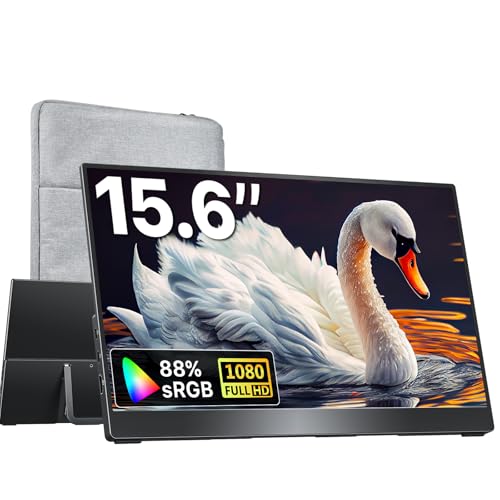
kksmart Portable Monitor 15.6 Inch Travel Second Screen
KTC 27 Inch QHD Gaming Monitor H27T27S

INNOCN 34 Inch Ultrawide WQHD 180Hz Monitor

INNOCN 49 Inch Curved DQHD 240Hz Ultrawide
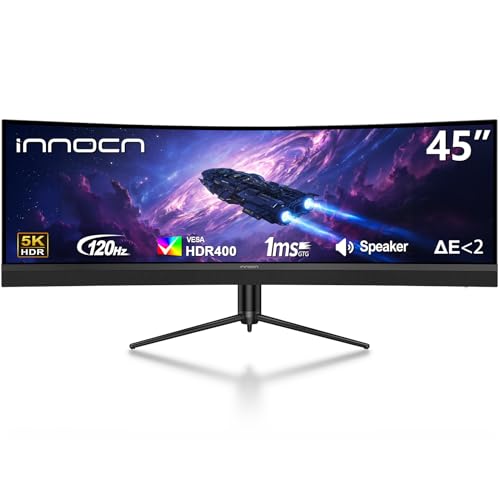
INNOCN 45 Inch 5K2K 120Hz Ultrawide Curved

INNOCN 49 Inch Curved 144Hz Ultrawide 49C1G

INNOCN 45C1R 5K2K 90W Power Delivery Ultrawide

INNOCN 40C1R Ultrawide 40 Inch 144Hz Monitor
A Deeper Look At The Lineup
The cocopar 15.6-inch touchscreen monitor is built around one idea: extend your laptop without anchoring yourself to a desk. I see it working well for anyone who splits time between a home setup, a coworking space, and the road, because the touch layer adds real navigation control on planes, in client offices, or anywhere a trackpad feels slow.
Compared to the VisionOwl panel further down this list, this one prioritizes interactivity over raw pixel density, trading a higher refresh rate for native single-finger gestures and pinch-to-zoom on both Windows and macOS. The 90% sRGB color coverage keeps everyday work looking clean, and HDMI plus USB-C input covers most modern laptops, consoles, and Surface devices without extra adapters.
What Pays Off
- Touch gestures that work natively on macOS, not just Windows
- USB-C and HDMI input covers laptops, MacBooks, and consoles
- VESA mountable for permanent installs when you stop traveling
- Built-in speaker removes the hunt for a travel speaker
- 1080p panel is easy on laptop GPUs and battery life
Things To Consider
- Owners commonly report the included stand is light and benefits from a separate rigid kickstand
- Glossy touch surface shows fingerprints under bright overhead lights
Built With In Mind
Frequent travelers and remote workers who want touch navigation without hauling a heavy second screen.
Look Elsewhere When
The kksmart 15.6-inch portable monitor is a better match for shoppers who prefer a lighter build without touch input.
The VisionOwl 16-inch portable monitor brings desktop-grade sharpness to a briefcase-friendly form factor. QHD resolution at 2560×1600 paired with a 144Hz refresh rate (the number of times the screen redraws per second) makes it a thoughtful pick for traveling gamers and creative pros who don’t want to compromise visual quality on the road.
Unlike the cocopar touchscreen pick, this one skips touch input and focuses on image quality. The 16:10 aspect ratio lines up cleanly with MacBooks, eliminating the black bars that appear on standard 16:9 panels when mirroring. USB-C, HDMI, and HDR support round out the connectivity, and a built-in kickstand removes the need for an extra accessory on hotel desks.
The Practical Payoff
- 2560×1600 QHD sharpness rivals many desktop monitors
- 144Hz refresh keeps motion smooth in games and scrolling
- 16:10 ratio mirrors MacBook screens without letterboxing
- HDR input broadens compatible devices
Worth Noting
- Built-in speakers are functional but thin compared to dedicated units
- Higher resolution demands more from laptop graphics
Who Should Grab It
Traveling gamers and mobile professionals who need high pixel density without settling for a desk-bound panel.
Swap It Out When
The cocopar 15.6-inch touchscreen is the smarter fit for shoppers who care more about touch interactivity than refresh rate.
At roughly 1.5 pounds with a three-side frameless design, the kksmart portable monitor is the panel I think about when someone says they hate carrying extra gear. It slides into a backpack sleeve without much complaint and pairs easily with laptops, Surface tablets, and current-gen consoles through dual USB-C ports and an HDMI input.
This is the most commute-friendly option in the portable group, and it costs less than the VisionOwl without feeling cheap. There’s no touch layer here, but the slim build and broad device compatibility make it a natural everyday second screen for hybrid workers who bounce between home and office.
Where It Excels
- 1.5-pound weight barely registers in a laptop bag
- Dual USB-C plus HDMI works with most modern devices
- Three-side frameless look feels current in 2026 setups
- VESA-compatible for home mounting later
Honest Caveats
- No touch input, so it is a display-only solution
- Built-in speaker works for calls but not music
Made For
Hybrid commuters and students who want a no-fuss second screen they can carry every day.
Where Another Pick Suits Better
The cocopar touchscreen portable monitor fits travelers who need touch gestures and macOS pinch-to-zoom support.
The KTC H27T27S is the first desktop panel on this list, and it earns its spot by hitting the sweet spot casual PC gamers actually want. A 27-inch QHD screen with a 144Hz refresh rate and adaptive sync (frame-rate matching that prevents screen tearing) gives smooth visuals without pushing into the price range of true enthusiast hardware.
Where this monitor really distinguishes itself is the HVA panel with a 4000:1 contrast ratio, deeper than most IPS monitors at this size. Dark scenes in horror games and space sims look richer than the spec sheet suggests, and the standard 27-inch form factor fits on most desks without rearranging your setup.
Everyday Perks
- 4000:1 contrast for deeper blacks than typical IPS
- 144Hz with adaptive sync removes screen tearing
- 27-inch QHD fits standard desks comfortably
Small Caveats
- HVA viewing angles are narrower than IPS, so dead-center seating helps
- Stand adjustability may push you toward a VESA arm later
The Right Fit
Casual PC gamers and home office users who want a balanced 27-inch panel without the ultrawide footprint.
Not Your Match When
The INNOCN 34-inch ultrawide is a better match for shoppers who want side-by-side multitasking room instead of a single tall screen.
The INNOCN 34-inch ultrawide is the productivity anchor of this list. With WQHD resolution at 3440×1440 and a 21:9 aspect ratio, it gives you the screen real estate of two monitors without the bezel gap or cable mess. For most people working across documents, spreadsheets, and chat windows, that extra width pays off immediately.
Compared to the KTC 27-inch above, this one trades vertical space for horizontal reach. PIP and PBP modes let you run two devices on screen at once, the IPS panel gives wide viewing angles, and a 130mm height-adjustable ergonomic stand with tilt keeps long sessions comfortable.
What Helps Most
- 21:9 ratio replaces a dual-monitor setup for many workflows
- PIP/PBP supports two input sources simultaneously
- 180Hz refresh rate handles casual gaming between meetings
- G-SYNC compatibility reduces screen tearing on Nvidia GPUs
Points To Note
- Desk depth matters; measure before placing an order
- Built-in speakers are present but limited for media work
Quick Facts
Who It Suits Best
Multitaskers and remote professionals who want ultrawide workspace without jumping to a 49-inch panel.
Consider Something Else When
The INNOCN 40C1R 40-inch ultrawide fits shoppers who want a slightly taller canvas with stronger HDR support.
The INNOCN 49-inch curved DQHD monitor is a statement piece. The 1800R curve wraps around your field of view (the 1800R refers to a circle radius of 1.8 meters, which is the curve depth), and the 32:9 super-ultrawide aspect ratio replaces a true dual-monitor setup with one continuous panel. For sim racers, flight sim enthusiasts, and immersive RPG players, this is the kind of screen that changes how a game feels.
Compared to the 34-inch INNOCN above, this one goes substantially wider and adds a 240Hz refresh ceiling. You’ll want a deep desk and serious GPU horsepower to drive the full 5120×1440 at high frame rates, but owners commonly report the immersion tradeoff feels worth the investment.
Standout Benefits
- 5120×1440 DQHD replaces two 27-inch QHD monitors
- 240Hz refresh ceiling handles competitive games
- 1800R curve draws you into flight and racing sims
Possible Compromises
- Requires significant desk depth, usually 80cm or more
- Some older games do not scale cleanly to 32:9
Best Suited To
Immersive sim gamers and content reviewers who want one giant canvas instead of stacked displays.
Skip It When
The INNOCN 45C1R 5K2K ultrawide is the smarter call for power users who value pixel density over refresh ceiling.
The INNOCN 45-inch 5K2K ultrawide is built for creative work where pixel density matters more than raw refresh rate. At 5120×1440, you get the horizontal room of two monitors and the vertical space to keep editing timelines or layer panels visible at once. The 1500R curve is gentler than the 49-inch INNOCN above, which helps during long color-grading sessions.
Where this panel distinguishes itself is the USB Type-C port with 65W power delivery, meaning a single cable can carry the display signal and charge a connected laptop. PIP/PBP support plus a height-adjustable stand round out a creator-focused package.
Key Advantages
- 5K2K resolution gives sharp text and detailed editing views
- USB-C with 65W power delivery simplifies laptop setups
- PIP/PBP handles two sources at once
- HDR400 support lifts contrast for video work
A Few Limitations
- 120Hz refresh is lower than the 49-inch gaming INNOCN above
- Color calibration out of the box varies, so a profiler helps
Feature Snapshot
Perfect Match For
Content creators and video editors who need 5K2K sharpness with single-cable laptop connectivity.
A Better Fit Elsewhere
The INNOCN 45C1R fits shoppers who want higher 90W power delivery for bigger laptops and workhorses.
The INNOCN 49C1G is the softer entry into 49-inch ultrawide territory. Resolution sits at 3840×1080 across a 32:9 panel with a 1800R curve, so the visual is wide and immersive without demanding the high-end GPU horsepower that 5120×1440 panels require.
Compared to the DQHD INNOCN above, this one is a smarter pick for shoppers who want the 32:9 format without paying the premium for sharper pixels. USB-C, DisplayPort, HDMI, and built-in speakers cover the everyday connection list, and HDR400 plus 99% sRGB coverage keep colors respectable for general work.
Advantages To Know
- Lower resolution is easier on mid-range GPUs
- 32:9 format replaces a dual-monitor setup cleanly
- USB-C, DisplayPort, and HDMI cover most setups
- HDR400 and 99% sRGB suit everyday content
Room For Improvement
- 1080p vertical height looks soft compared to 1440p panels
- 144Hz ceiling is fine but not class-leading
Right Fit For
Budget-conscious ultrawide shoppers who want the 32:9 format without the premium of a 5K2K panel.
Another Choice May Suit
The INNOCN 49-inch DQHD 240Hz monitor fits buyers who want sharper pixels and a higher refresh ceiling.
The INNOCN 45C1R is the panel I point power users toward. It shares the 5K2K canvas of the other 45-inch INNOCN on this list, but the USB Type-C port delivers 90W instead of 65W, enough to charge a MacBook Pro or a beefy workstation laptop through a single cable.
The 1500R curve keeps the geometry comfortable for full-day use, HDR400 support lifts contrast, and PIP/PBP modes let you run a work laptop alongside a streaming box or a second PC. Where the 65W INNOCN earlier covers mainstream ultrabooks, this one steps up for heavier machines.
Features That Help
- 90W USB-C power delivery handles larger laptops
- 5K2K resolution keeps text and timelines sharp
- PIP/PBP supports multiple input sources
- Height-adjustable stand supports ergonomic setups
Points To Keep In Mind
- 90W charging is still under what some 16-inch workstations need
- Larger footprint than a standard 34-inch ultrawide
The Details
Whose Shelf It Belongs On
Power-user professionals running demanding laptops who want one cable to drive the display and charge the machine.
Reach For A Different Pick When
The INNOCN 45-inch 65W version fits shoppers with standard ultrabooks who don’t need the higher charging headroom.
The INNOCN 40C1R is the smallest ultrawide in the lineup, and for many shoppers that is the selling point. The 40-inch panel gives you meaningful extra horizontal space compared to a 34-inch, but it does not demand the deep desk footprint that 45-inch and 49-inch panels require.
The ADS panel covers 95% of DCI-P3, a wide color gamut standard used in film production, making this a strong fit for media work. FreeSync Premium keeps frame delivery smooth during gaming sessions, and HDR400 with 500 nits brightness lifts contrast noticeably compared to entry-level ultrawides.
Strong Points
- 40-inch size fits desks that can’t host 45 or 49-inch panels
- 95% DCI-P3 coverage suits photo and video workflows
- FreeSync Premium reduces tearing during gaming
- 500 nits peak brightness improves HDR visibility
Less Ideal Details
- Smaller than the 45 and 49-inch INNOCNs for those chasing maximum workspace
- 144Hz via DisplayPort, lower over HDMI
The Key Facts
Who Will Love This
Smaller desk owners and creative hobbyists who want ultrawide workspace and accurate color without a massive footprint.
Where A Sibling Pick Shines
The INNOCN 34-inch WQHD monitor fits shoppers who need an even more compact panel or tighter desk fit.
What To Weigh Before Choosing Pc And Monitors
Panel Type And Image Quality
The three panel technologies you will see most often are IPS, VA, and HVA. IPS offers wide viewing angles and accurate color out of the box. VA and HVA panels give deeper contrast, which makes dark scenes look richer but sometimes narrow the viewing sweet spot. For mixed work and gaming in 2026, IPS remains the most flexible, while HVA and VA win for cinematic content.
Resolution And Pixel Density
Resolution ties directly to how sharp text and detail look. QHD at 2560×1440 remains the everyday sweet spot on 27-inch panels. WQHD at 3440×1440 fits ultrawides naturally. 5K2K at 5120×1440 is the high-density option for creators who want editing timelines and multiple panels visible at once. Larger screens with lower resolution will look softer, especially for text work.
Refresh Rate And Adaptive Sync
Refresh rate (how many times per second the image redraws) matters for both gaming and general smoothness. 60Hz is fine for office work, but 144Hz feels noticeably smoother when scrolling, dragging windows, or playing games. Adaptive Sync, whether AMD FreeSync or Nvidia G-SYNC compatibility, prevents screen tearing by matching the monitor’s refresh to the GPU’s output.
Connectivity And Ergonomics
USB-C with power delivery is the single biggest quality-of-life upgrade for laptop users, because it carries the video signal and charges the laptop through one cable. HDMI and DisplayPort remain essential for desktops. On the ergonomic side, height adjustment, tilt, and VESA mounting compatibility keep long sessions comfortable and let you swap stands later.
Key Considerations Across These Picks
Pitfalls Shoppers Hit
The most common mistake I see is buying an ultrawide without measuring the desk first. A 49-inch curved panel needs serious depth, and a too-shallow desk pushes the curve uncomfortably close. Another trap is assuming all USB-C ports are equal. Some deliver only video, others handle 65W of charging, and a few reach 90W or more. Check the wattage before assuming your laptop will charge through the screen.
Where The Extra Money Goes
Higher-tier monitors usually spend the premium on panel quality, USB-C power delivery, and a more adjustable stand. You also tend to get better factory calibration, which matters for color-sensitive work. For casual users, the jump from a budget to a mid-tier panel delivers the most visible improvement, while going further up usually benefits professionals who need the extra resolution or single-cable simplicity.
Frequently Asked Questions
Do I need a curved monitor for ultrawide screens?
Curvature helps most on 32:9 super-ultrawides, where the curve keeps the edges of the panel within a comfortable viewing angle. On smaller ultrawides like 34-inch, flat panels work fine for most setups.
Is USB-C power delivery important for a second monitor?
It is valuable when your laptop only has one or two ports and you want to reduce cable clutter. A single USB-C cable can carry the display signal and charge the laptop at the same time.
What refresh rate do I need for office work?
60Hz handles documents and spreadsheets without issue. Upgrading to 120Hz or 144Hz makes scrolling and dragging windows noticeably smoother, which adds comfort during long days.
Are touchscreen portable monitors worth the extra cost?
Touchscreens add convenience for tasks like marking up documents or signing forms on the go. They are less useful for standard productivity, where a keyboard and mouse already handle navigation.
How big should my desk be for a 49-inch monitor?
Aim for at least 80cm of depth so the curve sits at a comfortable distance from your eyes. Anything shallower pushes the edges of the screen uncomfortably into your peripheral vision.
Closing Remarks
The right monitor for your PC depends on where you work and what you run on it. Travelers will get the most from the cocopar or VisionOwl portables, while home setups benefit from the INNOCN ultrawides at whatever size fits the desk. Measure your space, check your ports, and pick the panel that matches how you actually use your machine.