Putting together a gaming PC without emptying my wallet used to mean settling for slideshow frame rates and storage so tight I had to delete games I actually played. Today’s prebuilt market has changed that equation in a real way. I’ve spent time digging through the specs, comparing component choices, and thinking through which rigs genuinely earn their price tag for shoppers who want strong 1080p performance without a four-figure invoice.
These eight builds range from entry-level esports rigs to high-end machines that handle 1440p and creative workloads. Some lean on older but proven parts, others pack current-generation silicon. The right pick depends on what you’re playing, what you’re editing, and how much room you want for future upgrades.
A Fast Comparison Of The Options

Skytech Gaming Azure 3 (Ultra 7, RTX 5060)

Skytech Crystal (Ryzen 7 7700, RTX 5060 Ti)
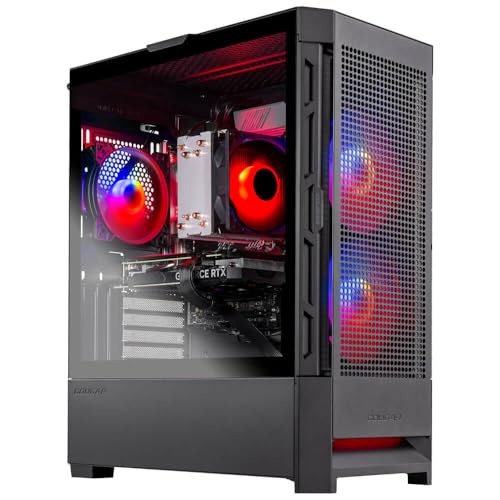
Skytech Nebula (i5 13400F, RTX 4060)

Skytech Shadow (Ryzen 5 3600, GTX 1660 Ti)

Skytech O11 Vision (9850X3D, RTX 5070 Ti)
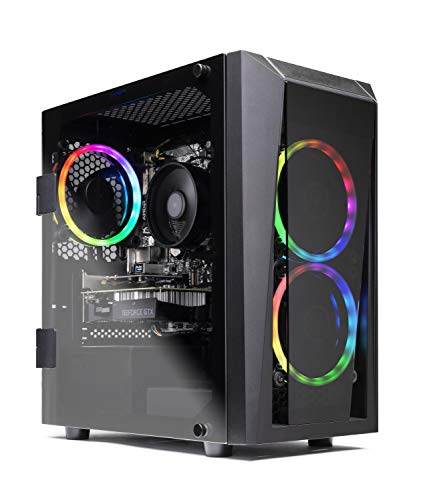
Skytech Blaze II (Ryzen 5 2600, GTX 1660 Super)

Skytech O11 Vision (Ryzen 7 7700X, RTX 5070)
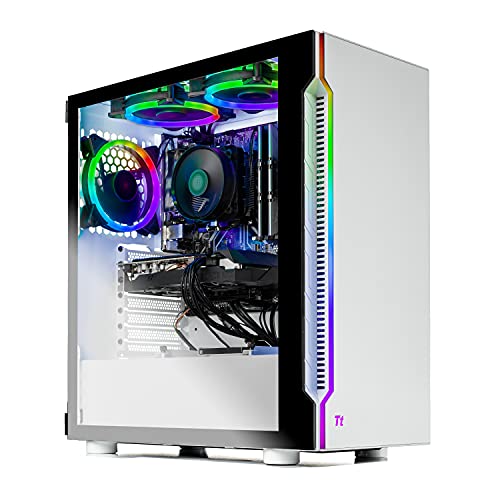
Skytech Archangel 3.0 (Ryzen 5 3600, RTX 3060)
A Closer Look At Each Pick
The Skytech Gaming Azure 3 leans into current-generation silicon, pairing an Intel Core Ultra 7 (the “U7 270K” tier, which is Intel’s hybrid architecture that splits work between performance and efficiency cores) with an RTX 5060 graphics card. For most gamers running 1080p monitors, that combination delivers headroom for high refresh rates and gives 1440p a real chance without constant settings compromises.
The 32GB of DDR5 RAM is more than many similarly priced rigs ship with, and a 1TB NVMe SSD means modern game installs don’t immediately fill the drive. A 360mm AIO (all-in-one liquid cooler, meaning a sealed water loop mounted to the CPU) keeps thermals quiet under load. In a small dorm room or shared apartment, that low acoustic profile is a quiet quality-of-life win.
Useful Touches
- 32GB DDR5 is generous for streaming, editing, and modern titles without swapping sticks later.
- 360mm AIO liquid cooling keeps CPU thermals manageable during long sessions.
- RTX 5060 brings current-gen features like DLSS 4 (an AI-driven upscaling technology that boosts frame rates) to the table.
- Wi-Fi 6 support means fast wireless without buying a separate adapter.
Things To Consider
- The RTX 5060’s 8GB of VRAM (video memory, used by the GPU for textures and frame data) may feel tight for some 1440p texture mods in newer releases.
- ARGB fans can require software tweaking to look right, which is a small hurdle for first-timers.
- Compact AIO mounting can limit future case swaps, depending on the chassis.
Who Should Grab It
Gamers who want a modern Intel CPU with strong single-thread performance for both competitive shooters and open-world titles.
Consider Something Else When
Shops focused purely on productivity rendering should consider the Skytech O11 Vision with the Ryzen 7 9850X3D, which adds X3D cache for content creation workloads.
The Skytech Crystal pairs an AMD Ryzen 7 7700 with an RTX 5060 Ti, making it a smart middle-ground for gamers who don’t quite need the absolute top tier. The Ryzen 7 7700 is a Zen 4 chip (AMD’s CPU architecture that improved instructions-per-clock and power efficiency over the previous generation), and at 5.3GHz turbo it handles single-threaded game logic very well.
The 650W Gold-rated PSU (a power supply rated for at least 90% efficiency at 50% load, per the 80 Plus Gold standard) leaves enough headroom for future GPU upgrades. 32GB of DDR5 at 5600MHz is a strong spec, and 1TB of NVMe storage keeps load times short. For someone who splits time between competitive shooters and indie RPGs, this build covers both without strain.
Practical Pluses
- 650W Gold PSU provides stable power and upgrade flexibility.
- 32GB DDR5-5600 handles multitasking and future game requirements.
- RTX 5060 Ti improves on the base 5060 with extra shader cores.
- Air cooling keeps the build quiet and easy to maintain.
Honest Caveats
- No AIO liquid cooling means CPU thermals can climb under extended all-core loads.
- Wi-Fi 5 (802.11ac) lags behind newer Wi-Fi 6 options in dense networks.
- Air cooler height can conflict with taller aftermarket tower coolers later.
Built With In Mind
Mid-range gamers who want AM5 platform longevity (meaning the motherboard socket AMD committed to supporting across multiple CPU generations) and current-gen graphics without overspending.
A Better Fit Elsewhere
Shoppers wanting maximum FPS in esports should check the Skytech O11 Vision with the Ryzen 7 9850X3D, where X3D cache boosts minimum frame rates.
The Skytech Nebula lands in the practical sweet spot. Its Intel Core i5 13400F (the “F” suffix means the CPU has no integrated graphics, which is fine when paired with a dedicated GPU) hits 4.6GHz on its performance cores, giving esports titles the responsiveness they need. The RTX 4060 brings DLSS 3 frame generation, which uses AI to generate extra frames between traditional rendered ones.
Compared to the Shadow earlier in this list, the Nebula upgrades both the CPU generation and the GPU tier. That makes it a sensible step up for shoppers on a tight ceiling who still want current features. The 600W Gold PSU has modest overhead, but it covers the current build without issue.
Everyday Advantages
- 16GB DDR4 is enough for most modern titles at recommended settings.
- RTX 4060 supports frame generation for smoother high-refresh play.
- 1TB NVMe SSD gives plenty of room for a small library.
- Compact tower format fits under most desks.
Points To Note
- DDR4 memory limits long-term upgrade paths versus DDR5 builds.
- 600W PSU offers limited headroom for next-generation GPU swaps.
- Air cooling is sufficient but may need dusting more often than AIO setups.
Right Fit For
Mainstream 1080p gamers looking for a balanced Intel-Nvidia combination without paying for premium extras.
Look Elsewhere When
Gamers wanting stronger ray-tracing performance should consider the Skytech Crystal with the RTX 5060 Ti, which offers more shader cores and VRAM.
The Skytech Shadow is one of the older options in this roundup, but that’s exactly what makes it appealing for shoppers who need genuine value. The Ryzen 5 3600 (a Zen 2 chip from 2019) is still capable in esports titles and many indie releases, especially at 1080p. The GTX 1660 Ti doesn’t have DLSS or ray tracing, but it handles popular competitive games at smooth frame rates.
At 8GB of RAM, multitasking is limited, and the 500GB SSD fills up faster than I’d like with modern installs. Windows 10 Home is the preinstalled OS. For a starter PC or a machine for a younger sibling, those limits are workable.
Where It Excels
- Rugged, mature platform with widely available replacement parts.
- Ryzen 5 3600 still hits solid framerates in esports titles.
- RGB lighting adds visual flair for the price.
- Compact case footprint suits small desks and dorm rooms.
Possible Compromises
- 8GB of DDR4 caps multitasking and newer game performance.
- GTX 1660 Ti lacks DLSS, so older upscaling tricks are the only option.
- 500GB SSD means uninstalling games regularly to manage space.
Quick Facts
Best Suited To
First-time PC buyers and esports players who want reliable 1080p performance at the lowest entry point on this list.
Skip It When
Gamers wanting ray tracing or DLSS support should consider the Skytech Nebula, which adds RTX 40-series features at modest cost.
The Skytech O11 Vision with the Ryzen 7 9850X3D is the strongest gaming CPU in this roundup. The X3D designation means AMD stacked extra cache (high-speed memory sitting between the CPU cores and main RAM) directly on the chip, which dramatically improves minimum frame rates in CPU-bound games like flight simulators and strategy titles.
Pairing that chip with an RTX 5070 Ti and 16GB of VRAM makes this build a true 1440p and even entry-level 4K rig. The 2TB Gen4 NVMe SSD is generous, and the 850W ATX 3 PSU (a newer power supply standard with improved transient handling for high-draw GPUs) handles demanding GPU power spikes. The 360mm ARGB AIO keeps the 9850X3D cool even during long sessions.
Reasons It Performs
- X3D cache dramatically improves minimum FPS in CPU-bound titles.
- 16GB VRAM future-proofs texture-heavy games and mods.
- 2TB Gen4 SSD means fast load times and ample game storage.
- 850W ATX 3 PSU supports next-gen GPU upgrades cleanly.
A Few Limitations
- Premium pricing makes it less accessible for shoppers on strict ceilings.
- Wi-Fi 5 (802.11ac) feels dated at this price tier.
- 360mm AIO may need reseating after extended heavy use, depending on the model.
Feature Snapshot
Whose Shelf It Belongs On
Enthusiast gamers and streamers who want class-leading CPU performance and the headroom to handle 1440p at high refresh.
Reach For A Different Pick When
Shoppers prioritizing absolute cost efficiency should consider the Skytech Crystal, which keeps strong gaming performance at a notably lower tier.
The Skytech Blaze II is the most approachable entry on this list. It uses a Ryzen 5 2600, which is a previous-generation six-core chip that still handles esports and older AAA titles with reasonable frame rates. The GTX 1660 Super is a similar generation card that delivers 1080p performance without breaking the budget.
16GB of DDR4 and a 500GB SSD keep the system functional for casual gaming and everyday tasks. RGB fans and an AC Wi-Fi card make the build feel complete out of the box. For someone stepping into PC gaming for the first time, this is the kind of starter machine that gets the job done while leaving room to learn.
The Helpful Details
- 16GB DDR4 supports modern minimum requirements for most titles.
- RGB lighting and included Wi-Fi reduce extra purchases.
- Six-core CPU handles both gaming and light productivity tasks.
Some Limits To Know
- Ryzen 5 2600 trails behind newer Ryzen 5 3600 in single-thread performance.
- No DLSS support means relying on lower in-game settings for higher FPS.
- 500GB SSD requires careful game management to stay under capacity.
Made For
New PC gamers and families looking for a starter rig to learn the ropes without overspending.
Swap It Out When
Gamers wanting modern features like DLSS should consider the Skytech Shadow with the GTX 1660 Ti, which steps up slightly in shader count.
The Skytech O11 Vision with the Ryzen 7 7700X is a strong middle ground between the Crystal and the 9850X3D variant. The 7700X is a Zen 4 chip with solid single-thread speed and excellent power efficiency, and pairing it with the RTX 5070 and an X670 motherboard means a forward-looking AM5 platform.
The X670 board supports future CPU upgrades on the same socket, which makes this build attractive for shoppers who plan to keep the system for years. 32GB of DDR5, a 1TB Gen4 NVMe, and an 850W ATX 3 PSU round out a configuration that handles 1440p gaming and creative work comfortably.
Noteworthy Benefits
- AM5 platform supports future Ryzen CPU upgrades on the same motherboard.
- RTX 5070 with 12GB VRAM handles 1440p at high settings.
- 32GB DDR5 supports multitasking and creative workloads.
- 360mm ARGB AIO keeps the CPU cool under sustained load.
Trade-Offs To Consider
- 1TB SSD is less generous than the 2TB drive in the higher-tier Vision build.
- 7700X lacks X3D cache, so minimum FPS in CPU-heavy games trails the 9850X3D.
- Mid-tier pricing still requires stretching for shoppers on tight ceilings.
The Right Fit
Buyers who want current-gen hardware with a clear upgrade path and 1440p gaming performance that holds up over time.
Another Choice May Suit
Gamers prioritizing the smoothest minimum FPS in strategy or simulation games should consider the Skytech O11 Vision with the Ryzen 7 9850X3D for its X3D cache advantage.
The Skytech Archangel 3.0 stands out for one specific reason: its RTX 3060 has 12GB of VRAM, which is more memory than some newer mid-tier cards. That extra VRAM helps with texture-heavy titles and mods, and it gives the GPU a longer useful life in modern games that keep demanding more video memory.
The Ryzen 5 3600 CPU is a known quantity, and 16GB of DDR4 with a 1TB SSD covers the essentials. White case aesthetics, RGB fans, and a 600W Gold PSU complete the package. For gamers who mostly play at 1080p and want VRAM headroom for future titles, this is a sensible everyday choice.
Bright Spots
- 12GB VRAM outpaces several newer mid-range cards for texture-heavy games.
- 1TB SSD gives generous storage for a multi-game library.
- White case and RGB fans offer visual appeal for the price.
- Windows 11 Home preinstalled for current software compatibility.
Where It Is Less Suited
- RTX 3060 trails RTX 4060 in efficiency and DLSS 3 frame generation.
- Ryzen 5 3600 is older, limiting future CPU upgrade options on the same board.
- 16GB RAM may feel constrained when running games alongside streaming software.
Key Product Details
Perfect Match For
1080p gamers who value VRAM headroom and a generous SSD for casual to mainstream gaming.
Where A Sibling Pick Shines
Gamers wanting DLSS 3 frame generation should consider the Skytech Nebula, which uses an RTX 4060 with current AI upscaling features.
What Matters Most Before Choosing a Budget Gaming PC
CPU and GPU balance matters more than raw spec hunting. A fast graphics card paired with a weak CPU will bottleneck in CPU-bound games, and vice versa. For 1080p esports, a six-core Ryzen 5 or an i5 with an RTX 4060-class GPU hits a practical sweet spot. For 1440p, stepping up to an RTX 5070 or higher tier makes more sense, especially when paired with DDR5 memory at 5600MHz or faster.
VRAM and storage are easy to overlook. Modern games increasingly demand 8GB or more of VRAM at high settings, and titles like modded Bethesda RPGs or flight simulators can push past 12GB. Storage fills up faster than expected: a single modern install can run 100GB, so 1TB or more is a sensible baseline.
Cooling and PSU quality shape long-term ownership. A 360mm AIO liquid cooler keeps CPU thermals in check during long sessions and reduces noise under load. A Gold-rated PSU (80 Plus Gold means at least 90% efficiency at typical loads) from a reputable platform protects the rest of the system from power fluctuations and supports future GPU upgrades.
Platform longevity matters if you plan to upgrade later. AMD’s AM5 socket (the physical CPU interface on the motherboard) is committed to multi-generation CPU support, so a Ryzen 7 7700X or 9850X3D build offers a clear upgrade path. Older AM4 boards (like those using Ryzen 5 3600) have less headroom for new CPUs, though they’re still solid today.
Key Considerations Across These Picks
Pitfalls Shoppers Hit
Chasing the biggest SSD or the flashiest case can hide a weak GPU. The graphics card drives gaming performance more than any other component, so allocating more of the budget there pays off in real frame rates. Similarly, ignoring the PSU tier can leave a system unable to handle a future GPU swap. Make sure the wattage and the 80 Plus rating (an efficiency certification: Bronze, Silver, Gold, Platinum, or Titanium) match the components you plan to run.
When Paying More Pays Off
Higher-tier models like the Skytech O11 Vision with the 9850X3D earn their premium through X3D cache, faster DDR5, and stronger PSUs. For gamers who play CPU-heavy genres or want 1440p at high refresh, those upgrades translate directly into smoother gameplay. For shoppers playing mostly esports titles at 1080p, the lower tiers handle the job without the extra cost.
Frequently Asked Questions
What specs matter most for a budget gaming PC in 2026? The graphics card and CPU matter most, with at least 16GB of RAM and a 1TB SSD as sensible baselines. VRAM (video memory on the GPU) is increasingly important, so 8GB or more helps future-proofing.
Are prebuilt gaming PCs worth it compared to building yourself? Prebuilts save time and include warranty coverage, which matters for shoppers who don’t want to troubleshoot component compatibility. Self-built rigs can be cheaper but require research and assembly time.
Can these PCs handle modern AAA games? The mid-tier and upper builds like the Skytech Crystal and O11 Vision variants handle current AAA titles at 1080p or 1440p with reasonable settings. Entry-level rigs like the Blaze II and Shadow focus on esports and older titles.
How important is DDR5 over DDR4? DDR5 offers higher bandwidth (the rate at which data moves between memory and CPU) and better efficiency, which helps in modern games and creative apps. DDR4 is still workable but limits future upgrade paths on most platforms.
Do I need liquid cooling? Not strictly, but a 360mm AIO (all-in-one liquid cooler, a sealed water loop attached to the CPU) keeps CPU thermals lower under sustained load and runs quieter than budget air coolers. For most prebuilt rigs in this list, the included cooling is sufficient.
The Takeaway
Budget gaming PCs in 2026 deliver real performance without forcing a single corner cut. From starter builds like the Blaze II to enthusiast rigs like the O11 Vision with the 9850X3D, each option above addresses a specific kind of gamer. Match the build to the games you actually play and the resolution you game at, and the right pick tends to become obvious.