A PC gaming setup earns its reputation in the quiet details: how fast a key registers, how quiet a case fan hums, how cleanly a stream rolls along at 2 AM. I put together this list for anyone tuning their battlestation, from the streamer juggling OBS scenes to the casual player who just wants a smoother feel under their wrist. Inside, you’ll find streaming controllers, mice in every size and finish, a high-RPM case fan, a desk-sized mousepad set, and a capture card built for console passthrough. Each pick earns its spot by solving a specific pain point, and I’ve noted which one fits which kind of gamer.
A Snapshot Of The Selections

FIFINE AmpliGame Gaming Controller with 15 Shortcuts for OBS Streaming Studio
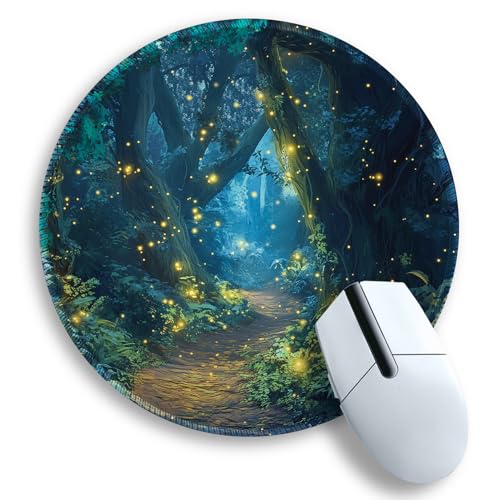
Gctriki Fireflies Forest Round Mouse Pad for Laptop

Noctua NF-A8 PWM High-Performance Quiet Fan 80mm

Large Gaming Mouse Pad Set 35.4 x 15.7 with Wrist Rest

Pulsar Gaming Gears X2H Crazylight Wireless Gaming Mouse Mini Jet Black
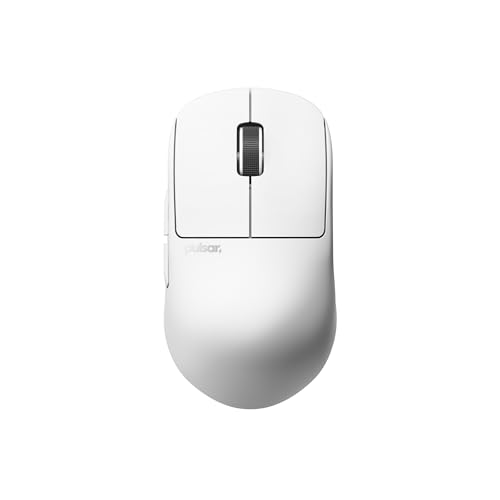
Pulsar Gaming Gears X2H Crazylight Wireless Gaming Mouse Mini Uyuni White

FIFINE AmpliGame Stream Controller with 15 Macro Keys and Trigger Actions
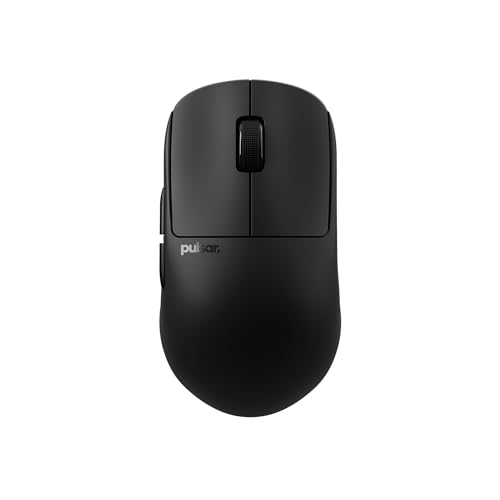
Pulsar Gaming Gears X2H Crazylight Wireless Gaming Mouse Medium Jet Black

Pulsar Gaming Gears X2H Crazylight Gaming Mouse Medium Uyuni White

FIFINE AmpliGame Video Capture Card HD 1080 60fps 4K HDMI to USB
More On The Choices That Made The List
Macro pads sit in that awkward middle ground between a keyboard shortcut and a full mixer, and the FIFINE AmpliGame D6 leans hard into the streaming angle. It carries 15 dedicated shortcut keys with customizable triggers, plus an LCD strip for labeling actions on the fly. For someone running OBS while playing, swapping scenes, muting mics, or kicking off a recording usually means hunting through menus. This controller collapses that into one tap.
Setup runs through the companion software, and once the profile is dialed in, the pad lives next to your keyboard like a small command deck. It also doubles as a media controller when streaming is offline, which makes it useful beyond the live setup. For streamers just starting out, the learning curve is friendlier than memorizing ten different hotkey combinations.
What Pays Off
- 15 programmable keys cover scene swaps, audio ducking, and chat replies in a single tap
- LCD-labeled keys keep your actions readable without sticky notes stuck to the deck
- Doubles as a media controller for music and video when the stream is offline
- Software configuration is straightforward, even for first-time streamers building their first overlay
Things To Consider
- The plastic chassis feels lighter than premium metal decks, so it tends to slide during energetic sessions
- Without a backlight option, finding the right key in a dim room takes a beat of adjustment
- Profiles are stored in the software rather than onboard, so swapping PCs means re-syncing
Whose Shelf It Belongs On
Twitch and OBS streamers who want to stop alt-tabbing mid-game and need a tactile, dedicated control surface within reach.
Reach For A Different Pick When
The FIFINE AmpliGame Stream Controller with 15 Macro Keys suits creators who stream across multiple platforms better, since it bundles wider software hooks in one device.
Most gaming pads assume you sit at a desk all day, but the Gctriki Fireflies Forest Round Mouse Pad is built for the opposite life. The round footprint slips into a laptop sleeve, and the textured Lycra surface gives optical and wireless sensors a consistent reading surface whether you’re working at a hotel desk or a coffee shop. It’s the kind of small thing you forget about until you don’t have it.
The anti-slip rubber base helps the pad stay planted on slick café tables, and the printed firefly pattern adds a bit of personality without screaming for attention. It pairs nicely with compact travel mice or even a trackpad user who wants a smoother glide. Compared to the larger desk-scale pad in this list, this one sacrifices coverage for portability, which is exactly the trade-off most remote workers want.
Where It Excels
- Round, compact shape fits inside most laptop sleeves without bending
- Lycra weave tracks consistently across wired, wireless, and high-DPI sensors
- Rubber base keeps the pad from skating on glass or laminate desks
- Printed artwork adds a personal touch to an otherwise utilitarian setup
Worth Noting
- The round shape limits sweeping mouse movements, which FPS players tend to dislike
- Lycra fabric tends to show wear at the edges after months of daily travel
- No stitched border, so fraying is a realistic concern over time
Built With In Mind
Remote workers and laptop-first users who game or edit on the go and need a dependable glide surface that lives inside a bag.
A Better Fit Elsewhere
The JYCUHTCL Cherry Blossom Moon desk pad covers a much wider area, which makes it the smarter match for a fixed battlestation where travel isn’t a factor.
Cooling fans rarely make it onto accessory lists, but anyone building a compact PC knows the struggle: a stock 80mm fan sounds like a hairdryer under load. The Noctua NF-A8 PWM is a small-form-factor workhorse built around quiet operation, with a 4-pin PWM header that lets the motherboard throttle the speed based on temperature. At full tilt it tops out around 2200 RPM, which keeps noise closer to a whisper than a hum.
The 80mm frame fits HTPC cases, ITX builds, NAS boxes, and any small chassis where airflow matters more than raw RGB. Noctua’s brown-and-beige color scheme is famously polarizing, but in a closed case it’s invisible, and the trade-off for acoustic comfort is well worth it. Compared to the streaming pads earlier in this list, this pick sits firmly on the hardware side of the accessory conversation.
Positive Takeaways
- 4-pin PWM support lets the motherboard scale fan speed with system temperature
- Optimized blade design pushes strong airflow without crossing into noise territory
- 80mm format drops into compact cases and replaces louder stock fans cleanly
- Long rated lifespan makes it a near-fit-and-forget upgrade
Minor Gripes
- The signature brown-and-beige color scheme clashes with most gaming builds
- Premium pricing for an 80mm fan, especially in a build full of budget parts
Quick Facts
Best Suited To
Small-form-factor builders and quiet-PC enthusiasts who want a drop-in fan replacement that prioritizes acoustics over raw cooling.
Where Another Pick Suits Better
The FIFINE AmpliGame D6 streaming controller is the better tool for someone focused on broadcast workflow rather than internal hardware.
The JYCUHTCL Cherry Blossom Moon pad set treats the desk as one continuous canvas. The main pad spans 35.4 x 15.7 inches, which is wide enough to hold a full-sized keyboard, a mouse, and a notebook without crowding anything. Add a memory foam wrist rest and a matching coaster, and the whole desk feels intentional instead of pieced together over time.
The smooth fabric surface gives mice a consistent glide, and the stitched edges help the pad keep its shape through years of daily use. The cherry blossom artwork leans toward a softer aesthetic that fits light-themed setups better than aggressive RGB rooms. Compared to the Gctriki travel pad, this is the opposite end of the spectrum: anchored, oversized, and built to stay put.
Useful Highlights
- 35.4-inch width covers keyboard, mouse, and accessories without seams
- Memory foam wrist rest reduces fatigue during long typing or play sessions
- Stitched edges slow fraying on the high-wear front edge
- Coaster completes the set so cups stop leaving rings on the desk
A Few Limitations
- The size makes it awkward on smaller desks under 40 inches wide
- Printed artwork may clash with darker, RGB-heavy battlestations
- Fabric surface tends to trap dust and crumbs over weeks of use
Right Fit For
Full desk setup enthusiasts who want their keyboard, mouse, and wrist support to look like one matched set rather than a collection of parts.
Swap It Out When
The Gctriki Fireflies Forest round pad is a smarter call for anyone working out of a laptop sleeve where a 35-inch mat would never fit.
The Mini variant of the Pulsar X2H Crazylight is built for players with smaller hands or those who prefer a claw or fingertip grip. At roughly 37 grams, it lands in the ultralight category where flicking and lifting feel effortless rather than tiring. The wireless design keeps the desk clean, and the optical switches underneath the buttons tend to register faster than traditional mechanical switches.
The XS-1 sensor pushes tracking up to 32,000 DPI, which is way beyond what most gamers actually use day to day, but the high ceiling means the sensor never bottlenecks aggressive movements. For competitive FPS players, the lightweight shell matters more than any single spec sheet. Compared to the medium-sized X2H reviewed later, the Mini sacrifices palm-rest comfort for agility.
Positive Points
- 37 g shell reduces wrist fatigue across long ranked sessions
- Wireless connection keeps the desk free of cable drag
- High-end optical sensor handles fast flicks without losing tracking
- Compact shape suits claw and fingertip grip styles naturally
Soft Spots
- Mini chassis cramps users with larger hands or palm-grip preferences
- Lightweight plastic body flexes under heavy grip pressure
- Battery life sits shorter than heavier wireless mice with larger cells
Who It Suits Best
Competitive FPS players with smaller hands who prioritize low weight and fast response over palm-grip comfort.
Consider Something Else When
The Pulsar X2H Crazylight Medium Jet Black fits palm-grip players better, since the larger chassis fills the hand more naturally.
The Uyuni White finish on the Pulsar X2H Mini is the same lightweight shell dressed in a minimalist colorway that suits clean, monochrome setups. If your battlestation leans into white cases, white keyboards, and neutral desks, this mouse slips in without breaking the visual rhythm. Functionally, it carries the same internals as the Jet Black version: 37 g shell, wireless connection, and the high-spec optical sensor.
White finishes always raise the question of how well they age. Glossy plastic shows scuffs faster than matte black, so owners tend to wipe it down more often. For someone who cares about the look of the setup as much as the performance, that’s a fair trade. Compared to the streaming controllers earlier in this list, this pick is firmly in the input-device lane.
Why It Works Well
- Uyuni White finish matches minimalist and monochrome battlestations cleanly
- Same 37 g ultralight shell as the Jet Black variant
- Wireless design eliminates cable drag on wide mousepads
- Optical switches register clicks faster than traditional mechanical ones
Honest Caveats
- White plastic tends to yellow slightly over years of handling
- Glossy finish shows fingerprints and scuffs more than the black version
- Mini size still rules out palm-grip users with larger hands
Feature Snapshot
Perfect Match For
Minimalist battlestation builders with smaller hands who want their mouse to match a clean white aesthetic without sacrificing performance.
Look Elsewhere When
The FIFINE AmpliGame D6 streaming controller suits creators focused on production workflow rather than input-device performance.
The FIFINE AmpliGame Stream Controller is the more flexible sibling of the D6 reviewed first, with 15 macro keys and trigger actions designed for OBS, Twitch, YouTube, and Streamlabs. For streamers who broadcast to multiple platforms or switch between them depending on the night, that cross-platform compatibility removes the headache of juggling separate tools. Setup runs through software profiles, and the LCD strip labels each key clearly.
It works with both Mac and PC, which is rarer than it should be in the streaming-accessory space. The chassis is plastic rather than aluminum, but the layout gives enough room between keys to avoid misfires during live sessions. Compared to the original D6 model, this one broadens the software hooks without changing the core concept.
Features That Help
- Trigger actions integrate cleanly with OBS, Twitch, YouTube, and Streamlabs
- Mac and PC compatibility broadens who can use the controller out of the box
- 15 macro keys handle scene swaps, audio levels, and chat replies without alt-tabbing
- LCD labeling keeps each action readable at a glance during live broadcasts
Points To Note
- Plastic chassis feels lighter than premium metal macro pads
- Software setup takes patience on the first profile build
Who Should Grab It
Cross-platform content creators who stream to multiple destinations and need a single control surface that handles each one.
Skip It When
The FIFINE AmpliGame D6 Gaming Controller is a tighter fit for streamers who only use OBS and want a similar feature set with simpler software.
The Medium version of the Pulsar X2H fills the hand more completely than the Mini, which makes it a natural fit for palm grip and relaxed claw styles. At around 43 grams, it’s still firmly in the ultralight category, just with a slightly larger footprint. Wireless connectivity keeps the desk uncluttered, and the optical switches underneath the buttons register presses with minimal travel.
For players who found the Mini too cramped, this size lands in the sweet spot. The sensor and wireless specs match the smaller sibling, so there’s no performance trade-off for the extra room. Compared to the streaming controllers earlier in this list, this mouse is built for input precision rather than production workflow.
A Few Strong Suits
- Medium chassis suits palm grip and longer hand sizes better
- 43 g weight keeps it in the ultralight category despite the larger size
- Wireless connection removes cable drag during wide mouse sweeps
- Optical switches fire faster than traditional mechanical ones
Room For Improvement
- Larger size may feel oversized for dedicated claw or fingertip grip players
- Battery life is shorter than heavier wireless mice with bigger cells
Made For
Palm-grip players and generalists with medium-to-large hands who want an ultralight mouse without the cramped feel of the Mini shell.
Where A Sibling Pick Shines
The Pulsar X2H Crazylight Mini Jet Black is the better call for claw and fingertip grip players who prize agility over palm support.
The Uyuni White Medium closes out the X2H family with the same palm-friendly chassis as the Jet Black Medium, dressed in a clean white finish. It’s a wired build rather than wireless, which removes the battery concern entirely and keeps the weight around 43 grams. For FPS players who prefer the reliability of a wired connection and a lighter desk, this is a focused pick.
White plastic still carries the same maintenance considerations as the Mini variant: scuffs show faster and yellowing is a long-term concern. The optical sensor and switches match the rest of the X2H lineup, so performance stays consistent across the family. Compared to the streaming pads reviewed earlier, this is firmly a peripheral for input precision.
Everyday Wins
- Wired connection removes battery anxiety for marathon sessions
- 43 g chassis stays ultralight despite the medium footprint
- Uyuni White finish matches minimalist and monochrome setups
- Optical switches and sensor match the rest of the X2H family
Points To Keep In Mind
- White plastic shows wear and yellowing faster than darker finishes
- Wired cable introduces drag on wide mousepads without a bungee
The Right Fit
FPS players who prefer wired reliability, want a clean white aesthetic, and need a medium-sized shell for palm grip comfort.
Not Your Match When
The Pulsar X2H Crazylight Mini Uyuni White wireless option is the better call for users who want a cable-free desk and a smaller footprint.
The FIFINE AmpliGame Capture Card handles the messy middle of streaming from a console or a second PC. It captures at 1080p 60fps through USB while looping out a 4K 30fps HDMI signal to a monitor or TV. For anyone streaming PS4, Xbox, or Switch gameplay without a dedicated streaming PC, this card does the job without the price tag of a prosumer deck.
Plug-and-play is the selling point: connect the console HDMI out to the card, run the USB cable to the streaming PC, and the software recognizes it almost immediately. Compatibility spans Windows and Mac, which broadens who can use it. Compared to the macro pads reviewed earlier, this card shifts the focus from live broadcast controls to actual capture and passthrough.
Real Benefits
- 1080p 60fps capture handles most console and PC streaming scenarios
- 4K HDMI passthrough keeps gameplay looking sharp on a TV or monitor
- Plug-and-play setup works with Windows and Mac without driver hunting
- Broad console compatibility covers PS4, Xbox, and Switch
Trade Offs
- No internal recording, so the streaming PC must be running for capture to work
- USB 3.0 performance depends on the included cable; replacements can cause issues
Feature Rundown
Who Will Love This
Console streamers and hybrid creators who want to broadcast gameplay without building a dedicated capture PC.
Another Choice May Suit
The FIFINE AmpliGame Stream Controller is the better fit for creators focused on live broadcast controls rather than capture hardware.
What Matters Most Before Choosing Pc Gaming Accessories
Matching Accessories To Your Play Style
The first filter is honest: what kind of player are you, and what does your desk actually look like? A competitive FPS player chasing fast flicks wants an ultralight mouse like the Pulsar X2H lineup and a pad that lets the mouse sweep without dragging. A streamer running OBS at midnight needs a macro pad like the FIFINE AmpliGame D6 to swap scenes without breaking flow. Someone working from a laptop in coffee shops wants the Gctriki round pad over a 35-inch desk mat.
Size and grip matter more than specs for mice. Hand size, grip style (palm, claw, fingertip), and whether you prefer wireless freedom or wired reliability all shape which pick fits. The Mini X2H favors claw and fingertip players; the Medium X2H suits palm grip. Color is a smaller concern but worth noting for anyone building a themed setup.
Cooling, Capture, and the Hidden Accessories
Cooling fans and capture cards don’t show up on most accessory lists, but they matter once the build is finished. The Noctua NF-A8 PWM is the right call for compact cases where stock fans sound like a small jet engine. The FIFINE AmpliGame Capture Card solves a very specific problem: broadcasting console gameplay to a streaming PC without spending on a prosumer deck. Skip these only if your case is already cool and your content stays on one machine.
Surface, Comfort, and Long Sessions
Mousepads and wrist supports are easy to overlook until your wrist aches after a long night. The JYCUHTCL desk pad set covers the whole desk and bundles wrist support, which suits anyone running marathon sessions. The Gctriki round pad is the opposite: compact, portable, and meant for travel. Match the pad to the desk size, and add a wrist rest if you type and game for hours at a stretch.
Key Considerations Across These Picks
Wrong Turns To Avoid
The most common mistake is buying a mouse based on DPI alone. Real-world tracking depends on sensor quality and shell weight more than peak DPI numbers, so chasing the highest spec on paper often leads to the wrong shape in the hand. Another pitfall is picking a macro pad before testing the software, since a controller that fights your streaming setup wastes the investment. Finally, oversized desk pads look great in photos but crowd smaller workspaces: measure the desk before committing to a 35-inch mat.
The Upgrade Payoff
Higher-tier picks in this category tend to earn their place through sensor accuracy, lower weight, and quieter operation. The Pulsar X2H family uses optical switches and a high-spec sensor, which matters most for players running competitive FPS where every millisecond counts. The Noctua NF-A8 commands a premium over generic 80mm fans, but the acoustic improvement is dramatic in a quiet room. Capture cards from FIFINE hit a price point that makes sense for hobbyist streamers, while prosumer decks cost several times more for incremental gains. The upgrade is worth it when the bottleneck actually affects your daily use; otherwise, the value picks hold up fine.