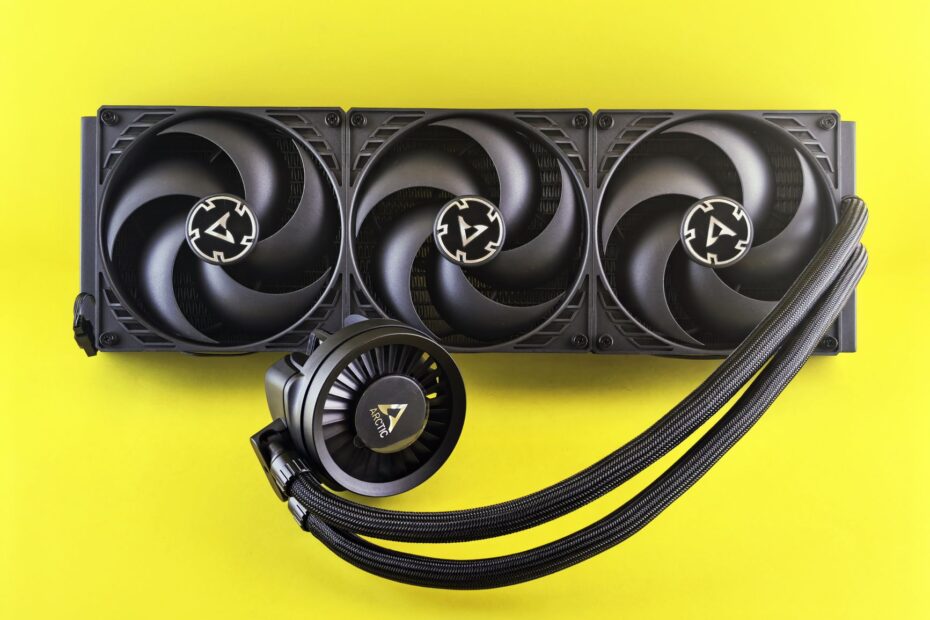
Heat leaves the CPU through either a finned heatsink or a liquid loop before reaching room air. An air CPU cooler moves heat through a metal heatsink beside the socket, while liquid cooling carries it through tubes to a radiator. Your PC needs cooling fans with either setup.
This comparison covers hardware, CPU temperatures, noise levels, fitment, upkeep, and real workload demands for desktop, gaming, and workstation builds.
Heat Leaves the CPU Through Metal and Airflow
A CPU die creates substantial heat in a small area beneath its metal lid. Thermal paste fills tiny gaps between that lid and the cooler base, so heat moves into the cooler rather than collecting around the socket.
Air Cooling Moves Heat Through a Fin Stack
An air CPU cooler sends heat from its base into copper heat pipes and aluminum fins. Cooling fans push PC case airflow through those fins, while exhaust fans move warmed air out of your case.
Your heatsink size affects fan speed under load. A dual-tower design has more fin surface than a compact stock cooler, so your fans can move the same heat with lower RPM.
Liquid Cooling Moves Heat to a Radiator
Liquid cooling starts at a cold plate mounted on the CPU. A pump circulates coolant through tubes to a radiator, where radiator fans move room air across thin metal channels.
Both systems release heat into the same room. Water cooling changes the location of the heat-exchange surface, moving it away from the CPU socket and toward a radiator mount.
Radiator fans remain necessary on an AIO liquid cooler. Without airflow across the radiator fins, coolant temperature rises and CPU temperatures follow.
Air Coolers, AIOs, and Custom Loops Have Different Parts
That longer heat path adds hardware inside your case. Air cooling keeps the base, heat pipes, fin stack, and fan together, while liquid hardware places its radiator away from the CPU.
| Cooling type | Main parts | What it means for your PC |
|---|---|---|
| Air cooler | Mounting base, heat pipes, heatsink fins, fan | Your installation stays centered on the CPU socket. |
| AIO liquid cooler | Cold plate, pump, sealed tubes, radiator, radiator fans | Your case needs radiator space and cable routing. |
| Custom water-cooling loop | Blocks, pump, reservoir, fittings, tubing, radiators | Your system can cool a CPU and GPU with more hands-on upkeep. |
AIO Liquid Coolers Arrive as Sealed Units
An AIO liquid cooler, or all-in-one liquid cooler, arrives filled and sealed. NZXT Kraken, Corsair iCUE, and ARCTIC Liquid Freezer families combine the pump, tubing, cold plate, and radiator into one CPU cooler assembly.
Your AIO is not built for routine refilling. Coolant slowly passes through tubing over years, and opening the loop introduces air, spills, or contamination near electronic parts.
Custom Loops Cover More Components
A custom water-cooling loop uses separate water blocks, a reservoir, pump, fittings, tubing, and radiators. Your loop can carry heat from both the CPU and graphics card, which matters in systems where GPU heat fills the case.
That shared thermal load still has to be sized against the CPU’s actual wattage, not the loop’s complexity.
- Air cooler: Your active parts stay limited to fan motors and mounting hardware.
- AIO cooler: Your system adds a pump, tubing, radiator, and several cable connections.
- Custom loop: Your build needs tube bends, fitting seals, coolant filling, and leak checks.
- GPU blocks: Your loop can shift graphics-card heat to radiators outside the socket area.
CPU Power Draw Sets the Cooling Demand
A 65-watt processor and a 250-watt processor place very different loads on the same cooler. Sustained CPU power, room temperature, fan curves, workload length, and PC case airflow shape the final result more than the liquid or air label.
Your gaming PC may show modest gains from a larger radiator where the graphics card limits frame rate. Long rendering jobs, code compilation, and all-core stress loads reveal more of a large radiator’s thermal capacity.
| CPU use case | Cooling capacity that fits | Expected result |
|---|---|---|
| Office work and light gaming | Compact tower air cooler | Your CPU stays well below thermal throttling limits. |
| Mainstream gaming | Quality tower cooler or 240 mm AIO | Your case layout and noise goals shape the choice. |
| Long multicore workloads | Large dual-tower cooler or 280 mm to 360 mm AIO | Your processor has more thermal room for boost clocks. |
| Heavy overclocking | Large AIO or custom loop | Your extra cooling surface delays heat-related clock drops. |
A high-end Noctua dual-tower cooler can match or beat a thin 120 mm AIO under the same workload. Small radiators have less heat-exchange area, and weak radiator fans remove much of liquid transport’s advantage.
When heat-exchange area is limited, faster fan speeds often turn thermal compromise into audible noise.
Do not judge a water-cooled PC temperature difference from one screenshot. A 5-degree result changes with room temperature, CPU power limits, fan speed, and workload duration.
Noise Comes From Fans, Pumps, and Workload Changes
Fan noise has a broad rushing sound, while pump noise may sound like a low hum or a narrow whine. That difference stands out at a quiet desk more than during a loud game or video export.
Air Coolers Produce Fan-Dominated Noise
A compact heatsink reaches its heat limit faster during a demanding load, pushing its fan toward higher RPM. Your system then sounds sharper because a smaller fan needs more speed to move enough air.
Larger tower coolers spread heat across more fins. Their fans can run slower during light work, though a restrictive front panel or clogged dust filter still pushes fan speed upward.
Liquid Coolers Add a Continuous Pump Sound
A 280 mm or 360 mm radiator absorbs a short CPU heat burst before its fans react. Your fan noise can stay lower during brief gaming spikes, yet the pump runs continuously and adds its own sound.
Your quietest result comes from sensible fan and pump curves rather than a cooling category. Set a realistic CPU power limit, smooth fan ramps, and avoid pump settings that jump between speeds during minor temperature shifts.
Installation Work and Failure Points Separate the Designs
A metal heatsink has little to wear beyond its fan. That simple layout leaves air cooling less expensive, faster to diagnose, and less demanding during installation.
Air Cooling Has Fewer Moving Parts
A fan failure does not stop the heatsink from absorbing heat for a short period. Your motherboard can detect missing fan RPM, and a standard 120 mm or 140 mm fan is straightforward to swap.
Large air coolers still need careful mounting. Their weight needs a firm backplate mount, and the front fan can hang over tall RAM near an AMD Socket AM5 or Intel LGA 1700 socket.
Liquid Cooling Adds Pump and Tube Concerns
An AIO adds pump failure, gradual coolant loss through permeation, and vibration from the pump housing. Sealed units have a low chance of leaking, yet liquid still sits near electronic parts.
Custom loops need more attention than AIOs. Your routine includes inspecting fittings, watching coolant clarity, clearing radiator dust, and leak-checking after tubing or component changes.
| Factor | Air cooling | AIO liquid cooling |
|---|---|---|
| Upfront expense | Your budget stretches farther. | Your hardware bill rises with radiator size. |
| Installation work | Your mount stays near the socket. | Your radiator, tubes, fans, and pump need placement. |
| Common failure | Your fan motor can stop. | Your pump or fan can stop. |
| Routine care | Your main task is dust removal. | Your AIO needs dust removal, while custom loops need fluid care. |
Case Measurements Decide Whether the Cooler Fits
A cooler that cannot fit your case has no practical value. Product specifications list dimensions, yet radiator thickness and RAM height can turn a compatible-looking setup into a cramped installation.
Air Cooler Clearance Starts at the Socket
Check your case’s maximum CPU-cooler height against the heatsink height with its fan attached. Your front fan may need to sit above tall memory sticks, adding several millimeters to the finished height.
Motherboard VRM heatsinks can interfere with wide dual-tower models. Thermalright Peerless Assassin and Noctua NH-D15 style coolers move substantial heat, yet they occupy more space than low-profile designs.
Radiator Position Changes GPU Air Supply
Top mounting sends CPU heat out of the case and leaves front intake air for the graphics card. Your top panel needs room for the radiator, fans, tall memory, and motherboard heatsinks together.
Front mounting can fit a thicker radiator in some mid-tower cases. It also directs radiator-warmed air toward the graphics card, which can raise GPU temperatures during long gaming sessions.
Those fit-driven airflow tradeoffs matter differently in GPU-bound gaming than in sustained CPU-heavy work.
- Socket hardware: Confirm that your cooler includes mounts for your exact CPU socket.
- Case height: Match air-cooler height with your side-panel clearance.
- RAM height: Check front-fan overlap above memory modules.
- Radiator length: Verify 240 mm, 280 mm, or 360 mm mounting space.
- Radiator thickness: Add radiator depth and fan depth before checking GPU space.
- Tube route: Avoid tight bends that pull hard against fittings or memory.
Your Workload Determines the Sensible Cooler Choice
Once fitment is settled, your workload shows whether extra cooling capacity has a real job. Everyday desktops and mainstream gaming systems rarely need a large radiator to stay responsive.
Your CPU cooler should match sustained heat rather than a dramatic hardware photo. A capable tower unit suits a 65-watt or moderate gaming processor, while a high-wattage workstation chip benefits from a 280 mm or 360 mm AIO.
| Your priority | Stronger fit | Reason |
|---|---|---|
| Lower expense and simple upkeep | Air cooler | Your system has fewer moving parts and fewer cables. |
| Long rendering or compiling sessions | Large AIO | Your radiator holds more heat-exchange surface away from the socket. |
| Tight space around RAM | AIO | Your CPU block leaves the socket area less crowded. |
| CPU and GPU liquid cooling | Custom loop | Your radiators serve multiple high-heat components. |
| Gaming with a modest CPU | Air cooler | Your frame rate rarely changes enough to justify extra hardware. |
Liquid cooling vs air cooling for gaming has no automatic winner. Your graphics card sets performance in many games, so lower CPU temperatures do not always raise frame rates.
A Cooler Decision Starts With Real Constraints
Marketing can make a radiator look like a performance requirement. Your decision becomes clearer after CPU power draw, case dimensions, workload duration, and noise tolerance come before appearance.
- Check CPU power: Find your processor’s sustained package power during demanding work.
- Measure the case: Record cooler height, radiator mounts, GPU length, RAM height, and top clearance.
- Set noise goals: Plan for larger cooling surface and slower fan speeds near your desk.
- Choose hardware: Pick air for lower complexity or an AIO for sustained heat capacity and layout freedom.
- Tune curves: Use BIOS or motherboard software for smoother fan and pump response.
Your answer is usually no unless radiator placement, appearance, low socket-area bulk, or sustained multicore work gives that extra hardware a clear purpose.
Air-cooled vs water-cooled PCs becomes a practical choice after prestige leaves the equation. Spend on liquid hardware only where a larger radiator, compact CPU block, or custom-loop flexibility solves a problem your case and workload actually present.
Final Thoughts
Heat still leaves through metal surfaces and fans. Choose air cooling for a lower-complexity system with strong value, choose a properly sized AIO for sustained high heat or layout needs, and choose a custom loop only where you accept regular hands-on care.
Your case measurements and CPU workload matter more than visual style. A 65-watt desktop and a 250-watt workstation chip do not need the same cooling hardware, even inside the same case.
FAQ
What is the difference between air-cooled and water-cooled PCs?
Air cooling transfers CPU heat through heat pipes and a fin stack beside the socket. Water cooling carries heat through coolant to a radiator, yet both systems rely on cooling fans to release heat into room air.
Which cools a CPU better: an air cooler or liquid cooler?
A large 280 mm or 360 mm AIO can handle more sustained heat than a compact air cooler. Your result still depends on CPU power draw, radiator size, fan speed, thermal paste, and PC case airflow.
Are water-cooled PCs quieter than air-cooled PCs?
In many builds, pump noise and fan curves matter more than the cooling method. Your radiator fans may run slower during short CPU bursts, but your pump adds a continuous hum or whine that air-cooled systems do not have.
Is liquid cooling worth it for gaming or everyday PC use?
Liquid cooling is not necessary for most everyday desktops and mainstream gaming PCs. Your graphics card limits frame rate in many games, so lower CPU temperatures may not change the performance you see.
Do water-cooled PCs still need case fans?
Radiator fins require moving air to transfer coolant heat out of the case. Your PC also benefits from case fans that feed cooler air to the radiator and graphics card while moving warmed air out.
What are the maintenance requirements of water cooling?
An AIO needs dust cleaning and periodic checks for pump noise, fan behavior, and tube condition. Your custom water-cooling loop needs coolant inspection, radiator cleaning, fitting checks, and leak checks after hardware changes.