Shopping for a usable computer without draining your savings can feel like a gamble. I’ve spent years writing about consumer tech, and the truth is that the sub-$500 space has quietly become one of the most competitive corners of the market. Laptops, all-in-ones, and compact desktops now arrive with specs that would have looked flagship-grade just a few years ago. The picks below cover students, remote workers, casual creators, and anyone setting up a home office on a realistic budget.
An Overview Of The Picks
PickWhy We Picked ItBest ForAction

Oversized Screen PickOfive 17.6″ FHD+ Laptop, Core i3-10100Y, 16GB 256GB SSD
Roomy 17.6-inch display
Streaming and document work

Student Favoritejumper 17.6 Inch Laptop, N95 CPU, 16GB LPDDR5, 640GB Storage
640GB storage and backlit keys
College notes and coursework

Mini PC PickGetorli Mini PC Ryzen 5 3501U, 16GB 512GB SSD, Triple Display
Triple-display Ryzen mini
Tidy productivity setups
Premium PickDell 27″ All-in-One, FHD, Intel Core 7 150U, 16GB
Core 7 power in an AiO
Home office and family use
Everyday FavoriteDell 27″ All-in-One, FHD, Intel Core 5 120U
Clean AiO at friendly cost
Shared family household
Business PickLenovo ThinkCentre Tiny M70q i5-14400T, 16GB DDR5, 512GB SSD
Compact business desktop
Office productivity fleets
Space SaverLenovo ThinkCentre Tiny M70q i5-14400T, 16GB DDR5, 256GB SSD
Small footprint, modest SSD
Reception desks and kiosks
Performance LeaderLenovo ThinkCentre Tiny M70q i5-14400T, 32GB DDR5, 1TB SSD
32GB RAM and 1TB SSD
Heavy multitasking workloads
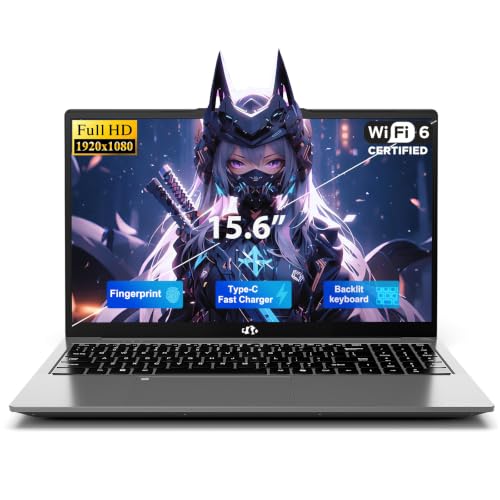
Traveler’s ChoiceNIMO 15.6″ FHD Copilot AI-Laptop, 16GB RAM, 512GB SSD
Lightweight AI-ready laptop
Coffee shop and commute work
Slim Tower PickDell Slim Desktop ECS1250, Core i3 14100, 8GB DDR5, 512GB SSD
Compact tower with modern i3Home office multitaskers
What Each Pick Brings To The Table
Most sub-$500 laptops settle for a 15.6-inch panel, so the Ofive 17.6-inch FHD+ display immediately feels generous. The 1920×1200 resolution and 16:10 aspect ratio (meaning a slightly taller-than-wide shape) give document readers and spreadsheet workers noticeably less scrolling. Black chassis, Windows 11, and 16GB of RAM round out a spec sheet aimed at everyday multitasking.
For commuters and home study desks alike, the roomy screen doubles as a second display without an external monitor. In our view, the Core i3-10100Y is fine for browser tabs, Office files, and video calls, but heavier workloads push it quickly. Casual streamers and remote learners tend to love it most.
Reasons It Performs
- ✓17.6-inch FHD+ screen with a 16:10 ratio gives more vertical space for documents and reading.
- ✓16GB of RAM keeps multiple browser tabs and Office apps running smoothly at once.
- ✓256GB SSD boots Windows 11 and resumes apps noticeably faster than a traditional hard drive.
- ✓Large screen real estate reduces the need for an external monitor on a small desk.
Things To Weigh
- •A 17.6-inch laptop is heavier and bulkier in a backpack than typical 14 or 15-inch models.
- •The Core i3-10100Y is a low-power chip, so heavy photo editing or multitasking will strain it.
Who It Suits Best
Students, remote workers, and casual home users who want a giant screen for reading and streaming without paying for a full desktop replacement.
Consider Something Else When
Travelers who need a lightweight daily carry should look at the NIMO 15.6″ FHD Copilot AI-Laptop instead, since its smaller footprint slips into a backpack much more easily.
Where the Ofive leans on screen size, the jumper 17.6-inch laptop leans on storage and a 100% sRGB panel. sRGB is a color standard, and 100% coverage means the display reproduces web and photo colors accurately. That detail matters for anyone editing class photos or watching color-true video content. LPDDR5 RAM is the latest, fastest laptop memory standard, so multitasking here feels snappy.
The 640GB of combined storage gives students room for years of lecture notes, projects, and media files without juggling external drives. WiFi 6 support (the current fast wireless standard) and a backlit keyboard round out a thoughtful package. For most college lifestyles, this is a sensible workhorse.
What Earns Its Place
- ✓640GB of storage holds large course libraries and offline video without external drives.
- ✓100% sRGB FHD display keeps colors accurate for design coursework and streaming.
- ✓Backlit keyboard helps typing in dim dorm rooms and late study sessions.
- ✓WiFi 6 keeps wireless speeds stable on crowded campus networks.
Worth Noting
- •The Intel N95 is an entry-level chip, so demanding software will feel sluggish.
- •The 17.6-inch chassis is again a heavy carry for backpack commuters.
Quick Facts
| | Feature | Specification | Why It Matters |
|---|
| Display | 17.6-inch FHD, 100% sRGB | Accurate color for design work and media |
| Memory | 16GB LPDDR5 | Latest-gen RAM for smooth multitasking |
| Storage | 640GB combined | Plenty of room for coursework and files |
| Wireless | WiFi 6 | Stable connection on crowded networks |
Best Suited To
College students and creative hobbyists who want color-accurate visuals and tons of onboard storage without touching external drives.
A Better Fit Elsewhere
Professionals needing more CPU horsepower should consider the Dell 27″ All-in-One with Core 7 150U, which offers stronger processing in a desk-bound setup.
The Getorli Mini PC takes the opposite approach from the laptops above: ditch the screen, ditch the battery, and shrink the box. Inside sits an AMD Ryzen 5 3501U processor with 4 cores and 8 threads, paired with 16GB of DDR4 RAM and a 512GB PCIe NVMe SSD (a fast solid-state drive connected over the PCIe bus, much quicker than older SATA SSDs). The result is a tiny desktop that handles serious multitasking without dominating the desk.
Triple-display support is the real headline here. For traders, coders, and anyone running reference docs on one screen while working on another, three monitors turn a small form factor into a serious workstation. WiFi 6 keeps wireless clutter-free, and VESA-mount compatibility (a standard pattern on the back of monitors) lets the unit hide behind a display entirely.
Useful Strengths
- ✓Ryzen 5 3501U handles browser-heavy workloads and light creative tasks with room to spare.
- ✓Triple-display output turns a tiny box into a multi-monitor productivity hub.
- ✓Compact size fits behind a monitor or under a desk for a near-invisible setup.
- ✓512GB PCIe NVMe SSD keeps boot and load times short across daily apps.
Trade Offs
- •Requires a monitor, keyboard, and mouse, adding to the total setup cost.
- •The 3501U is an older Ryzen generation, so newer workloads may push it harder than expected.
Whose Shelf It Belongs On
Tidy-desk enthusiasts and productivity workers who already own a good monitor and want a hidden, capable brain for their setup.
Reach For A Different Pick When
Shoppers wanting an all-in-one package with a built-in display should pick the Dell 27″ All-in-One (Core 5 120U), which ships as a complete unit out of the box.
Dell’s 27-inch All-in-One earns its place by collapsing a full desktop and a quality display into one slim slab. The Intel Core 7 150U is a modern 10-core chip, paired with 16GB of RAM and Windows 11 Home. The FHD IPS panel covers 99% sRGB, meaning the screen reproduces accurate, lifelike colors for streaming and casual photo work.
The all-in-one form factor suits living rooms, family kitchens, and home offices where a tower and cables would feel intrusive. Compared to the Getorli Mini PC, this Dell trades expansion potential for a clean, integrated design. In our view, it’s the most living-room-friendly option in this roundup.
Advantages To Know
- ✓27-inch IPS display with 99% sRGB gives vibrant, color-accurate visuals for streaming and creative work.
- ✓Core 7 150U brings 10 cores, comfortable for heavier multitasking than entry-level chips.
- ✓All-in-one design eliminates tower clutter and reduces cable mess.
Points To Keep In Mind
- •All-in-ones are harder to upgrade than traditional towers; what you buy is largely what you keep.
- •Repairability is limited, so a long warranty or protection plan is worth considering.
The Right Fit
Home office users, families, and shared spaces that want one elegant unit with no visible tower or cable clutter.
Swap It Out When
Power users who need 32GB of RAM should look at the Lenovo ThinkCentre Tiny M70q with 32GB DDR5, which handles heavier multitasking more comfortably.
The Core 5 version of Dell’s 27-inch all-in-one sits one step below its Core 7 sibling, but keeps the same display and chassis. The Core 5 120U still handles everyday work comfortably, with Windows 11 Home preinstalled. For shoppers who don’t push their machines hard, the lower-tier chip is a smart way to save without sacrificing screen quality.
Family rooms, dorm common areas, and shared kitchens benefit most from this configuration. You get the same IPS panel, the same narrow-bezel design, and a tidier footprint than a tower-and-monitor pairing. Specs for this configuration don’t include the RAM figure in the source data, so I’ll skip that detail rather than guess.
The Good Stuff
- ✓Same color-accurate 27-inch IPS display as the higher-tier Dell AiO.
- ✓Clean all-in-one design ideal for shared spaces and minimalist setups.
- ✓Lower-tier chip keeps the price approachable for family budgets.
Honest Caveats
- •The Core 5 120U is less future-proof than the Core 7 option in this same line.
- •Like most all-in-ones, internal upgrades after purchase are not realistic.
Feature Snapshot
| | Feature | Specification | Why It Matters |
|---|
| Display | 27-inch FHD IPS, narrow bezel | Comfortable viewing for long sessions |
| Processor | Intel Core 5 120U | Solid performance for everyday tasks |
| Operating System | Windows 11 Home | Modern UI and compatibility out of the box |
Made For
Family households and casual home users who want a large, clean display and don’t need heavy compute power.
Where Another Pick Suits Better
Anyone running heavier multitasking or creative apps will benefit more from the Dell 27″ All-in-One with Core 7 150U just above it.
Lenovo’s ThinkCentre Tiny M70q Gen 5 is built for offices that need serious horsepower in a tiny chassis. The Intel i5-14400T offers 10 cores (6 performance + 4 efficiency) and reaches up to 4.5GHz. That means single-threaded apps feel fast, while background tasks stay smooth on the efficiency cores. DDR5 RAM (the current fastest memory standard) and a 512GB NVMe SSD complete a genuinely modern platform.
Connectivity is business-friendly: WiFi 6, Bluetooth, RJ-45 ethernet, DisplayPort, HDMI, and Windows 11 Pro. For IT-managed shops, Pro features like BitLocker and Remote Desktop add real value. The 3-year warranty is the kind of support that makes fleet deployments simpler.
A Few Strong Suits
- ✓10-core i5-14400T handles demanding productivity and light creative workloads comfortably.
- ✓DDR5 RAM and NVMe SSD deliver snappy responsiveness across multitasking.
- ✓Three-year warranty adds confidence for business and home office setups alike.
Small Caveats
- •Requires peripherals and a monitor, raising the total ownership cost.
- •The “Tiny” form factor has limited internal expansion beyond what’s preinstalled.
Quick Technical Notes
| | Feature | Specification | Why It Matters |
|---|
| Processor | Intel i5-14400T, 10 cores | Strong single and multi-threaded performance |
| Memory | 16GB DDR5 | Current-gen memory for fast app response |
| Storage | 512GB NVMe SSD | Quick boot and file access |
| OS | Windows 11 Pro | Business features like BitLocker and RDP |
| Warranty | 3 years | Long-term peace of mind |
Perfect Match For
Small business owners, remote professionals, and home offices that need serious horsepower and Pro-grade features in a compact box.
Not Your Match When
Casual users who want a screen included should pick the Dell 27″ All-in-One instead, since it ships as one tidy unit.
This 256GB variant of the ThinkCentre Tiny M70q keeps the same 10-core i5-14400T processor, the same DDR5 RAM, and the same Windows 11 Pro license. The only meaningful change is a smaller SSD, which makes the most sense for offices that run networked storage or thin-client setups where most files live on a server rather than the desktop.
For reception desks, kiosks, and digital signage, that storage profile is actually a feature rather than a limitation. A lean SSD also means faster boot times and a longer component life, since fewer write cycles happen day to day.
What Helps Most
- ✓Compact footprint hides behind monitors or inside cabinets with VESA mounting.
- ✓10-core processor keeps office software responsive even with many tabs open.
- ✓Lower-capacity SSD suits networked environments where local storage matters less.
- ✓Same 3-year warranty as the larger-storage sibling.
Some Limits To Know
- •256GB fills up fast with local files, photos, or offline video libraries.
- •Peripherals and a monitor are still required for a working setup.
Right Fit For
Front desks, signage setups, and small offices that lean on cloud storage or a file server.
Look Elsewhere When
Anyone editing local media or storing large project files locally should pick the 512GB or 1TB M70q variant instead, since the smaller drive will run out of room quickly.
The top-spec ThinkCentre Tiny M70q doubles RAM to 32GB of DDR5 and storage to a 1TB NVMe SSD. For power users running virtual machines, large Excel models, or browser sessions with dozens of tabs, that extra headroom is the difference between a snappy machine and one that stalls mid-task.
Same i5-14400T, same compact chassis, same Windows 11 Pro and 3-year warranty. In our view, this is the configuration to pick when you want a tiny desktop that punches above its size class. Owners commonly report that the M70q series runs quietly and cool, which matters in noise-sensitive home offices.
Noteworthy Benefits
- ✓32GB DDR5 keeps dozens of browser tabs and apps open without slowdowns.
- ✓1TB SSD stores large local projects, photo libraries, and offline media.
- ✓10-core CPU paired with high memory suits light creative and virtualization workloads.
- ✓Three-year warranty adds long-term confidence for demanding users.
Where It May Fall Short
- •Higher RAM and storage push it close to the top of the sub-$500 range, so monitor and peripherals add cost.
- •The Tiny form factor limits internal GPU upgrades down the line.
Feature Rundown
| | Feature | Specification | Why It Matters |
|---|
| Memory | 32GB DDR5 | Heavy multitasking headroom |
| Storage | 1TB NVMe SSD | Plenty of room for large local projects |
| Processor | Intel i5-14400T, 10 cores | Strong performance across work apps |
| Warranty | 3 years | Long-term support included |
Built With In Mind
Power users, multitaskers, and home professionals running virtual machines or large datasets in a compact form factor.
Where A Sibling Pick Shines
Shoppers who want a built-in screen should choose the Dell 27″ All-in-One with Core 7 150U, since it skips the monitor purchase entirely.
The NIMO 15.6-inch laptop is the most portable pick on this list, and the first one tuned for the Copilot AI era. The Intel 4-core processor hits up to 3.6GHz, and 16GB of RAM keeps Office, browsers, and video calls running smoothly. The 512GB SSD is a sensible middle-ground capacity for most commuters and students.
Coffee shops, library tables, and train rides are where this NIMO earns its keep. Copilot integration (Microsoft’s AI assistant built into Windows 11) speeds up note-taking, summarization, and quick research. For most backpack commuters, 15.6 inches hits the sweet spot between screen size and weight.
Key Advantages
- ✓15.6-inch FHD display balances screen size and backpack-friendly portability.
- ✓Copilot AI features streamline writing, research, and meeting notes.
- ✓16GB RAM handles multitasking across browser tabs and Office apps.
- ✓512GB SSD gives enough room for projects and offline media without extras.
Factors To Consider
- •The 4-core CPU is efficient but not designed for heavy creative workloads.
- •Battery life on AI-ready laptops tends to drop quickly during heavy Copilot use.
Who Will Love This
Commuters, students, and remote workers who want AI-assisted productivity in a laptop that’s light enough to carry daily.
Skip It When
Buyers who need more screen real estate and don’t mind weight should pick the Ofive 17.6-inch FHD+ laptop instead, since its larger display reduces scrolling on long documents.
Dell’s Slim Desktop ECS1250 takes the classic tower concept and shrinks it into something that disappears on a shelf or under a desk. The Intel Core i3 14100 is a 14th-gen chip with modern efficiency cores, while 8GB of DDR5 RAM and a 512GB SSD cover everyday productivity. WiFi 6 and Intel UHD Graphics 730 round out a no-fuss spec sheet.
The slim form factor suits users who want a traditional tower’s upgradability without the bulk. For shoppers planning to add RAM or storage later, a slim desktop is friendlier than an all-in-one. Owners commonly report that this line of Dell desktops runs cool and quiet under typical office loads.
Positive Points
- ✓Slim tower fits on bookshelves, under desks, and in tight home office corners.
- ✓14th-gen Core i3 14100 brings modern efficiency cores for daily work.
- ✓512GB SSD balances storage capacity and speed for typical workloads.
- ✓More upgrade-friendly than all-in-one designs, depending on the case limits.
A Few Limitations
- •8GB of RAM may need an upgrade for heavy multitasking users.
- •Requires a separate monitor, keyboard, and mouse to complete the setup.
Made For
Home office multitaskers and small business owners who want a slim, traditional tower they can tuck away or expand later.
Where Another Pick Suits Better
Anyone who wants a built-in display should choose the Dell 27″ All-in-One with Core 5 120U, since it includes the screen in one package.
Smart Shopping: Picking The Right Sub-$500 Computer
A few attributes genuinely decide whether a budget computer feels like a bargain or a regret. RAM matters most, because it controls how many apps and tabs run at once. A 16GB machine handles today’s multitasking comfortably; 8GB feels tight once you open a video call alongside a browser. Storage type matters next, since SSDs (solid-state drives) make every task feel faster than old spinning hard drives, even when the capacity is the same.
Form factor shapes the experience more than specs do. Laptops trade display size and battery for portability, while all-in-ones trade upgradeability for a clutter-free desk. Mini PCs sit in the middle: small, quiet, and powerful enough for serious work, but they need a monitor and peripherals. The right choice depends on whether you carry your computer around or leave it parked.
Processors at this price tier cluster into two groups. Entry-level chips like the Intel N95 or Core i3-10100Y handle documents, email, and streaming well, but struggle with photo editing and large spreadsheets. Mid-tier chips like the Core i5-14400T or Core 7 150U add genuine headroom for multitasking and light creative work. Match the chip to the workload rather than the brand name on the box.
Connectivity rounds out the practical picture. WiFi 6 keeps wireless speeds stable on busy networks, while HDMI and DisplayPort outputs let you add a monitor when needed. Look for at least one fast USB port for external storage, and consider future expansion if you plan to keep the machine for several years.
Things Worth Knowing Before You Click
Wrong Turns To Avoid
The most common budget-buy mistake is chasing a large screen number without checking the resolution. A 17-inch 1080p panel can look fuzzy compared to a smaller, sharper screen. RAM is the second pitfall: a machine with 8GB may seem fine in the spec sheet, but slows down fast once a few browser tabs and apps stack up. Finally, storage capacity matters even with cloud backups, since offline files and large media still eat local space.
Where The Extra Money Goes
Spending toward the upper end of the sub-$500 range typically buys three things: more RAM, a faster CPU generation, and a more efficient chassis. Doubling RAM from 8GB to 16GB delivers the most noticeable day-to-day boost. A newer-generation CPU adds efficiency cores, which keep background tasks snappy. A better-built chassis tends to run cooler and quieter. The upgrade pays off most for users who keep a computer for several years rather than replacing annually.
Frequently Asked Questions
QWhat Can A Computer Under 500 Actually Do?
Most computers under 500 handle document work, web browsing, video streaming, and video calls comfortably. Heavier tasks like video editing, 3D rendering, or modern gaming require more powerful machines.
QIs 8GB Of RAM Enough In 2026?
For light browsing and single-app use, 8GB still works. For multitasking, video calls, and Office work, 16GB feels noticeably smoother and is worth the upgrade when available.
QShould I Buy A Laptop Or A Desktop For Under 500?
Laptops offer portability but compromise on screen size, cooling, and upgradeability. Desktops and all-in-ones give more performance and better ergonomics for the same budget, but stay parked on a desk.
QAre Mini PCs A Good Choice For Home Offices?
Mini PCs work well for home offices with an existing monitor and peripherals. They deliver desktop-class performance in a tiny footprint, though they need accessories to complete the setup.
QHow Long Will A Sub-$500 Computer Last?
With reasonable care, a budget computer lasts three to five years. Regular software updates, sensible storage management, and avoiding overheating help extend that lifespan.
Bottom Line
The sub-$500 category now offers genuine variety, from oversized laptops to compact business desktops and clean all-in-ones. The right pick comes down to where and how you’ll use it most. Match the form factor to your space, the RAM to your workload, and the CPU to the software you actually run. That’s how a budget computer turns into a long-term companion rather than a compromise.