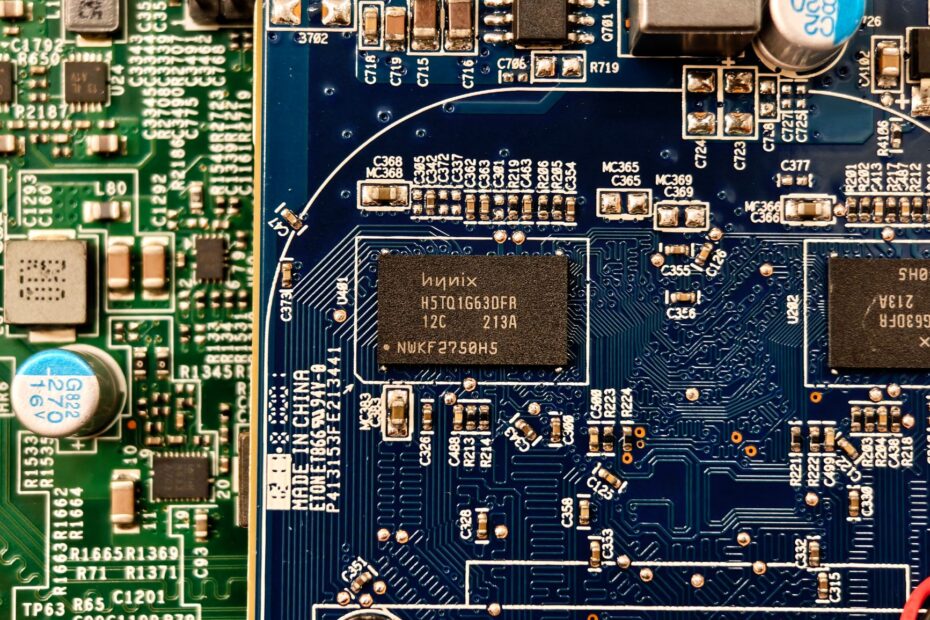
A CPU’s onboard graphics shares system memory, while a separate card brings its own GPU and VRAM. Your choice affects game frame rates, video exports, battery runtime, heat, upgrade options, display connections, and the budget for your PC.
This comparison covers memory, display ports, laptop behavior, power limits, and workload demands so you can match graphics hardware to your daily PC use.
Two Hardware Designs Handle PC Graphics
A GPU draws the desktop, video, games, and 3D scenes on your monitor. An Integrated GPU (iGPU) sits inside the CPU package or system-on-chip, while a dedicated GPU is separate hardware built for graphics workloads.
On a desktop PC, the iGPU sits beside CPU cores beneath the processor cooler. A dedicated graphics card occupies a PCIe slot on the motherboard and sends video through ports on its rear bracket. Your monitor cable location decides which graphics hardware drives that display.
| Graphics type | Physical location | Common examples |
|---|---|---|
| Integrated GPU | Inside a CPU or system-on-chip | Intel UHD Graphics, Intel Arc Graphics, AMD Radeon Graphics |
| Dedicated GPU | Separate card in a PCIe slot | NVIDIA GeForce cards, AMD Radeon cards, Intel Arc cards |
Intel integrated graphics appear in desktop and laptop processors, while AMD Radeon Graphics appear in Ryzen chips with built-in graphics. NVIDIA GeForce, AMD Radeon, and Intel Arc cards are familiar dedicated GPU examples. Those cards carry cooling hardware and memory chips on the card itself.
That physical separation lets dedicated cards use their own fast memory rather than borrowing system RAM.
Memory Design Separates Everyday Graphics Capacity
Physical location leads directly to the largest practical difference between integrated and dedicated GPUs: memory. Integrated graphics rely on shared System RAM, drawing from the same memory your CPU needs for programs, browser tabs, and background activity.
A dedicated card carries VRAM, such as GDDR6, beside its graphics processor. Textures, frame buffers, and video data travel across a dedicated high-bandwidth path rather than competing directly with CPU memory traffic.
| Memory trait | Integrated GPU | Dedicated GPU |
|---|---|---|
| Memory source | System RAM | On-card VRAM |
| CPU memory sharing | Yes | No, for graphics assets |
| Bandwidth sensitivity | High | Lower System RAM dependence |
| Upgrade path | RAM upgrades can help | Card replacement changes VRAM capacity |
Shared memory is not poor hardware by default. Modern iGPUs handle 4K video playback, office work, and light games well. A memory-heavy game can crowd both the CPU and graphics side at once, so your results improve with enough RAM, faster memory, and two matched memory channels.
A laptop with 16GB of dual-channel RAM gives an iGPU more room than a similar system with 8GB in a single channel. Dual-channel RAM raises memory bandwidth and can lift frame rates more than a small CPU clock-speed change. Your RAM layout matters as much as the iGPU name.
More Graphics Resources Raise Visual Performance
Memory bandwidth feeds the graphics processor, but processing resources set the performance ceiling. Dedicated cards pack more shader cores, texture hardware, cache, and VRAM than an iGPU. That hardware raises gaming performance, 3D rendering speed, AI workload capacity, and accelerated video export speed.
Your iGPU still handles a broad range of daily work. Desktop apps, streaming video, video calls, light photo edits, and older games rarely demand a large graphics card. Hardware acceleration shifts portions of video decoding and visual effects away from the CPU, helping your system stay responsive.
Gaming Performance Depends on Settings
GTA V can run on integrated graphics, though playable results depend on the exact iGPU, RAM layout, game settings, resolution, and your frame-rate target. A Radeon 780M-class iGPU has far more graphics resources than older Intel UHD Graphics hardware.
Start demanding games at 720p or 1080p with low settings, then watch frame-rate stability in busy scenes. Crowded city traffic, rain effects, and long draw distances strain graphics resources harder than an empty indoor area. Your target should be stable motion rather than a brief high frame-rate peak.
Set a realistic target before changing settings. A steady 30 frames per second can feel better than a swing from 45 to 20 frames per second caused by settings that exceed available graphics memory bandwidth.
Dedicated hardware pulls ahead sharply with ray tracing, high-resolution textures, 1440p screens, or high-refresh-rate displays. That extra capacity also matters for Blender rendering, DaVinci Resolve effects, and local AI image generation, where waiting time becomes part of your workday.
The same resources that speed demanding work also consume more electricity and require larger cooling solutions.
Power, Heat, Cost, and Space Set Hardware Limits
Those added graphics resources need electrical power and cooling. An iGPU shares the processor cooling system and adds little hardware bulk. A dedicated card brings its own fans, heat sink, and power draw, shaping your PC’s power consumption and thermal design.
Desktop cards range from compact slot-powered models to large units that occupy two or three expansion slots and need extra power connectors. Your case clearance, power-supply wattage, cable reach, and front-to-back airflow limit which card fits safely.
| Trade-off | Integrated graphics | Dedicated graphics |
|---|---|---|
| Power consumption | Low during routine use | Higher under visual loads |
| Thermal output | Handled by CPU cooler | Needs card cooling and case airflow |
| Physical space | No card required | Uses PCIe slot clearance |
| System expense | Lower for basic PCs | Higher due to card and related parts |
A modest desktop for email, schoolwork, and streaming avoids the expense of a card, larger power supply, and extra cooling. Your budget can go toward more RAM, a larger SSD, or a better monitor. Those parts may affect your routine experience more than graphics capacity you never tap.
On battery-powered systems, those thermal and power limits directly shape how long high graphics performance can last.
Laptop Graphics Trade Battery Runtime for Output
Thin laptops favor iGPUs because lower heat allows smaller fans, lighter chargers, and longer battery runtime. Performance-focused laptops can include both graphics types, with the dedicated chip soldered onto the motherboard rather than seated in a removable PCIe slot.
GPU switching divides the work between both processors. Your laptop can run documents and streaming on integrated graphics, then wake the dedicated chip for a game, CAD project, or video export. Windows and graphics drivers can assign a high-performance GPU to a selected application.
Cooling Capacity Limits Laptop Graphics
Two laptops with the same GeForce name can perform very differently. A thicker chassis with more cooling capacity and higher power limits can sustain higher clock speeds than a thin system carrying the same graphics chip.
That limit means laptop graphics do not directly match desktop parts with similar labels. Your choice should account for screen resolution, fan-noise tolerance, battery priorities, and the fact that laptop dedicated GPUs are rarely upgradeable.
Workload Demands Separate Sufficient Graphics From Dedicated Hardware
A graphics card earns its space only where your software and display demand it. Integrated graphics are sufficient for web browsing, office applications, schoolwork, streaming, video calls, and light esports titles such as League of Legends or Rocket League.
High-refresh gaming and professional visual work change the calculation. A 1080p 60Hz display asks far less from your system than a 1440p 165Hz panel. A simple video trim also asks far less than layered 4K footage with color effects.
- Basic productivity: Keep integrated graphics for documents, browsing, spreadsheets, classes, and video meetings.
- Light gaming: Pick a modern iGPU with dual-channel RAM for esports titles and older games at modest settings.
- AAA games: Pick a dedicated card for newer releases, higher detail settings, and steadier frame rates.
- Creative workloads: Dedicated graphics suit GPU rendering, 3D modeling, intensive editing, and effects-heavy exports.
- Local AI tasks: Favor a card with enough VRAM for model files and larger image or language workloads.
Not every setup needs extra graphics capacity. Your display resolution, software requirements, budget, desk space, and portability goals decide whether a dedicated GPU adds real value to your PC.
Both GPUs Can Run in One PC
Many desktop systems keep the iGPU active after a graphics card goes in. That arrangement can reduce power draw during light tasks, add motherboard video outputs, handle media acceleration, and leave you with a fallback path during graphics-card troubleshooting.
For games or demanding visual work, plug your main monitor into display outputs on the dedicated card rather than motherboard video outputs. A cable in a motherboard HDMI or DisplayPort socket routes the display through integrated graphics and can leave your stronger card underused.
Do not disable integrated graphics without a clear reason. Removing it can block laptop GPU switching, disable motherboard video ports, and remove a useful recovery path after a driver fault.
Your system can assign separate tasks to each processor. A desktop can run a game on an NVIDIA GeForce card while the iGPU drives an extra low-demand display. Results vary with motherboard firmware, driver settings, and application design.
Your Workload and Upgrade Plans Set the Right Choice
The right hardware follows sustained load rather than a product label. A PC that spends eight hours in browser tabs and documents needs different graphics hardware from one that renders 3D scenes every evening. Your workload tells you whether a dedicated graphics card vs integrated graphics setup makes sense.
| Your priority | Better fit | What to check |
|---|---|---|
| Portable work and long battery runtime | Integrated graphics | 16GB dual-channel RAM and screen resolution |
| Older games or esports at modest settings | Modern integrated graphics | iGPU model, RAM speed, 720p or 1080p target |
| New AAA games or 1440p play | Dedicated GPU | VRAM, power supply, case clearance, monitor ports |
| 3D, video effects, or AI work | Dedicated GPU | Software GPU requirements and VRAM demand |
| Future desktop upgrades | Desktop with PCIe slot | Power-supply headroom and airflow |
Check installed hardware before spending money. In Windows, open Task Manager and select Performance to view GPU 0 and GPU 1. Device Manager lists display adapters, while Settings under System and Display shows connected monitors and active display paths.
Your next step is straightforward. Keep integrated graphics for basic or portable computing, select dedicated graphics for sustained visual workloads, and verify power, cooling, physical clearance, and display outputs before installing a card.
What to Remember
Integrated vs dedicated GPU is not a contest with one universal winner. Your processor-based graphics save space, heat, and money during ordinary tasks. A separate card earns its higher power draw through sustained gaming, rendering, editing, and AI performance.
Match your hardware to the screen, software, and workload that fill your actual week. A 16GB dual-channel laptop with a modern iGPU can suit schoolwork, streaming, and lighter games. A desktop built around 1440p gaming, Blender scenes, or GPU-heavy editing needs more graphics capacity and VRAM.
FAQ
What is the difference between an integrated GPU and a dedicated GPU?
An integrated GPU sits inside your CPU or system-on-chip and relies on shared System RAM. A dedicated GPU is separate graphics hardware with its own processor, cooling, and dedicated VRAM, giving your PC more capacity for demanding games, 3D work, video processing, and local AI tasks.
Does an integrated GPU have its own VRAM?
No. An iGPU relies on System RAM rather than separate on-card VRAM. Your available RAM capacity, memory speed, and dual-channel layout affect how much bandwidth integrated graphics can access during games, video work, and 3D activity.
Do I really need a dedicated GPU for my PC?
You do not need a dedicated GPU for web browsing, office work, streaming, video calls, schoolwork, or light games. Your PC benefits from dedicated graphics during modern AAA games, high-resolution display work, 3D rendering, heavy video editing, and GPU-based creative software.
Is integrated graphics good enough for gaming?
League of Legends, Rocket League, and many indie games run smoothly on built-in graphics at reduced settings. Your results depend on the iGPU model, available RAM, dual-channel memory, screen resolution, and whether your target is 30 or 60 frames per second.
Can integrated graphics run GTA V?
At low settings, recent CPU-based graphics can handle GTA V, with 720p or 1080p as sensible starting points. Your frame rate varies with the iGPU, RAM bandwidth, traffic density, resolution, and graphics options, so lower demanding settings before judging playability.
Can a PC run integrated and dedicated graphics at the same time?
Yes. Your desktop can keep both processors active, with the dedicated card running a game while the iGPU drives a low-demand display or handles media work. Motherboard firmware, driver settings, and application behavior shape the result.