Setting up a real gaming station used to mean juggling a half-dozen specs sheets, a tangled display hunt, and a tower that looked like a prop from a sci-fi set. I’ve sorted through ten machines and one monitor that pair cleanly, so the tower, display, and budget line up without the spreadsheet headache.
The Main Contenders

Horizon Autherium Dragon RGB I9 RTX Gaming PC (RTX 5070 OC)

Skytech Gaming Azure 3 Gaming PC (Ryzen 7 9850X3D)
CyberPowerPC Gamer Xtreme VR (i5-13400F, RTX 4060)
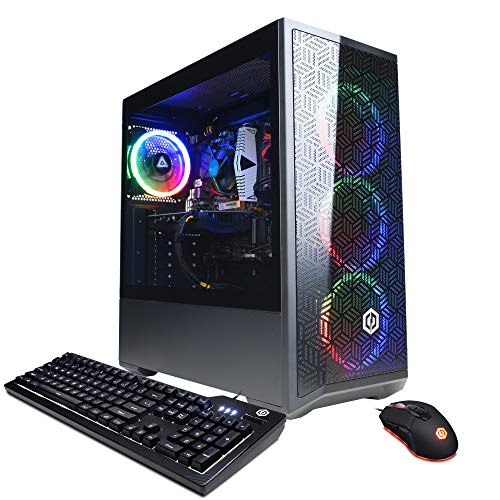
CyberPowerPC Gamer Xtreme VR (i5-12400F, RTX 3050)

HP OMEN 25L Gaming Desktop (i7-14700F)
KTC 27 Inch QHD 144Hz Gaming Monitor (H27T27S)
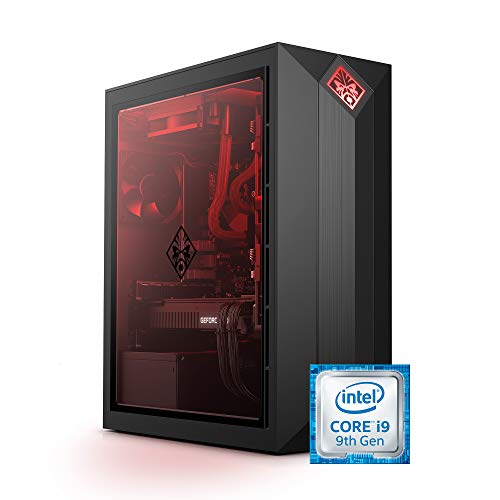
HP OMEN Obelisk Gaming Desktop (i9-9900K, RTX 2080 Super)

ASUS ROG G700 (2025) Gaming Desktop

Olialia Gaming PC (Ryzen 7 5700X, RTX 3060 Ti)
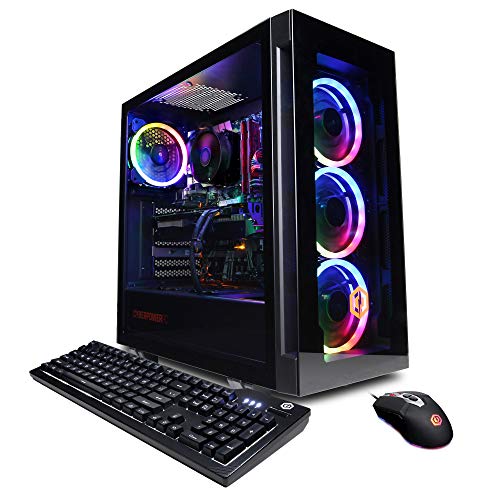
CyberPowerPC Gamer Xtreme VR (i7-12700F, RTX 3060)
Inside Each Recommended Option
The Horizon Autherium Dragon RGB pairs an unlocked Core i9 CPU with a factory-overclocked RTX 5070 OC graphics card, so it sits comfortably at the front of this list for anyone who streams, edits, or chases high frame rates in modern AAA titles.
What stands out immediately is the storage mix: a 1TB NVMe boot drive for the OS and a 4TB 7200RPM HDD for game libraries. The 360mm AIO liquid cooler keeps thermals in check during long sessions, and Windows 11 Pro comes preinstalled for BitLocker device encryption and remote desktop use.
The Practical Payoff
- 64GB of DDR RAM, double the 32GB found in most high-end towers, leaves headroom for a browser full of tabs while gaming.
- 5TB of combined storage removes the daily chore of uninstalling games to make room for new ones.
- The factory-overclocked RTX 5070 OC card delivers higher boost clocks out of the box for demanding ray-traced scenes.
- A spare M.2 NVMe and HDD bay future-proofs the build for an easy upgrade in two years.
- Windows 11 Pro adds features like BitLocker that home versions leave out.
Things To Consider
- The unlocked CPU and OC GPU generate real heat, so the 360mm AIO deserves a dust check every few months.
- RGB-heavy cases collect fingerprints on tempered glass panels faster than matte finishes do.
Feature Snapshot
Best Suited To
Hardcore streamers and content creators running OBS, chat bots, and editing software at the same time.
Consider Something Else When
Casual players who only need 1080p esports performance should look at the CyberPowerPC Gamer Xtreme VR with the RTX 4060 instead.
The Skytech Azure 3 leans on AMD’s Ryzen 7 9850X3D, a chip with 3D V-Cache that gives games a tangible boost in cache-sensitive scenarios. Pair that with the RX 9070 XT 16GB graphics card and you’ve got a tower aimed at competitive players chasing every last frame.
Skytech pairs that CPU with a 2TB Gen4 NVMe SSD, which loads large open-world maps in seconds. The 850W 80 Plus Gold ATX 3 PSU handles transient power spikes from the GPU without the system browning out under load.
Benefits That Matter
- 3D V-Cache on the Ryzen 7 9850X3D lifts frame rates in cache-hungry titles like simulation and strategy games.
- The 2TB Gen4 NVMe drive swallows a massive Steam library without filling up for years.
- 32GB of DDR5 RAM at 5600MT/s gives the CPU the memory bandwidth it needs to stretch its legs.
- An 850W Gold ATX 3 PSU is rated for the higher transient spikes of modern GPUs.
Worth Noting
- Wi-Fi 5 is fine for most home networks but trails Wi-Fi 6 and 6E for crowded apartment buildings.
- The 360mm AIO liquid cooler is a strong choice, but a sealed pump still has a finite lifespan under constant heavy loads.
Right Fit For
Competitive esports players and sim-racing enthusiasts who prize frame consistency over flashy RGB.
Look Elsewhere When
Those who prefer NVIDIA features like DLSS Frame Generation should consider the Horizon Autherium Dragon RGB with its RTX 5070 OC instead.
The CyberPowerPC Gamer Xtreme VR GXiVR8060A24 lands in the comfortable middle of the market. An Intel Core i5-13400F (the F suffix means no integrated graphics, which keeps the cost down since the discrete GPU handles rendering) drives an RTX 4060 with 8GB of VRAM, a card that handles 1080p at high settings with headroom to spare.
It includes 16GB of DDR5 memory and a 1TB PCIe Gen4 SSD, enough storage for the OS and a healthy handful of modern titles. Windows 11 Home is preinstalled, and the case ships with Wi-Fi ready to go for cable-free setups.
Everyday Advantages
- The RTX 4060 supports DLSS 3 frame generation, which can double perceived frame rates in supported games.
- 1TB of Gen4 NVMe storage keeps load times snappy without forcing game juggling.
- The 13400F is well-matched to the 4060, so neither component bottlenecks the other at 1080p.
- Wi-Fi is ready out of the box, eliminating the need to buy a separate PCIe card.
Trade Offs
- 16GB of RAM is enough today but can feel tight if multitasking with a browser full of tabs.
- The 13400F lacks integrated graphics, so a dead GPU means no display at all until a replacement arrives.
Made For
Mainstream 1080p gamers who want a clean, balanced build without paying for specs they won’t use.
Swap It Out When
Anyone chasing 1440p gaming should consider the Olialia Gaming PC with its RTX 3060 Ti and 32GB of RAM instead.
The CyberPowerPC Gamer Xtreme VR GXiVR8060A16 is the entry-level rung in this lineup, and it doesn’t apologize for that. An Intel Core i5-12400F handles everyday workloads, while the GeForce RTX 3050 8GB tackles esports and lighter AAA titles at 1080p.
16GB of DDR4 and a 500GB NVMe SSD keep the build honest. The SSD is small by modern standards, so owners commonly report adding a second drive within the first year. Still, the chassis and cooling are well-suited to first-time builders who want something that just works.
Useful Strengths
- The RTX 3050 is a great 1080p esports card, hitting high refresh rates in Valorant, CS2, and similar titles.
- The 12400F is a known quantity with mature motherboard support and predictable thermals.
- Wi-Fi is included, so no extra networking purchases are needed on day one.
Honest Caveats
- 500GB of storage fills up quickly with modern games averaging 50-100GB each.
- DDR4 memory means no future upgrade path to DDR5 without a motherboard swap.
- The 3050’s 8GB VRAM pool starts to feel tight in newer AAA releases at high texture settings.
Who Should Grab It
Casual gamers and esports beginners who want a low-fuss rig for competitive titles and lighter adventures.
A Better Fit Elsewhere
Anyone planning to play demanding AAA games for years to come should step up to the CyberPowerPC Gamer Xtreme VR with the RTX 4060.
The HP OMEN 25L brings a recognizable name to the mainstream tier. With its Intel Core i7-14700F (a 20-core chip capable of 5.4GHz boost on its performance cores) and 16GB of DDR4 RAM, it handles both gaming and productivity without breaking a sweat.
The GeForce GTX 1660 SUPER is a few generations old but still handles esports and many AAA games at 1080p medium-to-high settings. The OMEN 25L chassis has a clean, branded look that fits a living-room setup without screaming “gamer tower.”
Useful Touches
- The 20-core i7-14700F handles productivity apps like video editors and Photoshop alongside gaming.
- HP’s OMEN branding typically brings a cleaner, more furniture-friendly chassis than boutique builders.
- 512GB of SSD storage keeps boot and load times fast.
Points To Note
- The GTX 1660 SUPER trails newer RTX cards on ray tracing and lacks DLSS support.
- 512GB of storage will fill up fast with modern titles, so an external or secondary drive is likely needed.
Who It Suits Best
Families and general households that need one PC for gaming, homework, and streaming without the price tag of a flagship.
Reach For A Different Pick When
Gamers wanting modern ray tracing and DLSS support should pivot to the CyberPowerPC Gamer Xtreme VR with the RTX 4060.
The KTC H27T27S is the only display in this lineup, and it earns its place. Its 27-inch QHD panel (2560×1440) hits a 144Hz refresh rate with adaptive sync support, the sweet spot for both competitive shooters and cinematic single-player adventures.
What makes this monitor genuinely interesting is the 4000:1 contrast ratio from its HVA panel technology, which delivers deeper blacks than typical IPS screens at this tier. Dark game scenes reveal detail rather than crushing everything to shadow.
Features That Help
- The 4000:1 contrast ratio is unusually high for this tier, making horror and space games feel more atmospheric.
- QHD resolution gives crisp text for productivity and 1440p headroom for gaming.
- 144Hz with adaptive sync reduces screen tearing without the input lag penalty of VSync.
- The 27-inch size suits most desks without dominating the workspace.
Room For Improvement
- Adaptive sync and high contrast don’t help if the GPU can’t push 144fps at the chosen resolution.
- HVA panels can have narrower viewing angles than IPS, so off-center seating loses some color accuracy.
Perfect Match For
Anyone buying a new tower from this list who wants a display that won’t bottleneck the GPU on day one.
Not Your Match When
Owners of older 1080p-only cards should pair their setup with a cheaper 1080p 144Hz panel rather than paying for resolution they can’t drive.
The OMEN Obelisk 875-1023 dates back a few generations, but it’s a familiar face on the refurbished market. Inside sits a 9th-generation Intel Core i9-9900K and an NVIDIA GeForce RTX 2080 SUPER with 8GB of GDDR6, a combination that still handles modern games at high settings when paired thoughtfully.
The HyperX 32GB of RAM and 1TB SSD are the kind of balanced spec list that’s harder to find at this older tier. For shoppers willing to consider pre-owned or renewed units, this can be a smart way to land flagship-tier muscle at a lower cost.
Advantages To Know
- The i9-9900K still holds its own in games that lean on single-core performance.
- The RTX 2080 SUPER supports hardware ray tracing and DLSS, modern features that survive multiple GPU generations.
- 32GB of RAM is generous for an older platform, useful for streamers and multitaskers.
Some Limits To Know
- The 9th-gen Intel platform won’t get BIOS upgrades to newer CPU generations.
- Refurbished stock varies, so case condition, warranty length, and included accessories should be checked closely before checkout.
- RTX 2080 SUPER ray tracing is slower than modern mid-range cards on the latest engines.
Whose Shelf It Belongs On
Deal hunters and refurb shoppers who want flagship muscle without paying current flagship prices.
Skip It When
Long-term upgraders should pick the Horizon Autherium Dragon RGB or ASUS ROG G700, both of which support modern components.
The ASUS ROG G700 (2025) leans hard into brand identity. Its dual-glass panel chassis showcases the iconic ROG Slash and Fearless Eye logo, with Aura Sync RGB lighting that ties the case into a broader ASUS peripheral setup.
Underneath the styling sits an Intel Core Ultra 7 265F, an NVIDIA GeForce RTX 5070 GPU, 32GB of DDR5 RAM, and a 1TB M.2 NVMe PCIe 4.0 SSD. That’s a balanced 2025-era build with headroom for both high-refresh gaming and creative workloads.
Standout Benefits
- The dual-glass chassis makes the internals part of the décor, a real talking point for desk setups.
- Aura Sync RGB ties the case lighting to compatible mice, keyboards, and monitors for a unified look.
- The Intel Core Ultra 7 265F brings modern efficiency cores that help in productivity and streaming.
- 1TB of PCIe 4.0 NVMe storage keeps load times short for current and upcoming titles.
Areas To Watch
- Dual-glass panels show dust quickly and need regular wipe-downs to stay photogenic.
- ROG builds typically sit at a higher price tier than spec-equivalent competitors, so the premium here is partly branding.
Feature Snapshot
Who Will Love This
Style-focused enthusiasts who want their gaming PC to look as bold as the games they play.
Another Choice May Suit
Shoppers chasing pure storage capacity and 64GB of RAM will find more raw value in the Horizon Autherium Dragon RGB.
The Olialia Gaming PC pairs an AMD Ryzen 7 5700X (an 8-core chip at 3.4GHz base) with an RTX 3060 Ti 8GB, a graphics card that’s proven itself as a solid 1440p performer. 32GB of DDR4 RAM and a 1TB SSD round out a build aimed at mainstream enthusiasts.
The Ryzen 7 5700X sits on the AM4 platform, a mature socket with years of stable BIOS support behind it. For shoppers who value predictable day-to-day behavior over bleeding-edge specs, this is a quietly confident choice.
Positive Takeaways
- The 8-core Ryzen 7 5700X chews through streaming and multitasking without slowing down.
- 32GB of RAM is double what most budget towers ship with, useful for content work.
- The RTX 3060 Ti supports DLSS and ray tracing, future-friendly features that stretch the card’s lifespan.
Practical Considerations
- AM4 motherboards won’t accept Ryzen 7000/9000 CPUs, so future CPU upgrades require a full platform swap.
- The DDR4 memory limit means eventual upgrades need new RAM alongside any new motherboard.
Perfect Match For
Mid-budget 1440p players who value steady performance and a generous RAM pool over the latest CPU platform.
Look Elsewhere When
Buyers wanting the latest AM5 or LGA 1851 platform for future CPU upgrades should pick the ASUS ROG G700 or Skytech Azure 3 instead.
The CyberPowerPC Gamer Xtreme VR GXiVR8040A12 closes out this list with a familiar formula. An Intel Core i7-12700F (8 performance cores plus 4 efficiency cores) drives an RTX 3060 12GB, the larger VRAM pool being a real advantage over the 8GB RTX 3050 and 4060.
CyberPowerPC adds a tempered glass side panel, custom RGB case lighting, and a 7-color RGB gaming mouse to sweeten the bundle. 16GB of DDR4 and a 1TB NVMe SSD round out a build that handles 1080p gaming without surprises.
A Few Highlights
- RTX 3060 with 12GB of VRAM is surprisingly future-proof for texture-heavy titles.
- The 12th-gen i7-12700F mixes performance and efficiency cores, useful for game plus Discord plus browser workloads.
- Tempered glass and RGB lighting come standard, no extra spending required.
- Includes Wi-Fi and a keyboard/mouse, so the only extra purchase is a monitor.
Trade-Offs To Consider
- 16GB of DDR4 RAM is workable but starts to feel tight for heavy multitasking.
- DDR4 limits future memory upgrades, and the platform won’t accept 13th/14th-gen CPUs without a BIOS lottery.
Right Fit For
Shoppers who want a balanced 1080p gaming rig with extras like RGB and a tempered glass panel included.
A Better Fit Elsewhere
Anyone eyeing 1440p gaming or ray tracing should pivot to the Olialia Gaming PC with its RTX 3060 Ti.
What Matters Most Before Choosing a Gaming Desktop With Monitor
CPU And GPU Pairing
The CPU (central processing unit) handles game logic, physics, and background tasks, while the GPU (graphics processing unit) renders every frame on screen. A mismatched pair, say a flagship GPU paired with a low-end CPU, leads to a bottleneck where the CPU cannot feed the GPU fast enough, capping frame rates. For 1080p gaming, an i5 or Ryzen 5 paired with an RTX 4060 or RX 7600 is plenty. Stepping to 1440p or 4K shifts the weight to the GPU, which is why cards like the RTX 5070 matter more than CPU generation at that resolution.
RAM And Storage Realities
16GB of RAM is the modern floor for gaming, but 32GB is the comfort zone, especially when streaming or running Discord alongside a game. Storage matters too: a 1TB NVMe SSD (non-volatile memory express solid-state drive) loads modern games in seconds, but library-heavy players benefit from the 5TB split seen in the Horizon Autherium Dragon RGB or the 2TB NVMe in the Skytech Azure 3.
Monitor Pairing
A monitor determines how much of your GPU’s effort you actually see. The KTC H27T27S offers QHD resolution at 144Hz with adaptive sync (a feature that syncs the monitor’s refresh rate to the GPU’s frame output to reduce screen tearing), a comfortable balance for most gamers. Pairing a flagship GPU with a 1080p 60Hz panel wastes horsepower, while pairing a budget GPU with a 4K 144Hz screen creates a bottleneck at the opposite end.
Key Considerations Across These Picks
Mistakes Worth Dodging
Picking a flagship GPU for a 1080p 60Hz monitor is one of the most common oversights. The card sits idle waiting on the display, and the money would have bought more storage or RAM. A related trap: underestimating storage. Modern AAA games routinely exceed 80GB, so a 500GB SSD fills up faster than expected.
Where The Extra Money Goes
Higher-tier models add tangible benefits: factory-overclocked GPUs run faster out of the box, 360mm AIO (all-in-one) liquid coolers sustain boost clocks longer than air coolers, and 850W Gold PSUs handle transient power spikes without tripping protections. The Horizon Autherium Dragon RGB and ASUS ROG G700 earn their premium tiers through cooling, power delivery, and storage headroom that budget builds can’t match.
Frequently Asked Questions
How Much RAM Do I Need For A Gaming Desktop?
16GB is the practical minimum for modern games, but 32GB is the sweet spot for streamers and multitaskers. Power users running video work or virtual machines should look at 64GB builds like the Horizon Autherium Dragon RGB.
Is An RTX 4060 Enough For 1080p Gaming?
Yes, the RTX 4060 is well-suited to 1080p at high or ultra settings in most modern titles, and DLSS 3 frame generation can push effective frame rates even higher. Pairing it with a 1080p 144Hz monitor gives the smoothest results.
Do I Need A 1440p Monitor?
Not necessarily. A 1080p 144Hz panel is fine for esports and most AAA games at medium-to-high settings. A 1440p monitor like the KTC H27T27S makes sense if the GPU can push enough frames at that resolution, which mid-range to high-end cards handle well.
Are Older Gaming Desktops Still Worth Buying?
Pre-owned or refurbished units like the HP OMEN Obelisk with the i9-9900K can deliver flagship-tier performance at a discount. The trade-off is limited upgrade paths and platform age, so they suit shoppers who plan to replace rather than upgrade.
How Important Is The Power Supply?
A reliable PSU prevents system instability and protects expensive components. Look for 80 Plus Bronze or Gold ratings, and make sure wattage leaves headroom for future GPU upgrades. The Skytech Azure 3’s 850W Gold PSU is a strong example of right-sizing the power delivery.
Wrap Up
A good gaming desktop with monitor pairing comes down to matching the GPU’s output to the display’s resolution, sizing RAM and storage for real-world multitasking, and leaving upgrade headroom where it counts. For most shoppers, a balanced build like the CyberPowerPC Gamer Xtreme VR with the RTX 4060 hits the practical sweet spot, while enthusiasts chasing flagship muscle should focus on the Horizon Autherium Dragon RGB or ASUS ROG G700.