The desktop tower used to dominate every home office. Now a palm-sized box can stream 4K video, run spreadsheets across three monitors, and stay quiet enough to sleep next to. I pulled together ten mini-computers worth a serious look for 2026, covering everything from budget home-office boxes to compact workstations built for video editors and AI workloads.
An Overview Of The Picks
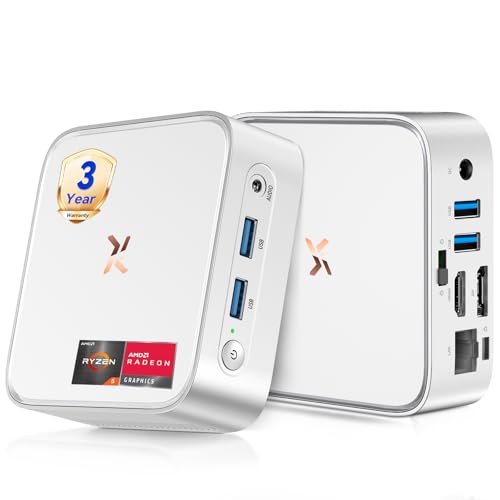
Huidun H80 Mini PC Ryzen 5 3500U

GEEKOM A5 Mini PC Ryzen 7 7730U

ACEMAGIC K1 Mini PC Ryzen R2544
Huidun H50 Mini PC Ryzen 3300U
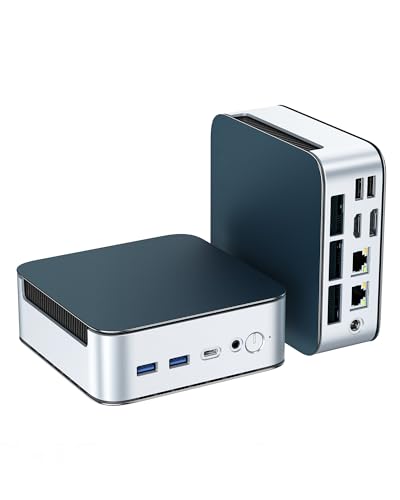
Glorlin Mini PC Ryzen 5300U Triple 4K

GEEKOM Air12 Mini PC Intel 7505

ACEMAGIC Mini PC Ryzen 7330U 28W
GEEKOM AX8 Max Mini PC Ryzen 7 8745HS
GEEKOM IT13 MAX Mini PC Ultra 9 185H

GEEKOM IT13 MAX AI Mini PC 2026
Why These Options Stand Out
The Huidun H80 sits in a comfortable middle ground between budget Celeron boxes and high-priced creator workstations. Built around an AMD Ryzen 5 3500U (a quad-core, eight-thread chip that boosts up to 3.7 GHz), it brings genuine multitasking muscle to spreadsheets, browser tabs, and 4K video at the same time. The integrated Radeon Vega 8 graphics handle casual photo edits and lightweight streaming duties without breaking a sweat.
I see this as a natural fit for someone replacing an aging office desktop or setting up a tidy kitchen workstation. HDMI plus DisplayPort outputs let you drive two monitors simultaneously, while 16GB of RAM and a 512GB SSD keep daily workflows responsive out of the box. For a small business standardizing on a single model, this one checks the practical boxes without overreaching.
What Helps Most
- Quad-core Ryzen 5 with eight threads handles multitasking across office apps and browser-heavy workflows with ease.
- 16GB RAM and 512GB SSD deliver a balanced configuration that needs no immediate upgrades for typical home and office use.
- Dual video outputs (HDMI plus DisplayPort) enable a genuine two-monitor setup for productivity-focused workers.
- 4K at 60Hz output keeps streamed content and detailed spreadsheets looking crisp on modern displays.
- Compact silver chassis fits unobtrusively behind a monitor or in a tight entertainment center.
Worth Bearing In Mind
- WiFi and Bluetooth are present, but heavy network users may want to confirm the specific wireless generation against their router.
- The integrated Radeon graphics handle casual workloads fine, though dedicated creative apps may push the limits of the Vega 8 silicon.
Key Features At A Glance
Right Fit For
Home and small-office users upgrading from an older tower who want a quiet, dual-monitor setup without paying for a dedicated GPU.
Consider Something Else When
The GEEKOM AX8 Max Mini PC suits creative professionals running heavier rendering or CAD workloads, with its Ryzen 7 chip and DDR5 memory.
The GEEKOM A5 leans into the business deployment angle more aggressively than most mini-PCs in this category. An AMD Ryzen 7 7730U sits at the heart of this machine, delivering eight cores and sixteen threads of headroom for the kind of multitasking that hits a small-business workstation during tax season or a busy retail back office. Sixteen gigabytes of RAM and a 512GB SSD round out a balanced baseline configuration.
For a fleet rollout across a retail chain or a regional government office, the A5’s footprint is appealing. You can mount it behind a monitor with a VESA bracket (depending on the specific configuration), drop it in a kiosk enclosure, or simply tuck it beside a desk. Compared with the Huidun H80 reviewed earlier, the Ryzen 7 chip adds noticeable muscle for spreadsheet crunching and multi-app workflows, which is exactly the gap between home and office deployment.
Good Reasons To Consider
- Eight-core Ryzen 7 7730U delivers strong multitasking headroom for office and light creative work.
- 16GB RAM and 512GB SSD provide a balanced baseline that suits most daily business needs.
- Compact form factor simplifies multi-unit rollouts in offices, classrooms, or retail back offices.
- Quiet cooling behavior suits shared workspaces and customer-facing desks.
Some Limits To Know
- Confirm the exact port layout before deploying where specific I/O is required.
- Bulk pricing and warranty terms typically require contacting the vendor directly, which adds steps for smaller teams.
Whose Desk It Belongs On
IT managers and small-business owners standardizing workstations for office, retail, or education deployments.
A Better Fit Elsewhere
The GEEKOM IT13 MAX AI Mini PC 2026 is a stronger match for engineers and creators who need AI acceleration and more memory bandwidth.
The ACEMAGIC Kron K1 keeps things simple, and that is precisely the appeal. Driven by an AMD Ryzen Embedded R2544 with four cores, eight threads, a 3.35GHz base clock, and a 3.7GHz turbo, it tackles the office basics: documents, spreadsheets, browser sessions, and 4K video playback. The integrated graphics handle streaming and light photo work without complaint.
For a small studio, a reception desk, or a home-office corner where the workload stays modest, the K1’s 8GB of DDR4 RAM and 256GB SSD deliver a functional baseline. Where it diverges from the Huidun H50 we will look at next is the embedded processor angle, which tends to favor stable, long-running deployments over peak burst performance.
Positive Takeaways
- Ryzen R2544 embedded chip favors consistent, long-running operation suited to kiosk and reception scenarios.
- Compact Kron-series chassis stays cool and quiet enough for front-desk environments.
- 4K video playback is smooth, making this a reasonable choice for digital signage or lobby displays.
Things To Consider
- 8GB of RAM is adequate for light office work, though heavy multitaskers may need to plan an upgrade.
- Storage tops out smaller than the Huidun entries, so heavy media libraries will fill the drive quickly.
Quick Facts
Best Suited To
Small offices, reception desks, and home users with light productivity needs and modest multitasking.
Look Elsewhere When
The Huidun H80 is a stronger choice for shoppers who want 16GB of RAM and a larger SSD preinstalled.
Huidun’s H50 is the more conservative sibling to the H80, swapping the Ryzen 5 chip for a quad-core Ryzen 3 3300U. That choice trims cost while keeping the practical amenities intact: 16GB of DDR4 memory, a 512GB SSD, dual-band WiFi, and both DisplayPort and HDMI outputs. Windows 11 Pro is preinstalled, and the manufacturer positions this box for office, business, and HTPC roles.
I picture the H50 in a small-office back room, an apartment entertainment setup, or a developer’s secondary Linux box. Compared with the ACEMAGIC K1, the H50 ships with double the memory and storage, which translates to a noticeably smoother experience when browser tabs stack up. The trade-off, of course, is processor tier: power users will feel the gap during sustained workloads.
Real-World Strengths
- 16GB DDR4 and 512GB SSD give a generous baseline for office work and media streaming.
- Quad-core Ryzen 3 3300U handles multitasking across documents, browsers, and video calls competently.
- DisplayPort plus HDMI outputs support a clean dual-monitor office layout.
- Dual-band WiFi keeps the box connected on modern home and office networks.
Trade-Offs To Consider
- The Ryzen 3 chip trails the Ryzen 5 found in the H80 under sustained multitasking.
- Linux and Ubuntu support is broad, but specialized enterprise tools may need extra configuration.
Feature Snapshot
Made For
Small offices, HTPC enthusiasts, and shoppers who want generous RAM and storage without paying for a Ryzen 5.
Skip It When
The Glorlin Mini PC Ryzen 5300U Triple 4K fits shoppers needing triple-display output and faster WiFi 6 wireless.
The Glorlin Mini PC is the I/O heavyweight in this roundup, and the spec sheet makes that case immediately. AMD’s Ryzen 3 5300U delivers four cores and eight threads with a turbo up to 3.8GHz, paired with 16GB of DDR4 RAM and a 512GB NVMe SSD. The integrated Radeon graphics can drive triple 4K displays through the HDMI, DisplayPort, and Type-C outputs, which is rare in this price tier.
WiFi 6 and Bluetooth 5.3 bring current-generation wireless, while dual 2.5G LAN ports turn this into a credible mini server or networking lab box. For a financial trader staring at six monitors, or a content creator juggling timeline and reference panels, that expansion matters more than raw CPU speed. Compare it to the Huidun H50 and you trade modest single-core gains for dramatically better connectivity.
Benefits That Matter
- Triple 4K output across HDMI, DisplayPort, and USB-C makes ambitious multi-monitor setups possible.
- WiFi 6 plus Bluetooth 5.3 keep wireless peripherals and networks running at modern speeds.
- Dual 2.5G LAN ports enable high-throughput networking and home-server scenarios.
- Expandable to 64GB RAM and 4TB storage accommodates future growth without replacement.
Potential Sticking Points
- The compact cooling solution works well for office loads, but sustained heavy compute may warm the chassis noticeably.
- Triple-display configurations require the right cable types and monitor compatibility, so planning ahead helps.
Who Will Love This
Traders, creators, and home-server tinkerers who need triple-display support and modern networking in a tiny box.
Reach For A Different Pick When
The GEEKOM AX8 Max Mini PC is the stronger choice for users prioritizing raw CPU horsepower over networking ports.
The GEEKOM Air12 is the entry-level option in this lineup, and it knows its lane. An Intel 7505 chip handles browsing, documents, and video calls without drama, while 8GB of RAM covers the typical home-office or student workload. The 256GB SSD is modest, but the chassis supports expansion up to 64GB of memory when future needs demand it.
This is the box I would put behind a point-of-sale terminal in a small shop, on a kitchen counter for recipe browsing, or in a dorm room where space is precious. It is not built for creative workloads, and that is the trade-off you accept for the lower cost. Against the ACEMAGIC K1, the Air12 lands in a similar tier but leans more toward office productivity than embedded longevity.
The Good Stuff
- Intel 7505 covers the everyday office and browsing workloads most households actually run.
- Memory expansion up to 64GB offers a clear upgrade path as needs grow.
- Compact GEEKOM Air12 chassis slips into tight spots on desks, counters, and shelves.
- Lower cost of entry suits first-time mini-PC shoppers and small-business budgets.
Worth Noting
- 256GB of storage fills up quickly with photo libraries and offline video files.
- The 8GB baseline can feel tight when many browser tabs and apps run simultaneously.
Perfect Match For
Students, first-time mini-PC shoppers, and small-business owners outfitting budget workstations.
Where Another Pick Suits Better
The ACEMAGIC Mini PC Ryzen 7330U is a smarter match for shoppers who want more processor headroom without much extra cost.
The ACEMAGIC Mini PC with the Ryzen 7330U hits a sweet spot for power efficiency. The chip runs at a 28-watt thermal envelope while still delivering four cores, eight threads, a 2.3GHz base, and a turbo up to 4.3GHz. That balance matters in a home office or bedroom setup where fan noise travels further than people expect.
With 16GB of DDR4 RAM and a 256GB SSD driving triple 4K displays through HDMI and LAN ports, this box is well-suited to traders and analysts who run multi-panel dashboards. Windows 11 Pro is preinstalled for business management features. Compared with the GEEKOM Air12, the Ryzen 7330U delivers noticeably more multitasking headroom while staying cool and quiet under load.
Positive Points
- 28W thermal design keeps fan noise low enough for shared offices and home workspaces.
- Ryzen 7330U’s 4.3GHz turbo gives responsive performance for spreadsheets, browser stacks, and light photo work.
- Triple 4K display support across HDMI and additional outputs supports ambitious monitor setups.
- 16GB DDR4 RAM keeps multitasking fluid without an immediate need to upgrade.
Points To Note
- The 256GB SSD may require external storage or an upgrade for users with large media collections.
- Confirm the specific port configuration against your monitor setup before purchasing.
Who Should Grab It
Quiet-focused home and small-office users who want triple-display capability without fan noise complaints.
Swap It Out When
The Glorlin Mini PC Ryzen 5300U Triple 4K is a better fit for shoppers needing dual 2.5G LAN and WiFi 6 networking.
The GEEKOM AX8 Max is where this roundup steps into serious creator territory. The Ryzen 7 8745HS packs eight cores and a turbo up to 4.9GHz, paired with DDR5 memory running at higher bandwidth than the DDR4 in most of the field. A 1TB SSD gives generous storage for project files, raw photos, and offline video assets without an immediate upgrade.
This is the box I would point a CAD designer, a video editor, or a music producer toward before anything else in this list. The silent cooling system is a quiet perk for studio environments where background noise ruins takes. Where it differs most from the Huidun H80 is in core count and memory generation: twice the cores, faster RAM, and a much larger drive out of the box.
Noteworthy Benefits
- Eight-core Ryzen 7 with a 4.9GHz turbo handles sustained creative workloads without thermal throttling concerns.
- DDR5 memory delivers higher bandwidth than the DDR4 used in most mini-PCs in this price range.
- 1TB SSD eliminates the immediate need for external storage in typical creative workflows.
- Silent cooling behavior suits recording and broadcast environments.
Trade-Offs To Consider
- The performance tier commands a higher cost than the office-focused options in this list.
- Compact cooling still has limits under extended, fully threaded rendering sessions.
Feature Card
Built With In Mind
Creators, engineers, and small studios running CAD, video editing, and audio production workloads.
Another Choice May Suit
The GEEKOM IT13 MAX Mini PC Ultra 9 185H is a better fit for users who want AI acceleration and a 24GB memory baseline.
The GEEKOM IT13 MAX represents the flagship tier of the mini-PC market, and the Intel Core Ultra 9 185H explains why. With sixteen cores, twenty-two threads, and a turbo up to 5.1GHz, this chip delivers desktop-class throughput in a chassis that fits behind a monitor. Intel Arc graphics and the built-in AI Boost NPU accelerate creative workflows and AI-assisted tasks.
The configuration here is the upgradeable 24GB RAM and 500GB SSD variant, which gives breathing room for memory-hungry applications while letting ambitious users push storage higher later. Compared with the AX8 Max, the IT13 MAX trades AMD’s eight-core count for Intel’s higher single-core turbo and integrated AI silicon. For a developer juggling containers and AI models, that distinction matters.
Key Advantages
- Intel Core Ultra 9 with sixteen cores and a 5.1GHz turbo tackles 4K video editing, 3D design, and AI workloads with confidence.
- 24GB of RAM out of the box handles memory-intensive applications without immediate upgrades.
- Integrated AI Boost NPU accelerates AI-assisted tools and creative workflows.
- Upgradeable storage path supports future expansion as project files grow.
Practical Considerations
- The flagship positioning carries a price premium over the office-focused entries in this list.
- 500GB SSD may fill quickly with 4K source footage and project archives.
The Right Fit
Developers, AI enthusiasts, and power users who want flagship CPU performance with room to expand.
Not Your Match When
The Glorlin Mini PC Ryzen 5300U Triple 4K fits shoppers who prioritize triple-display connectivity over flagship CPU power.
The GEEKOM IT13 MAX AI Mini PC 2026 is the AI-tuned sibling of the standard IT13 MAX, and the differences are deliberate. It still runs the Intel Core Ultra 9 185H with sixteen cores and a 5.1GHz turbo, but pairs that chip with 24GB of LPDDR5 memory, which trades upgradability for higher bandwidth and lower power draw.
GEEKOM markets this configuration toward AI creative studios, film production houses, automotive R&D simulation, medical imaging workstations, and enterprise server clusters. That is a serious workload list, and the integrated NPU helps with on-device AI inference. For shoppers who care more about AI acceleration and power efficiency than the upgradeable memory of the previous IT13 MAX, this is the configuration to consider.
Useful Strengths
- LPDDR5 memory delivers higher bandwidth and lower power consumption than standard DDR5 in some scenarios.
- Intel Ultra 9 185H with sixteen cores handles AI inference, video production, and simulation workloads in one chassis.
- AI-tuned positioning makes this a strong fit for studios exploring on-device AI workflows.
- Compact form factor suits rack-adjacent and small-studio deployments.
A Few Limitations
- LPDDR5 is soldered rather than socketed, so memory cannot be upgraded after purchase.
- The 500GB SSD may require expansion for users with large AI training datasets or video archives.
Specs Snapshot
Who It Suits Best
AI-driven creators, production studios, and technical teams running on-device AI inference and high-compute workloads.
Consider Something Else When
The GEEKOM IT13 MAX Mini PC Ultra 9 185H suits shoppers who want the same chip with upgradeable RAM instead of LPDDR5.
What Matters Most Before Choosing Micro-Computers
Processor Tier and Real Workloads
The single biggest decision in a mini-PC is the processor. Chips like the Ryzen 5 3500U or Ryzen 7 7730U handle spreadsheets, browser stacks, and 4K streaming with room to spare, while the Intel Core Ultra 9 185H and Ryzen 7 8745HS step into creator-grade territory for video editing, CAD, and AI inference. Match the chip to your heaviest real workload, not to the marketing language on the box. A quiet office worker rarely needs an Ultra 9, but a video editor will feel every bit of the difference.
Memory and Storage Balance
RAM and SSD capacity shape daily responsiveness far more than people expect. 8GB of RAM is fine for browsing and documents but feels tight once you stack browser tabs, video calls, and design tools together. 16GB is the comfortable baseline for most office users in 2026. Storage follows the same logic: 256GB fills up quickly, while 512GB and 1TB give breathing room for media libraries and project files.
Connectivity and Display Output
The right ports matter more than people realize. HDMI plus DisplayPort covers a standard dual-monitor office, while triple-display support through HDMI, DisplayPort, and Type-C unlocks trading-floor and creator-panel layouts. Network connectivity splits between standard WiFi and the newer WiFi 6 standard, plus dual 2.5G LAN for server and networking scenarios. Check the exact port layout before committing.
Form Factor and Acoustics
A mini-PC’s compact chassis is its calling card, but smaller cases mean tighter cooling. Lower-wattage designs like the 28W Ryzen 7330U run quiet enough for bedrooms and shared offices, while higher-tier chips generate more heat under sustained load. Plan your placement accordingly: behind a monitor, inside a kiosk, or in an open desk shelf all change the cooling equation.
Smart Choices Across These Picks
Pitfalls Shoppers Hit
A common trap is buying on processor name alone. A Ryzen 5 chip with 8GB of RAM and a 256GB SSD can feel sluggish faster than a Ryzen 3 with 16GB and a 512GB drive. The other mistake is ignoring port layout until after the box arrives, especially for triple-display and networking setups. Verify the exact HDMI, DisplayPort, USB-C, and LAN configuration against the monitors and gear you already own.
What The Higher Tier Buys
Spending more on a flagship mini-PC buys four concrete things: more CPU cores, faster DDR5 or LPDDR5 memory, larger SSD capacity, and integrated AI silicon. The Ultra 9 185H and Ryzen 7 8745HS in the AX8 Max and IT13 MAX models accelerate video editing, 3D rendering, and AI inference in ways the office tier simply cannot match. For a family browsing and streaming setup, the upgrade is hard to justify. For a studio running paid work, it usually pays for itself quickly.
Frequently Asked Questions
Are mini-PCs powerful enough for video editing?
The higher-tier options in this roundup, especially the GEEKOM AX8 Max and IT13 MAX models, handle 4K editing competently thanks to eight-core or sixteen-core processors. Lower-tier boxes work for basic cuts and 1080p timelines, but 4K multi-stream projects benefit from the flagship chips.
Can a mini-PC replace a full desktop tower?
For most office, browsing, and even light creative workloads, yes. The flagship entries match mid-range desktop performance while consuming less power and desk space. Only gamers needing high-refresh-rate AAA titles or users with multiple PCIe expansion cards will still want a tower.
What is the best operating system for a mini-PC?
Most entries in this roundup ship with Windows 11 Pro, which suits business and general use. Linux and Ubuntu support is broad on the AMD Ryzen-based models, which appeals to developers and self-hosters.
Do mini-PCs run quietly?
Quieter models like the ACEMAGIC Ryzen 7330U 28W and the GEEKOM AX8 Max with silent cooling keep fan noise minimal under typical office loads. Higher-tier processors generate more heat under sustained workloads, so cooling noise scales with performance.
How do I choose between Ryzen and Intel mini-PCs?
Ryzen models typically offer more cores at competitive prices, while Intel’s Core Ultra chips bring stronger single-core performance and integrated AI acceleration. Match the chip family to your software: Ryzen for multitasking and budget efficiency, Intel for AI workloads and high-frequency tasks.
Closing Remarks
The right mini-PC depends entirely on what you actually run day to day. Office users will find plenty of value in the Huidun H80 or GEEKOM A5, while creators and AI enthusiasts will appreciate the headroom in the GEEKOM AX8 Max and IT13 MAX lineup. Pick the chip tier that matches your heaviest workload, double-check the ports, and you will end up with a desktop replacement that disappears behind your monitor while doing the heavy lifting.