A good pivot changes how a desk feels. The difference between a monitor locked in landscape and one that flips into portrait for coding, reading, or long documents is real, and once you live with it, there’s no going back. I’ve broken down ten solid options covering standalone displays with pivoting stands and full dual-arm mounts that handle the rotation for you.
The Choices Worth Comparing

ViewSonic VG2448A 24 Inch 1080p IPS Ergonomic Monitor, USB Hub
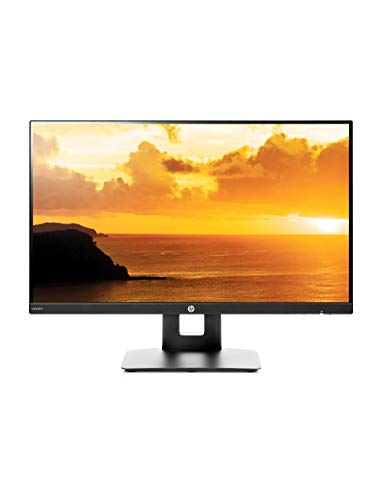
HP VH240a 23.8-inch Full HD 1080p IPS LED Monitor
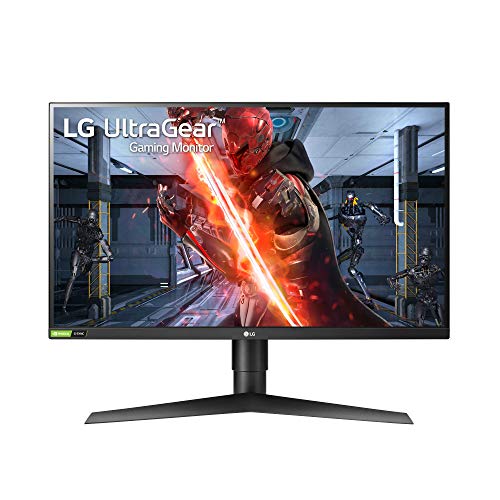
LG 27GN750-B UltraGear Gaming Monitor 27″ FHD IPS

HUANUO Dual Monitor Mount for 2 Monitors up to 32″

HUANUO Dual Monitor Stand 13 to 34 Inch Vertical

HUANUO Free Standing Dual Monitor Stand 13-32″

GRIFEMA Gas Spring Monitor Mount 13-32″ Dual Arm

GRIFEMA Gas Spring Monitor Mount 13-32″ Single Arm

HUANUO FlowLift Dual Monitor Stand 13-32″

GRIFEMA Monitor Mount 13-32 in Dual Arm
Meet The Standout Selections
The ViewSonic VG2448A is a 24-inch office monitor built around a fully adjustable ergonomic stand, and that pivot range is what makes it shine for document-heavy work. The IPS panel, short for In-Plane Switching, a panel type known for wider viewing angles and consistent color, keeps text crisp whether you flip to portrait or stay in landscape. A built-in USB hub adds real desk convenience for anyone juggling a laptop, keyboard, and mouse.
Compared to the HP VH240a later in this list, this one trades built-in speakers for a more flexible stand and more ports. It’s a sensible step up for people who dock a laptop and want their cables managed through the screen. The 3-sided thin bezel also plays nicely with a second monitor in a multi-display setup.
Everyday Wins
- Pivot, swivel, tilt, and height adjustment in one stand reduce neck strain during long days.
- IPS panel keeps colors and text readable from off-angles, useful in shared spaces.
- Integrated USB hub lets a docked laptop stay connected without reaching behind the screen.
- 1080p resolution at 24 inches hits a comfortable pixel density for office documents and spreadsheets.
Things To Consider
- 1080p on a 24-inch screen can feel modest for creative work where higher resolution helps.
- Owners commonly report the stock stand base takes up noticeable desk depth.
Key Specs
Best Suited To
Office pros and remote workers who want a pivot stand, USB ports, and a clean dual-monitor setup without a separate mount.
Look Elsewhere When
Competitive gamers chasing higher refresh rates should reach for the LG 27GN750-B UltraGear Gaming Monitor 27″ FHD IPS instead.
The HP VH240a is a 23.8-inch monitor that punches above what its price tier usually offers. The integrated pivot and height adjustment make it a genuine workhorse, while built-in speakers keep desk clutter low. HDMI and VGA ports cover both modern and older machines, which is handy in mixed office environments.
Where the ViewSonic VG2448A leans into USB connectivity, the HP VH240a focuses on the basics done well. It’s a strong entry point for anyone rotating between spreadsheets, web work, and casual video. The slim bezel also makes it a tidy choice for side-by-side dual monitor arrangements.
Useful Touches
- Built-in speakers remove the need for separate desktop audio in small spaces.
- Height, tilt, and pivot adjustments come standard without a separate mount purchase.
- VESA compatibility (the standardized hole pattern on the back of a monitor for mounting) opens the door to third-party arms later.
- 178-degree viewing angles keep the picture steady when you pivot or rotate the screen.
Worth Noting
- Built-in speaker output is functional but light for media-heavy use.
- Plastic-heavy stand construction feels modest compared to higher-tier options.
Whose Shelf It Belongs On
Cost-focused home offices and student setups that want real pivot flexibility without a premium price tag.
A Better Fit Elsewhere
Anyone wanting a heavier-duty mount with two screens should look at the HUANUO Dual Monitor Mount for 2 Monitors up to 32″.
The LG 27GN750-B UltraGear is a 27-inch gaming monitor that doesn’t ignore ergonomics. Its 240Hz refresh rate, 1ms response, and G-SYNC compatibility (a synchronization tech that reduces screen tearing by matching the monitor’s refresh to the GPU’s output) make it a strong pick for fast-paced play, and the pivot stand means it’s not stuck in landscape forever. HDR 10 support adds depth to compatible games and media.
Compared to the office-focused HP VH240a, this LG leans hard into speed. The pivot function is the connective tissue that makes it useful beyond gaming, especially for streamers who want a second display in portrait for chat or code. The virtually borderless design also keeps the screen looking clean when paired with another panel.
A Strong Showing
- 240Hz refresh with 1ms response keeps competitive titles smooth and responsive.
- G-SYNC compatibility cuts down on screen tearing and stutter.
- Pivot, height, and tilt adjustments open up portrait-mode streaming or coding.
- Three-side borderless design looks polished in multi-monitor builds.
Trade Offs
- At 27 inches, 1080p density is looser than higher-resolution competitors.
- Gaming-grade panels tend to use more power during long idle sessions.
Feature Snapshot
Right Fit For
Competitive gamers and streamers who want real pivot flexibility alongside speed-grade performance.
Swap It Out When
Coders and writers who rarely game would get more value from the ViewSonic VG2448A 24 Inch 1080p IPS Ergonomic Monitor, USB Hub.
The HUANUO Dual Monitor Mount is built for setups where stock stands simply won’t cut it. Each arm holds up to 22 lbs, which covers most 32-inch panels and even some heavier ultrawides. The aerospace-grade aluminum frame gives it a sturdier feel than typical budget mounts, and full height, tilt, swivel, and rotation adjustments keep both screens working together smoothly.
Where a single-arm mount like the GRIFEMA Gas Spring Single Arm keeps things minimal, this one goes the other direction. It’s the right kind of overkill for traders, developers, or anyone running two screens who wants full pivot control on both. VESA compatibility at 75mm and 100mm covers the vast majority of monitors.
Strengths Worth Knowing
- 22 lb per arm handles larger 27 to 32 inch displays with confidence.
- Aluminum alloy construction reduces sag and wobble during daily adjustments.
- Full range of motion on both arms means both screens can pivot independently.
- Standard VESA mounting keeps installation compatible with most mainstream displays.
Some Limits To Know
- Clamp-based installation requires a desk edge thick enough to support the mount.
- Dual-arm setups add cable management work that single-arm users avoid.
Who Should Grab It
Traders, developers, and power users running two mid-to-large screens that need real pivot flexibility.
Not Your Match When
Renters who can’t clamp a desk should pick the HUANUO Free Standing Dual Monitor Stand 13-32″ with glass base instead.
The HUANUO Vertical Monitor Mount takes a different approach to pivot rotation: it stacks two screens vertically rather than side by side. With a 44 lb total load capacity, it handles a wide range of monitor sizes from 13 up to 34 inches. Thirteen height settings make it flexible enough for tall and short users alike.
Compared to the standard dual-arm HUANUO mount earlier in this list, this freestanding option takes up a smaller footprint on the desk. Vertical stacking is genuinely useful for coders, writers, or anyone wanting a tall column of screen real estate. Swivel and tilt keep it adjustable without forcing a clamp install.
Useful Highlights
- Vertical stacking opens up significant desk depth for smaller workspaces.
- 44 lb total capacity covers most dual-screen combinations under 34 inches.
- 13 height settings allow fine-tuning for seated and standing positions.
- VESA 100×100 compatibility keeps it broadly usable across monitor brands.
Potential Drawbacks
- Vertical stacking requires the right monitor height ratios to look balanced.
- Freestanding base needs a stable surface and enough clearance underneath.
Made For
Tight desks where stacking two screens vertically beats the side-by-side sprawl of a standard dual mount.
Consider Something Else When
Anyone preferring side-by-side screens should look at the HUANUO Dual Monitor Mount for 2 Monitors up to 32″.
The HUANUO Free Standing Dual Monitor Stand is a no-clamp solution that solves a real problem: not every desk allows drilling or edge clamping. Its glass base sits cleanly on top of the desk, supporting two monitors between 13 and 32 inches at up to 22 lbs per arm. Two setup options give it flexibility for different layouts.
Where the vertical HUANUO mount stacks screens, this one keeps them side by side without touching the desk edge. It’s a natural fit for glass desks, standing desks, or anyone renting who can’t modify furniture. Portrait rotation is straightforward thanks to the swivel joints on each arm.
Bright Spots
- Freestanding glass base removes the need for clamps or grommet holes.
- 22 lb per arm capacity covers most mainstream 24 to 32 inch displays.
- Two setup options let you configure the arms based on desk depth.
- Portrait rotation is smooth enough for daily document or coding work.
Honest Caveats
- Glass base adds visual weight to the desk and needs a flat, stable surface.
- Heavier monitors at the upper size limit can challenge base stability.
Perfect Match For
Renters, glass desk owners, and anyone who needs a full dual-monitor pivot rig without touching the desk edge.
Reach For A Different Pick When
Those with a sturdy conventional desk and heavier screens should consider the HUANUO Dual Monitor Mount for 2 Monitors up to 32″ for added strength.
The GRIFEMA Gas Spring Dual Monitor Arm is built around a refined spring mechanism that handles 13 to 32 inch screens. After 20,000-plus motion tests in the manufacturer’s durability cycle, the brand claims consistent performance, and that translates to smooth, predictable movement in daily use. Both arms pivot, tilt, and swivel independently.
Compared to the heavier-duty HUANUO Dual Monitor Mount, this GRIFEMA is lighter in feel but easier to adjust on the fly. It’s a thoughtful pick for shared desks or anyone shifting between sitting and standing throughout the day. VESA 75x75mm and 100x100mm compatibility keep it broadly usable.
Points In Its Favor
- Gas spring mechanism delivers smooth, near-effortless position changes.
- Dual independent arms let both screens pivot without interference.
- Broad monitor compatibility from 13 to 32 inch screens.
- VESA standard mounting supports most mainstream displays.
Possible Compromises
- Spring tension may require readjustment after several months of use.
- Clamp install still needs a desk edge sturdy enough to hold the dual-arm spread.
Feature Card
Who It Suits Best
Shared desks, sit-stand setups, and anyone who pivots their screens multiple times a day.
Skip It When
A solo monitor minimalist should reach for the GRIFEMA Gas Spring Monitor Mount 13-32″ Single Arm instead.
The GRIFEMA Single Monitor Arm distills the dual-arm design down to one refined gas spring mechanism. For anyone working with a single 13 to 32 inch screen, this mount clears desk space, adds height flexibility, and makes pivoting between landscape and portrait genuinely easy. The same 20,000-plus motion test cycle applies to the single arm version.
Compared to the dual-arm GRIFEMA, this one is the cleanest path for a minimalist single-screen setup. It’s a strong fit for laptops paired with an external monitor, or for anyone who wants their desk clear of a stock stand. VESA 75×75 and 100×100 compatibility keeps it broadly useful.
Where It Delivers
- Single-arm design frees up the desk surface compared to stock stands.
- Gas spring motion makes height and pivot changes feel near-effortless.
- Standard VESA compatibility supports most displays between 13 and 32 inches.
- Portrait-to-landscape rotation is fast enough for daily document work.
What To Weigh
- Single arm means no second screen down the line without replacing the mount.
- Clamp installation needs a compatible desk edge or grommet hole.
Right Fit For
Solo monitor minimalist setups and laptop-plus-display workstations that want pivot freedom.
Another Choice May Suit
Anyone planning to add a second screen should pick the GRIFEMA Gas Spring Monitor Mount 13-32″ Dual Arm for future expansion.
The HUANUO FlowLift is a fully adjustable dual monitor mount aimed at gaming and multitasking setups. Each arm supports screens between 4.4 and 19.8 lbs, which covers a wide range of mainstream 13 to 32 inch panels. The included C-clamp and grommet base give shoppers a choice of install method.
Compared to the heavier-duty HUANUO Dual Monitor Mount earlier, this FlowLift is more focused on motion range and gaming-friendly positioning. Full motion articulation keeps both screens ready to pivot, tilt, or swing when switching between game, chat, and reference content. VESA 75×75 and 100×100 compatibility keeps it broadly usable.
Reasons It Performs
- Full motion articulation supports pivot, swivel, tilt, and height changes.
- C-clamp and grommet base options adapt to different desk styles.
- 19.8 lb per arm capacity covers most gaming monitors comfortably.
- Independent arm adjustments let each screen find its own pivot position.
Less Ideal Details
- Lower weight capacity than the heavier HUANUO 22 lb dual mount option.
- Grommet install requires drilling, which renters may want to avoid.
Built With In Mind
Gaming stations and multi-screen desks where independent pivot motion matters more than max weight capacity.
Where A Sibling Pick Shines
Those running heavier 27 to 32 inch displays should reach for the HUANUO Dual Monitor Mount for 2 Monitors up to 32″ instead.
The GRIFEMA Dual Monitor Arm rounds out this list with 360-degree flexibility and broad compatibility for 13 to 32 inch screens at up to 19.8 lbs each. Mainstream VESA 75×75 and 100×100 patterns mean it works with most desktop monitors, including 24, 27, and 32 inch gaming displays. It’s a versatile mount for shared workspaces and studios.
Compared to the gas spring GRIFEMA dual arm, this standard mechanism version trades gas-smooth motion for a more straightforward, no-fuss experience. It’s the kind of mount you install once and largely forget about, except when pivoting a screen for a fresh workflow. For daily rotation between landscape and portrait, the joints stay predictable.
Advantages To Know
- 360-degree adjustment range covers portrait, landscape, and angled orientations.
- Standard VESA mounting keeps it compatible with mainstream monitor brands.
- 19.8 lb per arm fits most 27 inch and many 32 inch displays.
- Setup plays nicely with both office and gaming monitor lineups.
Where It Is Less Suited
- Standard tension joints don’t feel as smooth as gas spring alternatives.
- Weight cap below the 22 lb HUANUO dual mount option.
Best Suited To
Shared workspaces, studios, and home offices that want a dependable dual-arm pivot mount without gas spring pricing.
Not Your Match When
Anyone prioritizing buttery-smooth motion should grab the GRIFEMA Gas Spring Monitor Mount 13-32″ Dual Arm instead.
Choosing the Right Monitor Pivot Setup
Picking the right pivot rotation comes down to three things: how you work, where the screen sits, and what kind of motion you actually need day to day. A standalone monitor with a built-in pivot stand makes sense for single-screen setups where desk space is generous and the stock stand already adjusts well. A dual-arm mount makes more sense when you’re running two screens and want both to pivot independently or free up desk real estate.
For office work, an IPS panel with wide viewing angles keeps text readable after rotation. VESA compatibility (the standardized hole pattern on the back of a monitor) is the bridge between any monitor and any mount, so confirming the 75×75 or 100×100 pattern before buying saves a return trip. Weight matters too: most mainstream 24 to 27 inch panels fall well under 19 lbs, but heavier 32 inch screens push toward the upper end of standard mounts.
If you’re a gamer, pivot rotation pairs well with high refresh rates and adaptive sync for streamers who keep a chat window or document open in portrait. For shared or flexible workspaces, gas spring arms deliver the smoothest daily motion. Renters and glass desk owners should look at freestanding bases to avoid clamp installs entirely.
Key Considerations Across These Picks
Wrong Turns To Avoid
A surprisingly common mistake is buying a mount or stand that doesn’t match the monitor’s weight class. Another is overlooking desk thickness for clamp-based mounts, which can lead to a loose fit or no install at all. For renters, the cleanest path is a freestanding base that protects the desk from permanent modification.
When Paying More Pays Off
Higher-tier mounts in this category generally buy smoother motion, more durable joints, and broader weight capacity. Gas spring arms and aluminum construction stand out where the screen gets adjusted several times a day, since standard tension joints can loosen over months of use. For a single monitor that rarely moves, a budget mount handles the rotation just fine.
Frequently Asked Questions
Do I need a VESA-compatible monitor to use a pivot mount?
Yes, in almost every case. VESA is the standardized mounting hole pattern on the back of a monitor, and both built-in pivot stands and aftermarket arms rely on it. Confirm 75x75mm or 100x100mm on your display before buying.
Can any monitor rotate to portrait?
Only monitors with a pivot stand, a VESA-compatible mount, or a third-party arm can rotate. The monitor itself doesn’t need to be pivot-specific, but the stand or mount does need to allow rotation.
Are gas spring arms better than standard tension arms?
Gas spring arms typically feel smoother and hold position more reliably during repeated adjustments. Standard tension arms work fine for occasional pivoting, but they can drift or loosen over time.
Will a clamp mount damage my desk?
Most clamp mounts use padded jaws that grip without marring the surface, but very thin or fragile desk edges may not provide enough purchase. In those cases, a freestanding base is a safer choice.
How much weight can a typical dual monitor arm hold?
Most mainstream dual arms in this category support between 19.8 and 22 lbs per arm, which covers nearly all 13 to 32 inch displays. Heavier ultrawides or 34 inch panels may need a higher-capacity mount.
Closing Remarks
The right pivot setup depends on how many screens you run, how often you rotate them, and what your desk can support. Standalone monitors with built-in pivots are the simplest path for a single screen, while dual-arm mounts unlock full flexibility for two. Match the mount’s weight range, VESA pattern, and install style to your actual setup, and the rotation will pay off every day.