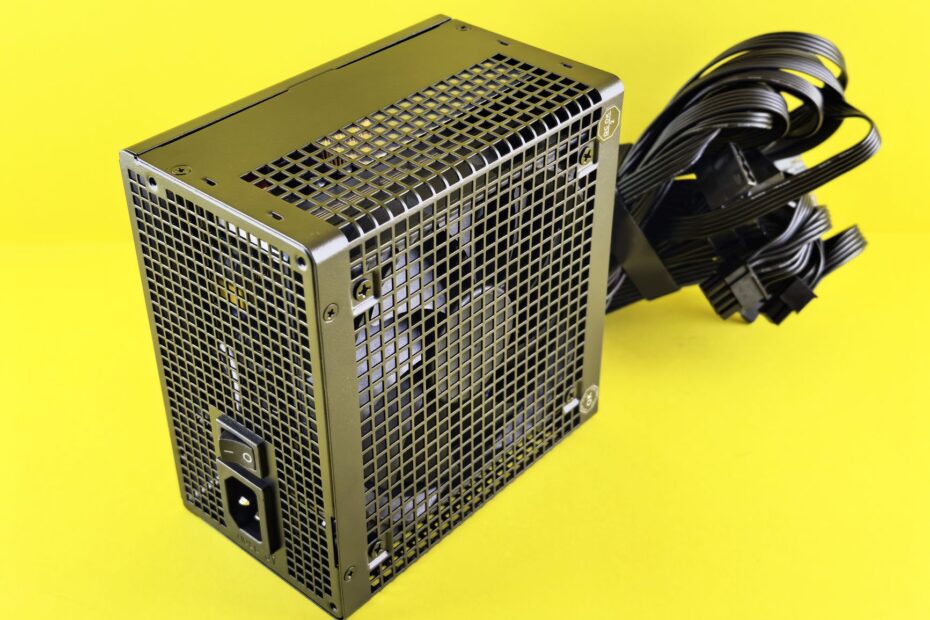
A 650-watt PSU can deliver up to 650 watts of DC power to components, rather than drawing that amount continuously from the wall. A 750W unit can run a system drawing 220W at idle or 600W during a demanding game, depending on your hardware load.
This explanation helps you size a desktop or gaming system around component draw, 12V capacity, efficiency, connectors, and realistic room for upgrades.
A PSU Wattage Rating Sets the DC Output Ceiling
Wall outlets send AC electricity, while your motherboard, graphics card, drives, and fans need low-voltage DC power. The power supply unit, or PSU, handles AC-to-DC conversion before electricity reaches your hardware.
A 650W, 750W, or 1000W label marks the unit’s maximum continuous DC output under stated conditions. Your PSU does not force that amount into the system. Your CPU, GPU, storage, and cooling hardware draw power based on their active workload.
Continuous ratings matter more than peak figures
Look for a continuous output rating rather than a short peak figure. A peak claim can describe a brief burst, while continuous output shows what the unit can sustain during a long game, render, or CPU-plus-GPU workload.
Choose the wattage listed for continuous DC output, not a short-duration peak claim. A unit that falls short under sustained heat can shut down before its label suggests trouble.
That ceiling matters only after you separate it from active system demand. An idle desktop, a game menu, a 4K render, and a stress workload can place very different loads on the same hardware.
Component Demand Sets Real-Time Electricity Draw
A 1000W PSU can run a computer drawing 90W at the Windows desktop. Components pull the current they need, so a 750W PSU does not draw 750 watts all the time, and a 1000W model does not pull 1000W continuously.
Your CPU power draw and GPU power draw rise with workload. A browser tab and a graphics-heavy game can sit minutes apart, yet your system can move from light demand to several hundred watts of DC output.
| System state | Example component DC demand | What it means for your PSU |
|---|---|---|
| Idle desktop | 60W to 120W | Your unit operates far below its rated output. |
| Office work | 90W to 180W | Integrated graphics and efficient CPUs keep demand modest. |
| Mainstream gaming | 300W to 550W | Your GPU becomes the largest load. |
| Rendering or stress load | 450W to 750W+ | CPU and GPU can approach sustained limits together. |
AC wall power exceeds the DC output reaching your parts because conversion produces heat. At 90% efficiency, a computer receiving 450W of DC power pulls about 500W from the wall. Your plug-in watt meter shows that larger AC number.
A measured 400W draw is modest for a gaming computer with a modern graphics card, yet high for an idle office machine. Your workload gives the number meaning; 400W alone does not describe whether the load is heavy.
CPU, GPU, and the 12V Rail Set PSU Size
Graphics cards and processors account for the largest share of demand in a gaming desktop. Motherboard circuitry, memory, SSDs, case fans, pumps, USB devices, and RGB hardware add smaller loads that still belong in your total.
Watts, volts, and amps describe electrical capacity
Watts equal volts multiplied by amps. On a 12V line, 25 amps equals 300W because 12 multiplied by 25 equals 300. That relationship explains why amperage on the specification label matters alongside the PSU wattage rating.
The 12V rail feeds the heaviest modern loads, including the CPU voltage-regulator area and graphics card. Your PSU can carry a 750W label yet offer less useful 12V capacity than another 750W model with a stronger 12V rail.
| Part group | Typical power role | What you should verify |
|---|---|---|
| Graphics card | Largest gaming load | Board power, PCIe connectors, and cable limits. |
| Processor | High load during rendering and gaming | Real maximum draw and EPS CPU connector needs. |
| Storage and cooling | Smaller combined load | Fan hubs, pumps, and SATA-powered hardware. |
| Motherboard and memory | Base platform draw | Allowance beyond CPU and GPU figures. |
Graphics-card maker wattage guidance gives you a starting point, not a complete system calculation. That figure can assume a processor class, cooler load, and standard layout, while your CPU choice or extra pump can change the total.
A Practical Calculation Starts With CPU and GPU Demand
Start with the GPU board-power figure and your CPU’s realistic maximum draw rather than an average gaming number. A graphics card rated near 320W paired with a processor reaching 180W already places 500W of demand on the PSU before the rest of your hardware enters the calculation.
A complete estimate avoids false precision
- List the GPU. Write down its stated board power and every PCIe power connector it needs.
- Add the CPU. Include its higher all-core draw, especially for unlocked or high-end processor models.
- Reserve system power. Add 60W to 120W for the board, RAM, drives, fans, lighting, pumps, and USB hardware.
- Leave headroom. Select capacity above the sustained total rather than matching it exactly.
- Check the estimate. A PSU wattage calculator can help you review CPU, GPU, storage, and upgrade entries.
Your calculator result is only as sound as the parts list you enter. A 320W GPU, 180W CPU, and 100W platform allowance reach 600W before power supply headroom. A quality 750W unit gives your system room, while 650W leaves less capacity for spikes or later changes.
Do not add every component’s label as though all hardware runs at maximum load for hours. Focus on high sustained CPU and GPU figures, then leave a realistic allowance for the remaining parts in your build.
Even a sound sustained-load estimate needs margin because short spikes and future additions raise demand.
Power Supply Headroom Covers Spikes, Heat, and Upgrades
Brief load bursts can exceed the steady number shown in a game overlay. Transient power spikes appear as a GPU or CPU changes workload, and a marginal unit can respond with a black screen, restart loop, crash, or protective shutdown.
Extra capacity gives fast load changes room
Headroom is the gap between your expected sustained demand and the PSU’s continuous output capacity. A system drawing 600W during a long workload has more margin on an 850W unit than on a 650W unit, assuming similar platform quality.
Your fan noise can fall because the supply has less internal heat to move. Running near the output ceiling for hours raises temperature and fan speed, while spare capacity gives the unit calmer operating conditions.
But oversizing also has limits. A 1600W supply makes little sense for a 350W desktop where a high-quality 650W model has the needed 12V output, cables, protective circuits, and room for your realistic next graphics card.
Do not trade platform quality for an inflated wattage label. Stable voltage control, protective circuits, and suitable cables matter more than a large number printed on the carton.
Efficiency and Connectors Determine Compatibility
Efficiency changes what your outlet supplies, not the maximum DC wattage your components receive. An 80 PLUS efficiency certification on a 750W PSU still means the unit can deliver 750W of DC output; the rating describes conversion losses as heat.
Efficiency badges do not describe every quality trait
An 80 PLUS badge does not tell you about voltage regulation, ripple control, fan behavior, protective features, or durability. Your selection needs those details alongside efficiency, especially with a graphics-heavy system.
| Item to inspect | Why it matters | What your system needs |
|---|---|---|
| EPS CPU connector | Feeds motherboard CPU power | Match the board’s required 8-pin or added connector layout. |
| PCIe power connectors | Feed graphics-card power inputs | Match the required count without unsafe splitters. |
| 12V output | Supplies CPU and GPU demand | Check the label’s 12V watts or amps. |
| 12V-2×6 connector | Serves newer high-power GPUs | Match the card’s native connector requirement. |
ATX 3.0 and ATX 3.1 standards address modern graphics-card load behavior and cable requirements. Your newer GPU can need a PCIe 5.0 12V-2×6 connector, but connector fit does not replace the need for adequate capacity.
Wattage Tiers Fit Different Build Profiles
Capacity ranges become clearer after you know your load, 12V output, and connector requirements. The ranges below are starting points rather than automatic answers for every list of parts.
| PSU tier | Suitable system profile | Where your caution belongs |
|---|---|---|
| 400W | Low-power desktops, compact systems, modest CPUs, light graphics | Not a universal gaming baseline. |
| 550W to 650W | Mainstream gaming with efficient midrange GPUs | Leave room for CPU load and future GPU changes. |
| 750W to 850W | Performance gaming systems with stronger CPUs and GPUs | Verify 12V output and connector count. |
| 1000W and above | High-end GPUs, high-draw CPUs, dense cooling, storage-heavy systems | Match maker requirements and cable standards. |
Your 400W PSU can suit a compact computer with integrated graphics or a modest card, yet it has little room beside a high-draw GPU. The same rating that feels generous in a home-office tower can become restrictive in a performance gaming system.
For many gaming computers, 550W or 650W fits an efficient midrange graphics card without extreme overclocking. Gaming PC power supply wattage rises toward 750W or 850W with stronger CPU-and-GPU combinations, while 1000W and above fit systems where the graphics card, processor, cooling hardware, and maker requirement justify it.
Your Final PSU Choice Balances Capacity and Hardware Fit
Your final selection should follow the electrical path already established: realistic component demand, headroom, 12V rail output, and connector fit. Capacity alone cannot solve weak cables, missing EPS plugs, or a low-grade internal platform.
A final check avoids costly sizing errors
- Check continuous output. Ignore peak-only figures that do not describe sustained DC delivery.
- Read the PSU label. Confirm your 12V watts and amperage cover CPU and GPU demand.
- Match every connector. Count EPS, PCIe, SATA, and 12V-2×6 requirements before installation.
- Avoid unsafe adapters. Do not force a graphics card through cable arrangements outside PSU and GPU instructions.
- Favor platform quality. Do not choose solely by cost or an 80 PLUS tier.
- List future hardware. Include your planned GPU, storage, cooling, and USB additions before choosing capacity.
Check the exact graphics-card maker requirement and the PSU specification label before your order or upgrade. Your next step is listing the CPU, GPU, connector needs, and planned additions, then selecting the smallest high-quality unit that covers your full configuration with headroom.
What to Remember
A PSU rating is a ceiling, not constant demand. Your components set actual power draw, while 12V output, connectors, efficiency, and spare capacity decide whether power reaches your hardware cleanly during heavy workloads and short spikes.
Choose for the complete system you own and the realistic upgrade you expect, not for a single wattage number. That approach answers how much wattage does a PC need without treating a 400W, 650W, 750W, or 1000W label as a universal fit.
FAQ
What does the wattage number on a PC power supply mean?
The wattage number shows the maximum continuous DC output your PSU can deliver to computer hardware. Your components draw less than that ceiling during lighter work, while a CPU-and-GPU workload can move closer to the rating.
Does a 750W power supply always use 750 watts?
No. A 750W PSU can deliver up to 750W of continuous DC power, but your system draws only what its active components require. Your wall-power draw changes with workload and efficiency, so an idle computer can pull far less electricity than a demanding game or render.
How does a PSU deliver only the power a PC needs?
Your hardware draws current through the PSU’s DC rails based on active demand. A PSU rated for 750W has capacity available, but it does not send 750W into a system drawing 150W at the desktop.
How many watts does a gaming PC typically need?
A mainstream gaming system can draw about 300W to 550W of DC power during play, while rendering or stress loads can reach 450W to 750W or more. Your GPU, CPU, cooling hardware, and headroom target set the final PSU size.
How do CPU and GPU power requirements affect PSU size?
Your graphics card and processor form the largest share of your power budget. Add their higher sustained draw, then add 60W to 120W for the motherboard, memory, drives, fans, pumps, and USB hardware.
Why should I choose a PSU with wattage headroom?
Headroom gives your PSU room for transient power spikes, hotter operating conditions, and later hardware changes. A system drawing 600W has more capacity margin on an 850W PSU than on a 650W PSU.