Building a PC used to mean piecing together a CPU, a discrete graphics card, and a motherboard that played nicely with both. These days, a smarter shortcut exists: a CPU and GPU combo pairs the processor with integrated graphics or bundles a chipset that handles visual work without a separate card. For anyone assembling a budget rig, a small office machine, or a compact home theater box, that combo removes one of the trickiest compatibility puzzles from the equation.
I looked at nine options spanning older entry-level chips with onboard graphics, modern APU-style processors, and full motherboard bundles that include memory or storage. Some target bare-bones productivity; others lean toward light gaming and creative work. The list below sorts them by use case so you can land on the right match without wading through spec sheets.
A Snapshot Of The Selections
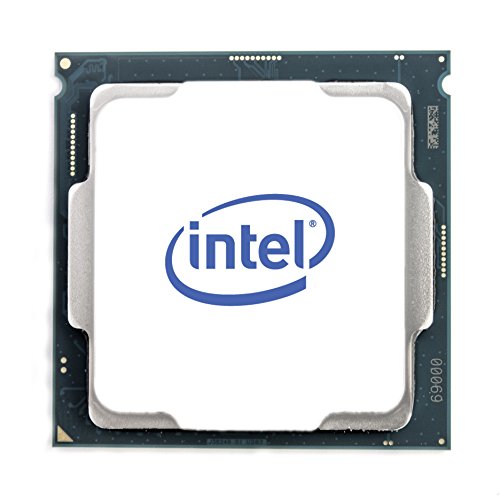
Intel Core i3-8100 8th Gen Desktop Processor

Micro Center AMD 5500 + GIGABYTE B550M K Combo

Newegg B550-F + Ryzen 5 5500 + 16GB DDR4 Bundle

Newegg B550-PLUS + Ryzen 5 5500 + 1TB NVMe Bundle
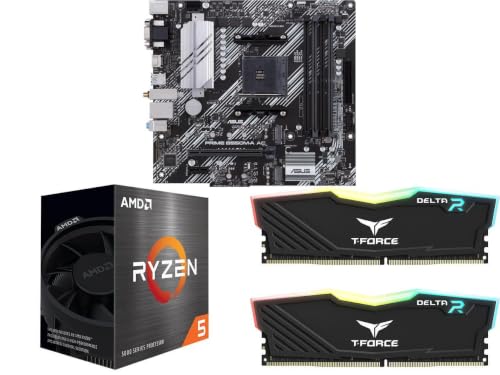
Newegg B550M-A + Ryzen 5 5500 + 16GB Micro-ATX Bundle

INLAND i7-14700K + ASUS TUF Z790-Plus WiFi Combo

Newegg B550M PRO-VDH WiFi + Ryzen 5 5500 Bundle

AMD A10-5700 APU Quad-Core 3.4GHz Processor

Intel Core i5-4460 LGA 1150 Quad-Core CPU
What Each Pick Brings To The Table
The i3-8100 is the kind of chip that quietly does its job without fanfare. With four physical cores and no hyper-threading, it targets the kind of computing most people actually do: browsing, spreadsheets, video calls, and the occasional spreadsheet-after-lunch. The integrated UHD graphics handle display output cleanly, so a basic productivity box doesn’t need a separate card at all.
For anyone replacing an aging office PC or building a kiosk-style machine, this processor keeps the bill of materials small. It sips power compared to higher-tier chips, which means a modest cooler and a budget-friendly PSU are enough to run it. The trade-off shows up the moment multitasking gets heavy: opening dozens of browser tabs while compiling a spreadsheet can expose the limits of four threads. Compared to the AMD A10-5700 later in this list, this i3 is a clear generational leap in single-threaded speed.
Well-Handled Touches
- Four physical cores, a step up from older dual-core i3 chips
- Integrated UHD graphics eliminate the need for a discrete GPU in office tasks
- Low power draw keeps the supporting PSU and cooling costs down
- Compatible with widely available LGA 1151 v2 motherboards
Trade Offs
- No hyper-threading means lighter multitasking under heavy loads
- Integrated graphics fall short for modern gaming beyond very light titles
- Older platform limits future upgrade paths
Key Specs
Right Fit For
Office workers, students, and anyone assembling a quiet productivity machine on a tight budget.
A Better Fit Elsewhere
Streamers and creators juggling heavy workloads should look at the INLAND i7-14700K combo instead for the extra cores.
This Micro Center bundle pairs the AMD Ryzen 5 5500 with a GIGABYTE B550M K motherboard, both sized for the Micro-ATX form factor. That smaller board footprint is the real story here: it slips into compact cases without forcing builders to sacrifice the AM4 platform’s flexibility. For anyone who wants a small, quiet desktop that doesn’t look like a mini-tower, this pairing makes sense.
The Ryzen 5 5500 brings six cores and twelve threads to the table, which is enough headroom for productivity, light content work, and casual gaming once a discrete graphics card gets added. The included Wraith Stealth cooler keeps thermals reasonable out of the box, removing one more purchase from the build list. The catch is that this bundle is a bare combo, meaning RAM and storage still need to be sourced separately.
Where It Excels
- Six-core, twelve-thread CPU handles multitasking comfortably
- Micro-ATX board fits compact cases without losing AM4 flexibility
- Wraith Stealth cooler included saves a separate purchase
- Dual M.2 slots leave room for fast NVMe storage later
Honest Caveats
- No discrete graphics included, so gaming needs a separate GPU
- RAM and storage sold separately, adding to the total cost
- No built-in WiFi on this particular board variant
Quick Facts
Whose Shelf It Belongs On
Builders assembling a small-footprint home or office PC who already plan to add their own GPU and memory.
Reach For A Different Pick When
If you want memory included from the start, the Newegg B550M-A Micro-ATX bundle covers RAM in the box.
Where the previous combo keeps things minimal, this Newegg bundle throws everything in. The full-size ATX board gives builders more expansion slots, better cooling headers, and the kind of connectivity that mid-range gaming rigs need. Adding 16GB of DDR4 3200 memory in the box means the system boots into a usable state with nothing more than a GPU and storage.
The Ryzen 5 5500 does the heavy lifting on the CPU side, and the B550 chipset supports PCIe 4.0 for faster NVMe drives and modern graphics cards. WiFi 6E and 2.5 Gb Ethernet handle networking without extra adapters. For gamers planning to add a mid-tier GPU later, this bundle keeps the foundation future-ready.
Reasons It Performs
- Full ATX board offers more expansion and airflow headroom
- 16GB DDR4 3200 in dual-channel configuration from the box
- WiFi 6E and 2.5 Gb Ethernet built in, no adapter needed
- PCIe 4.0 support keeps the platform current for next-gen GPUs
Small Caveats
- Still requires a separate discrete graphics card for gaming
- Storage is not included, so plan for an SSD or HDD
- Larger ATX board won’t fit in compact cases built for Micro-ATX
Best Suited To
Mid-range gamers who want a foundation that’s ready for a discrete GPU and won’t bottleneck modern graphics cards.
Skip It When
Builders working with a small case should pick the Newegg B550M PRO-VDH WiFi combo for its Micro-ATX footprint.
Storage is often the part builders forget to budget for, and this combo solves that. A 1TB NVMe SSD sits alongside the Ryzen 5 5500 and a B550-PLUS ATX board, giving a system a fast boot drive and plenty of room for games and project files right out of the gate. For anyone who wants a working desktop on day one without hunting for separate components, this bundle cuts the chase.
The B550-PLUS board brings robust power delivery and the PCIe 4.0 support that keeps the platform current. The Ryzen 5 5500’s six cores handle productivity tasks and light creative work without breaking a sweat. The honest read is that this combo leans toward users who want to skip the part-picker and get a functional build moving.
Strengths Worth Knowing
- 1TB NVMe SSD included, fast boot and ample storage from the start
- Six-core CPU covers productivity, browsing, and light creative work
- ATX form factor gives builders room for future expansion cards
- PCIe 4.0 support future-proofs the platform for newer GPUs
Factors To Consider
- Still needs a discrete GPU for gaming beyond light titles
- RAM is not included, so memory is a separate purchase
- No built-in WiFi, depending on the board revision
Built With In Mind
First-time builders and anyone upgrading from a slow mechanical drive who wants fast storage included.
Swap It Out When
Creators needing more RAM out of the box should consider the Newegg B550-F + 16GB bundle instead.
The Micro-ATX version of the Newegg bundle hits a sweet spot. It shrinks the board to fit compact cases while keeping the same six-core Ryzen 5 5500 and 16GB of DDR4 memory in the box. For apartment dwellers, dorm rooms, or anyone with a limited desk footprint, this combo brings real performance without demanding a full tower.
Aura Sync RGB and dual M.2 slots mean the board doesn’t feel like a stripped-down compromise, even in its smaller form. Owners commonly report clean cable management and quiet operation once a modest CPU cooler is installed. The trade-off shows up in expansion: fewer PCIe slots mean fewer add-in cards down the line.
Benefits That Matter
- Micro-ATX form factor fits compact cases with room to breathe
- 16GB DDR4 included means a working desktop out of the box
- Dual M.2 slots support fast NVMe storage configurations
- Six-core Ryzen 5 handles multitasking and light creative work
Less Ideal Details
- Fewer expansion slots than full ATX boards limit future upgrades
- Discrete GPU still required for any meaningful gaming
- Smaller board can run warmer in tightly packed cases with limited airflow
Feature Snapshot
Perfect Match For
Apartment and small-office builders who need performance without a full tower hogging desk space.
Where Another Pick Suits Better
Anyone planning heavy expansion cards should consider the Newegg B550-F ATX bundle for its larger slot layout.
This is the heavyweight on the list. The Intel Core i7-14700K brings 20 cores and 28 threads, paired with the ASUS TUF Gaming Z790-Plus WiFi board that supports DDR5 memory and the latest PCIe standards. For anyone running demanding creative software, streaming while gaming, or compiling code on tight deadlines, the extra cores turn into real-world time savings.
The Z790 chipset opens the door to high-speed DDR5 RAM, multiple M.2 drives, and modern discrete GPUs without compromise. Owners commonly note that the TUF board’s robust power delivery keeps thermals stable under sustained loads. The trade-off is platform cost: a 14th-gen Intel chip demands a matching investment in cooling and memory to reach its potential.
The Value In It
- 20-core, 28-thread CPU chews through multithreaded workloads
- DDR5 support future-proofs memory upgrades for years
- ASUS TUF power delivery handles sustained high boost clocks
- Built-in WiFi cuts the need for a separate networking adapter
Practical Considerations
- Requires a robust aftermarket cooler to manage heat under load
- DDR5 memory is a separate cost that adds to the build total
- Discrete GPU still needed for gaming workloads to truly shine
Who Will Love This
Content creators, streamers, and professionals running CPU-heavy applications like video editing or 3D rendering.
Not Your Match When
Casual users on a tight budget should pick the Intel Core i3-8100 for a fraction of the platform cost.
The B550M PRO-VDH WiFi version adds wireless networking to the Micro-ATX formula, and the included T-Force Delta RGB memory brings a touch of flair to the build. For gamers setting up in a room where running an Ethernet cable is impractical, the onboard WiFi removes one of the most common friction points. The RGB memory also means the system looks the part without requiring extra purchases for show.
The Ryzen 5 5500’s six cores handle modern gaming once a discrete GPU joins the party, and the board’s BIOS update support covers future Ryzen processors. Owners commonly report that the WiFi performs reliably for casual online play, though competitive gamers may still prefer a wired connection for the lowest latency.
Strong Points
- Onboard WiFi removes the need for a separate wireless adapter
- T-Force Delta RGB memory adds visual style to the build
- Micro-ATX board fits smaller gaming cases with room for a GPU
- BIOS update support extends compatibility to future Ryzen chips
Things To Weigh Up
- WiFi antenna placement matters for signal strength in some rooms
- Discrete GPU is still required for any real gaming performance
- RGB memory draws slightly more power than non-RGB equivalents
Made For
Gamers building in rooms without easy Ethernet access who want a clean, cable-free setup.
Consider Something Else When
Competitive players chasing the lowest latency should pair the Newegg B550-F ATX bundle with a wired network drop.
The AMD A10-5700 is a relic from the FM2 socket era, and it belongs in conversations about repairing or upgrading older systems rather than building new ones. As an APU (a chip that combines CPU and GPU on a single die), it offers basic integrated graphics that once served as a budget-friendly gaming solution. Today, its value lies in keeping legacy hardware alive.
Anyone maintaining an older office PC, a media server, or a vintage build will find this processor useful as a replacement part. The quad-core design runs at 3.4 GHz and supports basic multitasking for older operating systems. For new builds, however, the i3-8100 earlier in this list offers far better performance per watt.
Everyday Wins
- Quad-core design keeps older systems functional for basic tasks
- Integrated graphics handle display output without a separate card
- Direct replacement part for aging FM2 socket builds
- Low cost makes it practical for legacy repair scenarios
Some Limits To Know
- FM2 socket is no longer supported by current motherboards
- Performance falls well short of modern budget CPUs
- Limited upgrade path makes this strictly a stopgap or repair option
Who Should Grab It
IT technicians and hobbyists maintaining older systems that need a functional replacement processor.
Look Elsewhere When
Anyone building a new PC should pick the Micro Center AMD 5500 combo for a modern platform foundation.
Intel’s Haswell-era i5-4460 has aged into a dependable workhorse for refreshing older LGA 1150 systems. The quad-core chip runs at a base clock of 3.2 GHz with boost headroom, and Intel HD 4600 graphics handle display output for systems that don’t need a discrete GPU. For office environments still running hardware from the early 2010s, this processor breathes new life into familiar machines.
The i5-4460 pairs well with existing DDR3 memory, which keeps refresh costs contained. Owners commonly use this chip as a drop-in upgrade for systems that originally shipped with slower Pentiums or Celerons. The honest read is that while it’s far from cutting-edge, it remains useful for keeping legacy hardware productive.
Everyday Perks
- Quad-core performance refreshes aging LGA 1150 systems
- Intel HD 4600 graphics cover basic display needs
- Compatible with widely available DDR3 memory
- Drop-in upgrade for systems originally shipped with slower chips
A Few Limitations
- LGA 1150 platform limits future upgrade paths
- Power consumption runs higher than modern equivalents
- Integrated graphics fall short for any modern gaming demands
Right Fit For
IT departments and home users refreshing older office hardware without committing to a full rebuild.
Not Your Match When
Anyone building a new system should pick the Intel Core i3-8100 for a more current platform foundation.
Choosing The Right CPU And GPU Combo Build
The right combo depends on three questions: what you’ll actually run on the machine, how big your case is, and whether you want the platform to grow over time.
Workload First, Specs Second
A CPU and GPU combo for office productivity and web browsing doesn’t need the same horsepower as one aimed at gaming or creative work. Productivity builds benefit from modern integrated graphics and enough cores to keep browser tabs and office apps responsive. Gaming and content creation call for a discrete GPU and a CPU that won’t bottleneck modern graphics cards. Pick based on the heaviest task you actually do, not the one you imagine doing someday.
Form Factor Sets Real Limits
A Micro-ATX board slips into compact cases that won’t accept a full ATX board, and a Mini-ITX build goes even smaller. Measure your case before buying a combo, or pick the board size first and let it dictate the case. Bundled combos with memory or storage included save time but lock you into specific board sizes, so check that the form factor matches your case before committing.
Platform Longevity Matters
An older socket such as FM2 or LGA 1150 keeps legacy hardware running but offers no upgrade path. Modern AM4 or LGA 1700 platforms support multiple processor generations, which means a CPU upgrade a year or two down the line won’t require a new motherboard. For new builds, the platform choice often matters more than the specific chip, since it determines how long the system stays relevant.
Memory And Storage Bundles
Combos that include RAM or SSDs cost more upfront but remove the guesswork from compatibility. For first-time builders, that peace of mind has real value. Experienced builders may prefer bare CPU-and-board combos and source memory separately to get specific speeds or capacities.
Key Considerations Across These Picks
Where Shoppers Go Wrong
The most common mistake is buying a CPU without confirming the motherboard chipset supports it. AM4 processors span multiple generations, and not every B550 board runs Ryzen 5000 chips without a BIOS update. Checking the manufacturer’s CPU support list before purchase saves a return trip. Another slip is underestimating power supply needs: a six-core Ryzen with a mid-tier discrete GPU wants a reliable 550W PSU at minimum, and skimping on the PSU leads to instability under load.
When Paying More Pays Off
Stepping up to a higher-tier combo buys more cores, faster memory support, and newer connectivity standards like WiFi 6E and PCIe 4.0. For anyone planning to keep the system for three or more years, those features compound: faster storage today means less waiting tomorrow, and a newer platform supports future CPU upgrades without a full rebuild. The upgrade makes sense when the machine will see heavy daily use; for occasional browsing, a budget combo covers the basics without overspending.
Frequently Asked Questions
What exactly is a CPU and GPU combo?
A CPU and GPU combo bundles a processor with integrated graphics or pairs it with a motherboard chipset designed to handle visual output. Some combos include a discrete GPU, while others rely on the CPU’s built-in graphics for display. The combo removes the guesswork from CPU-motherboard compatibility.
Do I still need a separate graphics card with these combos?
For office work, web browsing, and video playback, integrated graphics cover the basics. For gaming, video editing, or 3D work, a discrete GPU is still required. The combos in this list cover both scenarios, so pick based on your heaviest workload.
Are these combos good for gaming?
The Ryzen 5 5500 bundles paired with a discrete GPU handle most modern games at 1080p with reasonable settings. The i7-14700K combo pushes further into high-refresh-rate territory. The older i3 and A10 chips are not gaming-focused.
How do I know if a combo will fit my case?
Check the motherboard form factor: ATX, Micro-ATX, or Mini-ITX. A larger board won’t slide into a smaller case. Most case specs list supported form factors in the product details.
Is a bundled combo cheaper than buying parts separately?
Often yes, especially when retailers negotiate bundle pricing on memory and storage. For bare CPU-and-board combos, the savings are smaller but still common. Comparing both routes before purchase is worth the few minutes.
Final Verdict
The right CPU and GPU combo depends entirely on what sits on the other side of the monitor. Builders chasing raw multithreaded power land on the i7-14700K bundle, while compact-case enthusiasts find their match in the Micro-ATX options. Older systems get a new lease on life from the Haswell and FM2 picks. Pick the workload first, the form factor second, and the rest tends to fall into place.