Photo editing pushes hardware harder than most people expect. A few dozen RAW files open at once, a few brush strokes across a 50-megapixel canvas, and suddenly that “fast enough” laptop starts wheezing. I’ve spent enough time sorting through spec sheets and small-form-factor builds to know which machines actually hold up when a Lightroom catalog gets serious.
This list pulls together compact desktops, a portable second screen, and two editing suites so anyone from a hobbyist shooting weekends to a working pro can match the right tool to the workflow. A small PC paired with a calibrated display and capable software handles 95% of what photo work demands in 2026.
Your Options, Compared

Apple 2024 Mac mini Desktop Computer with M4 chip

VisionOwl Portable Monitor for Laptop 15.6 Inch

Apple 2024 iMac All-in-One Desktop with M4 chip
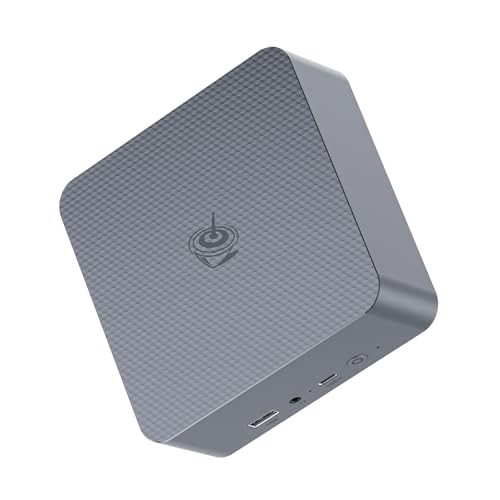
Beelink EQR7 Mini PC Ryzen 7 7735U

Beelink Mini PC SER5 MAX Ryzen 7
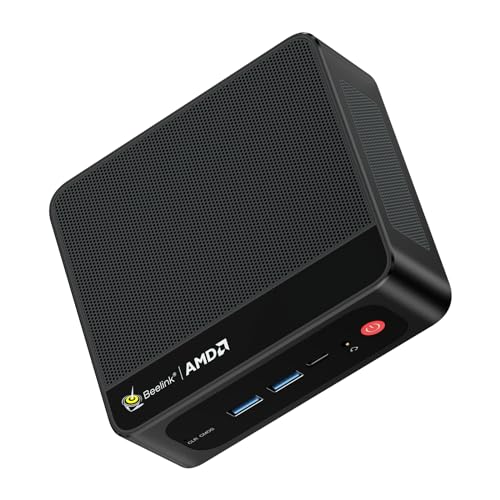
Beelink SER5 Mini PC AMD Ryzen 5 5500U

Beelink SER9 MAX Mini PC Ryzen 7 H 255

Corel PaintShop Pro 2023 Photo Editing Software

Corel PaintShop Pro 2023 Ultimate Creative Suite
A Closer Look At Each Pick
The M4 Mac mini squeezes a 10-core CPU and 10-core GPU into a five-inch square, which makes it a quiet powerhouse for anyone tired of a tower dominating the desk. Photographers moving from an older Intel iMac usually notice the change immediately: catalogs open in seconds, previews stay smooth, and the machine barely whispers under load.
It pairs naturally with any monitor that handles color well, and it sits flush beside a laptop stand without crowding the workspace. For a hybrid creator who already lives in the Apple ecosystem, this is the cleanest small-footprint option on the list.
Useful Highlights
- Compact 5-by-5-inch chassis that tucks behind a monitor
- Unified Memory architecture (RAM is shared between the CPU and GPU, which speeds up image processing) of 16GB keeps multitasking fluid
- Available SSD options up to 512GB suit modest RAW libraries
- Front and rear ports make external drive hookups painless
- Designed for Apple Intelligence, so future AI-powered editing tools should run natively
Trade Offs
- Storage tops out at 512GB on the base configurations, so an external Thunderbolt drive is wise for full-time RAW shooters
- Gigabit Ethernet feels dated in a creative workspace where 10Gb transfers are common
Who It Suits Best
Hybrid creators already invested in macOS who want a silent, small machine for editing and grading at home or in a studio.
A Better Fit Elsewhere
Editors running heavy Windows-only plugins should look at the Beelink SER9 MAX Mini PC Ryzen 7 H 255 instead, since it ships with 64GB of RAM and a generous 1TB SSD out of the box.
A second screen changes the way most photo editors work, and the VisionOwl portable monitor brings that benefit to a hotel room or coffee shop. The IPS panel (IPS, or in-plane switching, is a screen technology known for wide viewing angles and strong color) covers a broad color range, which means histogram and color picker readouts stay accurate across the screen.
It weighs little enough to slip into a laptop bag alongside the MacBook Pro it was designed to match. For traveling shooters who need a real editing surface on the road, it solves the cramped-laptop problem without much fuss.
What Earns Its Place
- 15.6-inch IPS display with wide color coverage for honest previews
- Single-cable USB-C connection cuts clutter
- Built-in kickstand props it up without extra accessories
- VESA mountable for a permanent studio setup
Honest Caveats
- Built-in speakers are basic, so external audio still matters for review sessions
- Glossy finish picks up glare outdoors
Who Will Love This
Traveling editors who split time between home studios and client sites and need a credible color-accurate second screen.
Look Elsewhere When
Studio-only editors working at a fixed desk should pick the Apple 2024 iMac All-in-One Desktop with M4 chip instead, since its 24-inch Retina panel delivers a larger primary workspace.
The M4 iMac wraps a 10-core CPU, a 10-core GPU, and a 24-inch Retina display into a single slim panel. For an editor who wants a clean desk with no separate tower, monitor cables, or speakers, it removes a lot of friction. The display itself is the draw: bright, sharp, and color-tuned from the factory.
Compare that to the VisionOwl monitor from earlier on this list, which adds a second screen to a laptop. The iMac takes a different route, giving one gorgeous primary surface without the multi-cable juggling. It’s the most polished home-editing setup in the roundup.
Standout Benefits
- 24-inch Retina display reduces the need for a secondary monitor
- 16GB Unified Memory handles catalog scrolling and masking without stutter
- Available Nano-Texture Glass option cuts glare in bright rooms
- Slim all-in-one chassis clears desk clutter
Points To Keep In Mind
- Internal storage maxes out modestly, so a NAS or external SSD belongs in the budget
- Non-upgradable memory means choosing the right config at purchase matters
Right Fit For
Studio-based home editors who want a refined single-cable workspace and don’t need to haul hardware between locations.
Consider Something Else When
Editors craving more storage headroom should consider the Beelink Mini PC SER5 MAX Ryzen 7, which ships with a full 1TB SSD.
The Beelink EQR7 puts an AMD Ryzen 7 7735U (a chip with 8 cores and 16 threads, meaning it can handle 16 separate processing tasks at once) into a small enclosure that disappears behind a monitor. For Windows-based photo editors, it covers the basics: Lightroom catalogs run cleanly, Photoshop brushes stay responsive, and the machine rarely sounds like a hairdryer.
The trade-off shows up in storage. 500GB fills fast when a shoot weekend dumps 80GB of RAW files onto the desktop. A regular external SSD solves it, but anyone planning a large local library should plan accordingly.
Real-World Strengths
- Ryzen 7 7735U handles typical photo workflows with room to spare
- 24GB of LPDDR5 RAM (a fast, low-power memory standard) keeps multiple apps open without thrashing
- Small form factor fits anywhere a monitor does
- Lower power draw than a traditional desktop tower
Things To Consider
- 500GB SSD runs thin for serious RAW archives
- Integrated graphics won’t accelerate heavy 3D or video work
Best Suited To
Budget-conscious Windows editors who edit on a single calibrated monitor and back up to the cloud or external drives.
Where Another Pick Suits Better
Editors wanting more internal storage out of the box should grab the Beelink Mini PC SER5 MAX Ryzen 7 with its 1TB SSD.
The SER5 MAX carries the same Ryzen 7 7735U as the EQR7 above, but doubles internal storage to a full 1TB. For an editor with several years of RAW files, that headroom removes the immediate scramble for an external drive.
It also supports triple-display output, so a Lightroom catalog on one panel, a reference image on another, and chat on a third works without adapters. The honest read is that this is the better-balanced Windows pick in the roundup, especially for anyone leaning into large local libraries.
Practical Pluses
- 1TB SSD covers most solo-editor libraries without external help
- 24GB LPDDR5 RAM handles large PSDs and many tabs
- Triple-screen support fits multi-monitor studios
- Compact chassis runs cool and quiet
Soft Spots
- Same integrated graphics ceiling as the EQR7
- Pre-installed storage is hard to upgrade later in some Beelink units, which owners commonly report as a minor annoyance
Made For
Working Windows editors who keep years of work locally and want a quiet desktop that disappears behind a monitor.
Not Your Match When
Power users needing 64GB of RAM should pick the Beelink SER9 MAX Mini PC Ryzen 7 H 255 instead.
The Beelink SER5 leans on a Ryzen 5 5500U with 6 cores and 12 threads, which is enough horsepower for hobbyist photo editing. Catalogs in the low thousands open without complaint, and basic retouching in Photoshop stays responsive.
It ships with Windows 11 Pro, which is a small win for anyone who plans to manage BitLocker encryption or Remote Desktop. The honest caveat: anyone pushing large composites or 100-megapixel stitching will feel the limits sooner than they would on a Ryzen 7 chip.
Where It Delivers
- Ryzen 5 5500U handles everyday photo tasks well
- Windows 11 Pro includes business-friendly features out of the box
- Low wattage keeps heat and noise minimal
A Few Limitations
- Falls behind the Ryzen 7 picks on heavy batch exports
- Storage capacity may be modest depending on configuration
Whose Shelf It Belongs On
Newcomers and hobbyists who edit a few hundred photos a week and want a reliable Windows starter machine.
Reach For A Different Pick When
Editors ready to invest in faster exports should step up to the Beelink EQR7 Mini PC Ryzen 7 7735U.
The SER9 MAX is the muscle machine in this roundup. The Ryzen 7 H 255 pushes 8 cores and 16 threads with a 4.9GHz boost clock, and 64GB of DDR5 RAM (the latest generation of system memory, faster and more efficient than DDR4) means even a sprawling 30-layer composite feels calm. Pair it with the 1TB SSD, and a working pro with active shoots barely notices the machine at all.
Compared to the SER5 MAX earlier, this is the right pick when batch exports and heavy multitasking are everyday reality, not occasional events.
Positive Takeaways
- 64GB DDR5 RAM handles large PSDs and many open tabs without slowdown
- Rapid 4.9GHz boost helps with filters and batch operations
- 1TB SSD holds years of working files
- Compact footprint for the performance it delivers
Trade-Offs To Consider
- Higher thermal output under sustained loads, so case airflow in a tight shelving unit matters
- Costs more than the entry-level Beelink picks
Built With In Mind
Working professionals and serious enthusiasts handling batch exports, big composites, or 4K timelines alongside photo work.
Swap It Out When
Casual editors should save money with the Beelink SER5 Mini PC AMD Ryzen 5 5500U.
PaintShop Pro 2023 is a one-time purchase rather than a subscription, which sets it apart from most modern editing suites. For anyone wary of monthly fees, that alone makes it worth considering. The interface bundles RAW processing, AI-assisted edits, and graphic design tools into one package.
It runs on the Windows machines earlier in this list, and the customizable workspaces help newcomers build a layout that grows with them. For a learner who plans to explore beyond basic sliders, this is a sensible starting point.
What Works In Its Favor
- No subscription, so a single license covers ongoing use
- AI-assisted tools simplify object removal and background work
- Customizable workspaces adapt to growing skill levels
- Supports 64-bit plug-ins and graphics tablets for expanding setups
Honest Caveats
- Windows-only, so it doesn’t pair with the Apple options in this roundup
- Learning curve is real, and newcomers occasionally report the menu structure feels dense at first
Perfect Match For
Beginners who want professional-leaning editing tools without committing to a recurring subscription.
A Better Fit Elsewhere
Designers wanting bundled extras should look at Corel PaintShop Pro 2023 Ultimate Creative Suite instead.
The Ultimate edition layers Painter Essentials 8, PhotoMirage Express, and the Sea-to-Sky Workspace on top of the standard PaintShop Pro package. That makes it the better fit for editors who also dabble in digital painting or process drone and underwater shots.
The standard 2023 release covers what most photo work needs, but the bundled extras fill real gaps. For someone wanting to explore animation frames or painterly brushes without buying separate apps, this is the more generous package.
Why It Works Well
- Sea-to-Sky Workspace adds presets for underwater and drone photography
- Painter Essentials 8 covers natural-media brushes
- Still subscription-free, unlike most modern suites
- MultiCam Capture 2.0 Lite included for screen recording
Worth Bearing In Mind
- Bundled apps have lighter feature sets than standalone versions
- Some extras may sit unused depending on editing style
The Right Fit
Designers and photo editors who want a broader creative toolkit without paying monthly fees.
Where A Sibling Pick Shines
First-time editors should start with the standard Corel PaintShop Pro 2023 to avoid paying for extras they won’t touch yet.
Choosing the Right Photo Editing Setup for Your Workflow
CPU cores and RAM matter most for catalog browsing and masking. A modern photo-editing machine should have at least 8 cores and 16GB of system memory, with 24GB or more giving comfortable headroom for layered Photoshop work. The Mac mini and the Beelink EQR7 both clear that bar; the SER9 MAX pushes past it for heavy workloads.
GPU performance matters more for video and 3D than for stills, though it speeds up RAW previews and AI-driven tools. For purely photographic work, an integrated GPU on the M4 chip or a Ryzen 7 is plenty, while the iMac’s dedicated graphics pipeline shines for color grading.
Display quality is the silent deal-breaker. A wide-gamut panel (one that can show a large slice of the visible color spectrum, essential for accurate editing) with factory calibration saves hours of frustration. The iMac’s 24-inch Retina panel is strong out of the box, and the VisionOwl portable brings credible color to a second screen.
Storage scales with library size. A weekend hobbyist can manage on 500GB with cloud backup. A working pro needs 1TB or more locally plus a backup strategy, whether that’s an external drive or a NAS (network-attached storage, basically a personal cloud box at home or in the office).
Picking a Form Factor and Software Stack
Small-Space Studios and Travel Setups
A Mac mini or a Beelink EQR7 vanishes behind a monitor and leaves room for a light pad, scanner, or second display. Pair either with the VisionOwl portable when editing away from home.
Software That Fits the Hardware
Corel PaintShop Pro runs well on the Beelink picks, while the Mac mini and iMac pair naturally with macOS-native tools. Beginners typically find the standard 2023 release sufficient, while designers wanting extras gravitate toward the Ultimate bundle.
Pitfalls Worth Dodging Before You Buy
Where Shoppers Go Wrong
A common trap is matching specs to marketing instead of workflow. Buying 64GB of RAM for cataloging 5,000 RAW files is overkill; a faster SSD or a calibrated display delivers more daily benefit. Another misstep is underestimating storage: a 256GB boot drive fills fast, so 500GB or more is a sensible minimum for full-time photo work.
What The Higher Tier Buys
Stepping from the SER5 to the SER9 MAX costs more, but the jump in RAM from 24GB to 64GB is the real win for batch exports and multi-app workflows. Premium pricing in this category typically funds faster SSD modules, more memory channels, and better thermals, all of which matter when the machine runs hot for an hour during an export. For most enthusiasts, mid-range is the sweet spot; pros benefit most from the top tier.