Touch-friendly computing has grown beyond tablets and 2-in-1 laptops. Today’s lineup spans full desktop towers, pocket-sized mini PCs, swappable laptop panels, and portable monitors that turn any laptop into a tap-and-swipe workspace. Picking the right setup depends on where you work, how often you travel, and whether you want touch as a primary input or as a complement to keyboard and mouse.
I pulled together ten options across portable monitors, mini PCs, all-in-ones, laptops, and a DIY replacement panel, so the right fit is easier to spot regardless of budget or use case. For each pick, I’ll walk through what makes it work in daily use, where it falls short, and who should grab it.
A Quick View Of The Lineup

HotYeah 15.6″ Portable Touch Monitor 1080P

GEEKOM IT12 Mini PC Intel i3 16GB/512GB
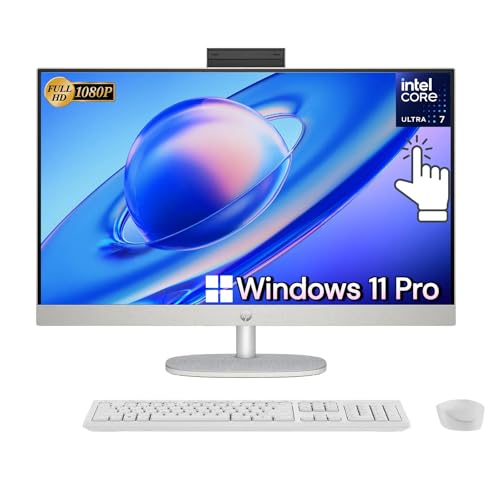
HP All-in-One 27″ Touchscreen Desktop Ultra 7

ELECROW 5″ Touch Screen for Raspberry Pi

Newsoul 4K 15.6″ Portable Touch Monitor

MINISFORUM AI X1 Pro-370 Mini PC Ryzen AI 9

MINISFORUM M1 Pro Mini PC Core Ultra 5 125H

SCREENARAMA Screen for Dell Inspiron 17 3793
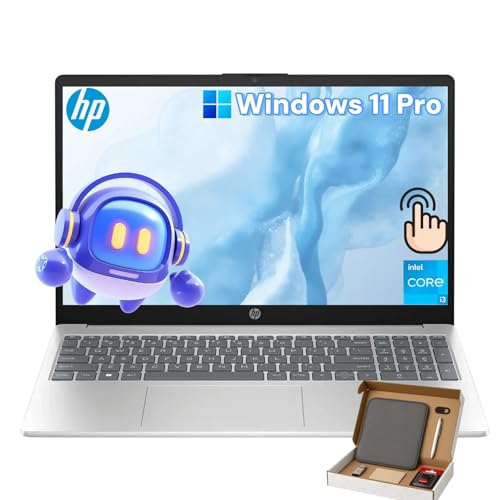
HP 15.6″ Touchscreen Laptop Core i3 16GB/512GB

MINISFORUM X1-255 Mini PC Ryzen 7 255 Barebone
A Deeper Look At The Lineup
A second screen that travels with your laptop changes how you work on the road. The HotYeah 15.6-inch portable touch monitor packs a 1080P IPS panel into a slim shell, pairs over USB-C (a standard cable for video, data, and power in one), and ships with a protective sleeve. I see this fitting road warriors, café creatives, and anyone whose hotel-room laptop screen feels too cramped.
Unlike a fixed desktop replacement, this panel leans into mobility. The 10-point multi-touch works with Windows and ChromeOS out of the box, so swiping through documents or pinch-zooming photos feels natural. The 1500:1 contrast ratio helps text stay readable in mixed lighting.
Everyday Wins
- One-cable USB-C connection cuts desk clutter and travel bag bulk.
- Built-in speakers eliminate the need to pack a separate audio source for casual video calls.
- VESA mount compatibility (a standardized mounting interface for arms and brackets) lets you dock it at a standing desk when home.
- The included sleeve is a small touch, but it spares you from buying one separately.
Things To Consider
- macOS only supports click-through touch here, so multi-touch gestures feel limited on MacBooks.
- The 1080P resolution looks fine at 15.6 inches, though pixel peepers on photo work may want sharper.
Whose Shelf It Belongs On
Remote workers and frequent flyers who need a reliable secondary touchscreen that slips into a backpack.
Look Elsewhere When
Pixel-sharp creative work demands the Newsoul 4K 15.6″ Portable Touch Monitor instead.
The GEEKOM IT12 Mini PC is the kind of box that disappears behind a monitor and just keeps working. Built around an Intel i3-12300HE processor with 16GB of RAM and a 512GB SSD, it handles spreadsheets, browser tabs, and video calls without complaint. The full-metal chassis gives it a sturdier feel than the plastic shells on cheaper mini PCs.
Compared to a traditional office tower, this thing frees up serious desk space and runs cool enough to sit under a monitor arm. The USB4 port (a high-speed Thunderbolt-compatible connection) and 8K UHD output make it more capable than its size suggests. Three years of quality support is unusually reassuring for the category.
Standout Benefits
- The upgradable RAM and storage slots let small offices scale the unit as workloads grow.
- USB4 plus HDMI outputs drive dual 4K monitors for spread-sheet-heavy workflows.
- Low-heat design keeps fan noise subtle in open-plan offices and shared spaces.
- Compact footprint fits anywhere, from reception desks to wall-mounted monitor setups.
Points To Note
- The i3 chip is plenty for office work, but heavier video editing will outpace it.
- No dedicated GPU, so gaming and 3D rendering sit outside its comfort zone.
- Bulk purchasing requires coordination, since each unit needs its own peripherals.
Who Should Grab It
IT managers outfitting shared desks and small businesses that need a quiet, reliable daily-driver mini PC.
Where Another Pick Suits Better
Power users chasing top-tier specs will find more headroom in the MINISFORUM AI X1 Pro-370 Mini PC.
The HP All-in-One 27 trades a tower and cable mess for a single slab on your desk. The 27-inch FHD IPS LED touch display tilts and adjusts in height, which is rarer than it sounds on all-in-ones. With 64GB of DDR5 RAM and a 2TB SSD inside, it has the kind of headroom that lets a household share it without bottlenecks.
Versus the GEEKOM IT12 above, this is a fundamentally different buy: you get the screen bundled in. That’s why it earns space in a family room, a kitchen command center, or a small office where tidiness matters. Wi-Fi 6 (the current fast wireless standard) and an HD webcam round out the everyday conveniences.
Notable Gains
- The adjustable height stand saves necks during long homework or spreadsheet sessions.
- Massive RAM and storage headroom mean a family can run school apps, games, and creative tools without slowdowns.
- The 12-core Intel Ultra 7 chip keeps multitasking fluid even with dozens of tabs open.
- Touch on a 27-inch screen feels less cramped than on a 15-inch laptop.
Honest Caveats
- All-in-ones are harder to upgrade later, so spec generously from the start.
- The single-cable design limits port expansion without a separate dock.
- It is heavier than a monitor alone, so relocating it between rooms takes planning.
Best Suited To
Families and shared home offices that want a big touchscreen in a single clean package.
Consider Something Else When
Strict budgets will steer toward the HP 15.6″ Touchscreen Laptop for a smaller, more affordable setup.
The ELECROW 5-inch touch screen is a tiny panel with a specific job. It plugs into a Raspberry Pi, a Jetson Nano, or a Windows PC through HDMI (video) and micro-USB (touch and power), and skips driver installs for a quick first boot. For hobbyists and educators, that is a serious time-saver on classroom days.
Where the HotYeah and Newsoul panels are productivity tools, this one is a project part. It serves as a status display, a kiosk controller, or a portable monitor for a robotics build. The 800×480 resolution is modest, but for what it does, that is more than enough.
What Pays Off
- Driver-free setup means beginners and students can skip the troubleshooting rabbit hole.
- Broad compatibility spans Raspberry Pi 5, 4, 3B+, BB Black, Banana Pi, and Jetson Nano.
- The optional acrylic stand helps on workbenches where the panel needs a stable perch.
- Low power draw makes it ideal for battery-powered or always-on projects.
Trade-Offs
- The 800×480 resolution feels dated for anything beyond status dashboards and simple interfaces.
- No built-in speakers, so audio routing requires another path.
- The 5-inch size is too small for reading long documents or watching video.
Right Fit For
Makers, teachers, and students building hands-on projects that need a compact interactive display.
Skip It When
General productivity or travel is the goal, since the HotYeah portable monitor covers that ground better.
The Newsoul 4K portable touchscreen is for people who care about every pixel. It runs a native 3840×2160 IPS panel (a wide-view, color-accurate display type) with 125% sRGB coverage (a color gamut that exceeds the standard web/print color space), which makes photos, design comps, and 4K video previews look properly sharp at 15.6 inches. The 10-point touch input works with Windows, macOS, and ChromeOS setups.
Compared to the HotYeah above, the resolution jump is the headline. The trade-off shows up in power draw, since 4K panels push more pixels. The integrated kickstand folds flat, which I appreciate in tight airplane tray-table scenarios.
Advantages To Know
- 125% sRGB coverage gives photographers and designers accurate on-the-go color previews.
- VESA mount compatibility means the panel can move between desk-arm and travel cases.
- USB-C and Mini HDMI inputs cover most laptops, phones, and game consoles without adapters.
- The ultra-slim chassis slides into laptop sleeves designed for 15-inch notebooks.
A Few Limitations
- 4K on 15.6 inches makes small UI text harder to read without scaling.
- Battery drain on connected laptops is more noticeable than on 1080P panels.
- Premium panels usually come with a premium price tag, so budgets should plan accordingly.
Core Details
Perfect Match For
Designers, photo editors, and video colorists who need sharp color-accurate previews on the move.
Not Your Match When
Office document work feels overkill on 4K; the HotYeah 1080P monitor handles that for less.
The MINISFORUM AI X1 Pro-370 is one of the most capable mini PCs on the market. It packs an AMD Ryzen AI 9 HX 370 (a 12-core, 24-thread processor with a built-in NPU for AI tasks), 32GB of DDR5 RAM, and a 1TB SSD into a small enclosure. The 50 TOPS NPU (a dedicated chip for AI workloads, rated at 50 trillion operations per second) is what unlocks Copilot+ features for on-device AI acceleration.
Side by side with the GEEKOM IT12 above, this is a different class of machine. The dual 2.5G RJ45 ports, Wi-Fi 7, and dual USB4 outputs make it a small-server-grade box, not just a desk computer.
Where It Helps
- The 12-core Ryzen chip chews through video edits, code compiles, and AI workloads without throttling.
- AMD Radeon 890M graphics handle light gaming and creative GPU tasks in a tiny chassis.
- Dual 2.5G Ethernet ports (high-speed wired networking) suit homelab and small-server roles.
- Wi-Fi 7 and Bluetooth 5.4 future-proof the wireless connections for years.
Some Limits To Know
- The full spec sheet commands a higher price than entry-level mini PCs.
- No dedicated GPU means high-frame-rate gaming still relies on integrated Radeon graphics.
- Power draw climbs under sustained AI workloads, so placement near airflow helps.
Quick Facts
Made For
Power users, creators, and small-business owners who need desktop-class performance in a mini PC.
Reach For A Different Pick When
The MINISFORUM M1 Pro Mini PC offers similar daily-driver value at a more approachable tier.
The MINISFORUM M1 Pro sits in the sweet spot for most mini PC shoppers. It uses an Intel Core Ultra 5 125H (14 cores, 18 threads), paired with 32GB of DDR5 at 5600MHz and a 1TB SSD. The integrated Intel Arc graphics give it noticeably more graphical muscle than older Intel chips, with ray-tracing support (a lighting-rendering technique used in modern games).
Versus the GEEKOM IT12 covered earlier, this brings newer silicon and faster memory. The Oculink port (an external PCIe expansion standard for graphics docks) is a unique flex for users who want to attach an external GPU later.
Key Advantages
- The 14-core chip and Arc graphics handle everyday content creation with room to spare.
- Oculink support leaves room for an external GPU dock down the line.
- Wi-Fi 7 and Bluetooth 5.4 match the newest networking standards.
- 32GB of fast DDR5 means browser-heavy workflows stay snappy.
Where It Is Less Suited
- The M1 Pro runs warmer under sustained loads than lower-tier mini PCs.
- Oculink accessories are less common than Thunderbolt docks, so finding gear takes patience.
- No dedicated GPU means gaming still depends on integrated Arc performance.
Built With In Mind
Everyday multitaskers and home offices who want modern Intel performance without going full workstation.
Swap It Out When
Raw AI horsepower tops the wishlist, in which case the MINISFORUM AI X1 Pro-370 is the stronger choice.
The SCREENARAMA replacement panel is a niche pick with a clear job. It is a direct-fit FHD IPS matte screen designed specifically for the Dell Inspiron 17 3793, with a 30-pin connector. For owners of that exact laptop model, it offers a way to bring a dead or cracked display back to life without paying for a full repair service.
Unlike every other pick here, this is a part, not a computer. It deserves a spot in the lineup because touch-PC owners often have older laptops sitting around with broken screens, and a self-repair panel extends their life. The matte IPS finish cuts glare in bright rooms.
A Favorable Mix
- The included tools support a DIY install for anyone comfortable with a screwdriver.
- IPS matte coating improves viewing angles and cuts reflections in lit rooms.
- Direct compatibility with the Dell Inspiron 17 3793 removes the guesswork from ordering.
- Two-year coverage (per the manufacturer’s listing) gives some peace of mind on the part itself.
Practical Considerations
- It only fits the non-touch Inspiron 17 3793, so other models need a different listing.
- Replacing a laptop panel requires patience and a clean workspace to avoid scratching the bezel.
- Not a touch panel, so it does not add touch input to a non-touch laptop.
Who It Suits Best
DIY owners with a non-touch Dell Inspiron 17 3793 looking to revive a damaged display.
Where A Sibling Pick Shines
Anyone wanting actual touch input on the go should pick up the HotYeah portable touch monitor instead.
The HP 15.6-inch touchscreen laptop covers the basics without stretching budgets. It runs an Intel 13th Gen Core i3-1315U (6 cores, up to 4.5GHz), 16GB of RAM, and a 512GB SSD, with a 15.6-inch HD touch display and Windows 11 Pro pre-installed. The Copilot + PC branding means Microsoft Copilot AI features come built in.
Compared to the HP All-in-One above, this is the right shape for commuters and dorm rooms where a fixed desktop is impractical. Wi-Fi 6 keeps wireless fast, and the i3 chip stays cool under typical coursework loads.
A Strong Showing
- 16GB of RAM and a 512GB SSD match what most students actually need for note-taking and research.
- 13th Gen Core i3 handles Office apps, browser tabs, and video calls comfortably.
- Windows 11 Pro adds business-grade features for internships and entry-level work.
- Touch on a familiar clamshell form factor feels intuitive for first-time touchscreen users.
Less Ideal Details
- The HD (1366×768-class) display resolution is a step behind the FHD panels on most modern laptops.
- Plastic chassis construction feels lighter on the build-quality scale.
- Battery life varies widely based on screen brightness and workload mix.
The Right Fit
Students, hybrid workers, and home offices who want a familiar laptop with touch at a fair tier.
Consider Something Else When
Color-accurate creative work fits the Newsoul 4K portable monitor or a higher-resolution laptop instead.
The MINISFORUM X1-255 barebone is for shoppers who want to choose their own RAM and storage. It arrives with the AMD Ryzen 7 255 (8 cores, 16 threads) already installed, but the memory and SSD bays are open. For tinkerers, that means picking exactly the modules you want and saving on parts you might already own.
Versus the M1 Pro covered above, the X1-255 trades the Core Ultra chip for AMD silicon and arrives without memory pre-installed. The Oculink port, HDMI 2.1, and DisplayPort 2.0 outputs make it a strong small-server or media-PC foundation.
The Upside
- Barebone format lets you bring your own RAM and SSD, often saving real money.
- Ryzen 7 255 handles productivity, light content work, and homelab duties well.
- Oculink support opens the door to an external GPU dock for heavier graphics loads.
- Wi-Fi 7 and 2.5G Ethernet match modern networking gear.
Small Caveats
- Barebone means buying RAM and storage separately, which adds to the total cost.
- Setup requires some comfort with PC assembly and BIOS settings.
- Integrated Radeon graphics limit gaming without an external GPU.
At A Glance
Who Will Love This
Tinkerers and power users comfortable with assembling their own RAM and SSD configurations.
A Better Fit Elsewhere
Plug-and-play shoppers will prefer the ready-to-boot MINISFORUM M1 Pro Mini PC.
What Matters Most Before Choosing Touch Pcs
Form Factor Sets The Tone
The biggest decision is shape, not specs. Portable monitors (HotYeah, Newsoul) slide into a laptop bag but need a host computer to drive them. Mini PCs (GEEKOM, the three MINISFORUM models) disappear behind a screen but require a separate display. All-in-ones (HP 27) bundle the screen but resist upgrades. Laptops (HP 15.6) give portability at the cost of screen size.
Think about where the computer lives. A coffee-table setup favors an all-in-one. A standing desk with one fixed monitor pairs well with a mini PC. Frequent travel calls for either a laptop or a portable monitor.
Touch Means More Than A Spec
Touch input behaves differently across operating systems. Windows and ChromeOS support full multi-touch gestures on the panels above. macOS supports click-through touch on most portable monitors, which works for tapping but skips the swipe-and-pinch shortcuts. If a MacBook is the host machine, a touch monitor feels limited.
For mini PCs and laptops, touch is baked into the OS, so behavior matches what users expect from phones and tablets. That makes them the more forgiving choice for first-time touch-PC shoppers.
Resolution Versus Screen Size
A 1080P panel at 15.6 inches looks sharp for documents and casual creative work. A 4K panel at the same size pushes four times the pixels, which helps photo and video preview but shrinks UI text. For office work, 1080P usually feels more comfortable. For color-accurate creative work, the extra pixels of 4K earn their keep.
Connectivity And Future-Proofing
USB-C, USB4, HDMI 2.1, and Wi-Fi 7 are the modern connection standards to look for. Thunderbolt-compatible ports and Oculink slots open doors to external GPU docks, which extend the life of a mini PC if graphics demands grow. Older ports still work, but they tend to bottleneck sooner.
Common Touch PC Buying Mistakes
Where Shoppers Go Wrong
Two pitfalls come up repeatedly in this category. First, shoppers often pick a portable monitor assuming it adds full touch control to macOS, only to find that Apple restricts multi-touch on external displays. Reading the OS-compatibility notes upfront prevents that frustration. Second, shoppers chase the highest TOPS number on AI mini PCs without considering whether their workflow actually exercises the NPU. For everyday Office and browser work, a regular mini PC delivers the same experience at a friendlier tier.
The Upgrade Payoff
Higher tiers in this category earn their keep in three places: better screens (4K resolution, wider color gamut, taller stands), stronger processors (more cores, newer architectures, dedicated NPUs), and richer connectivity (USB4, Wi-Fi 7, Oculink). The case for paying more is strongest when the workload directly benefits. Video editors lean on color and resolution. Coders and AI tinkerers lean on processor headroom. Office and study setups usually stay happy on the lower tiers.
Frequently Asked Questions
Do portable touch monitors work with MacBooks?
Yes, but with limits. Most portable touch monitors support click-through touch on macOS, which means tapping registers as a click. Multi-touch gestures like pinch-to-zoom usually do not work, so MacBook users get only a slice of the touch experience.
Can a mini PC replace a full desktop tower?
For most productivity, browsing, and streaming tasks, yes. Mini PCs handle Office apps, browser tabs, and 4K video output comfortably. The gap shows up in sustained gaming and heavy 3D rendering, where dedicated GPUs still matter.
What is the difference between a touch panel and a touchscreen laptop?
A touch panel is a separate screen that adds touch input to a host computer. A touchscreen laptop integrates the touch digitizer (the sensor layer that reads finger contact) directly into the built-in display. Both deliver tap and swipe input, but integrated touchscreens usually feel more responsive because the drivers ship with the OS.
Is a barebone mini PC hard to set up?
It requires opening the case, seating RAM modules, and installing an SSD before first boot. Anyone who has upgraded a desktop PC can handle it in under thirty minutes. First-timers should plan for a slower first session and have the manual open alongside the parts.
How important is NPU performance for everyday users?
For now, modest. Browsers, Office apps, and video calls barely touch the NPU. As Copilot+ and similar on-device AI features spread, the NPU starts to matter more for snappy local AI responses. Anyone planning to keep the PC for several years benefits from having one.
Wrap Up
The right touch PC depends less on chasing specs and more on matching shape to routine. Travelers lean toward the HotYeah or Newsoul portable monitors. Small offices and shared desks settle into a GEEKOM or MINISFORUM mini PC. Households that want a single clean centerpiece gravitate to the HP all-in-one. Hobbyists and tinkerers find their projects in the ELECROW and X1-255 barebone. And a budget-friendly laptop like the HP 15.6 covers the simple cases.
Pick the form factor first, then weigh the resolution, connectivity, and processor tier against the workload. The list above gives a strong starting point for almost any use case.