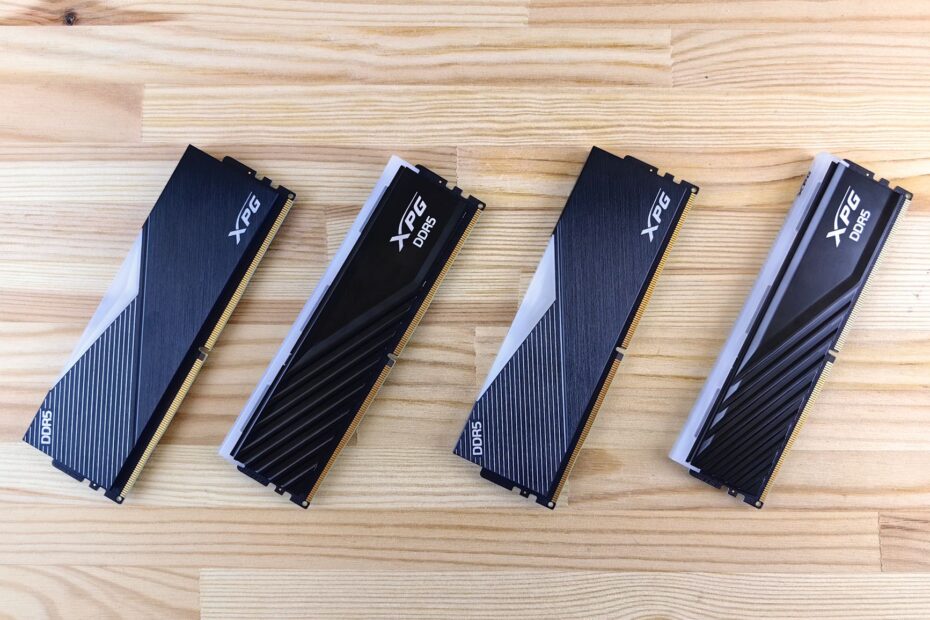
Measured in MT/s and clock cycles, memory performance combines data transfer rate with the latency before results arrive. Higher MT/s expands data throughput, while tighter timing values reduce waits. Your CPU benefits from both during rapid, repeated memory requests, though capacity and platform limits still shape the result.
This primer helps you read DDR4 and DDR5 labels, calculate latency, set XMP or AMD EXPO, and choose stable memory settings for your PC.
Bandwidth and Response Time Set Memory Behavior
Your processor can run billions of operations in a short span, yet it pauses when requested data has not arrived from RAM. Memory acts as your PC’s active workspace between the CPU and storage, holding game assets, browser data, program instructions, and open files.
Memory bandwidth describes how much data RAM transfers in GB/s. A higher RAM data rate in MT/s gives your system a wider path for large streams, such as textures sent to integrated graphics or data moving through a compression task.
Latency describes the delay before requested data begins to arrive. Your system requests small pieces from specific memory locations, and timing values shape how quickly those requests start producing data.
Capacity Sets the Starting Point
Capacity comes before transfer rate because limited memory pushes active data onto storage. Even a fast NVMe SSD is far slower than DDR4 or DDR5, so your PC can stutter during storage paging despite having fast memory settings.
For example, 8GB can feel tight with a modern game, browser tabs, voice chat, and background services open together. Moving from 8GB to 16GB can change your experience more than moving from DDR4-3200 to DDR4-3600.
Transfer Rate and Timing Values Cover Separate Jobs
Bandwidth resembles highway width, while latency resembles the wait at an entrance ramp. More lanes help large traffic flows, but a long ramp delay still slows a short urgent trip. PC RAM speed and timings describe both parts of that trip.
A larger number printed on a memory package does not automatically mean faster results in every task. Your transfer rate needs timing context, and the timing string supplies part of that context.
| Specification | What It Describes | What You Feel |
|---|---|---|
| Capacity | How much active data memory can hold | Less storage paging and fewer memory-related stalls |
| Transfer rate | How much data moves per second | Higher throughput for large memory workloads |
| Timings | Delays for internal memory operations | Quicker response for smaller, repeated requests |
MT/s Describes Data Rate More Accurately Than MHz
The 3200, 4800, or 6000 figure describes transfers per second rather than physical clock frequency. DDR means Double Data Rate, so memory transfers data twice during each clock cycle: once on the rising edge and once on the falling edge.
DDR5-6000 runs from a 3000 MHz RAM clock frequency while delivering 6000 MT/s, or million transfers per second. You may still see “6000 MHz” in store listings and PC discussions, but MT/s is the correct unit for the advertised data rate.
Higher MT/s Raises Theoretical Bandwidth
Each desktop memory channel is 64 bits wide, equal to 8 bytes. Theoretical single-channel bandwidth comes from multiplying the data rate by 8. Dual-channel memory doubles available bandwidth because your CPU can access two 64-bit channels together.
| Memory Label | Actual Clock | Single-Channel Theoretical Bandwidth | Dual-Channel Theoretical Bandwidth |
|---|---|---|---|
| DDR4-2400 | 1200 MHz | 19.2 GB/s | 38.4 GB/s |
| DDR4-3200 | 1600 MHz | 25.6 GB/s | 51.2 GB/s |
| DDR5-4800 | 2400 MHz | 38.4 GB/s | 76.8 GB/s |
| DDR5-6000 | 3000 MHz | 48.0 GB/s | 96.0 GB/s |
The jump from DDR4-2400 to DDR4-3200 raises theoretical bandwidth from 19.2 GB/s to 25.6 GB/s per channel. That equals one-third more transfer capacity, though your software workload decides how much becomes visible performance.
Your motherboard reports the effective data rate in BIOS or monitoring tools. Some utilities show the real clock instead, so a displayed 1600 MHz for DDR4-3200 is correct rather than a fault.
Primary Timings Describe Four Internal Delays
A label such as 40-40-40-77 lists clock-cycle delays rather than four separate performance scores. Each number controls a different stage in finding data inside the memory chip’s rows and columns.
The standard ordering is tCL-tRCD-tRP-tRAS. A DDR5-6000 kit marked 40-40-40-77 runs CAS latency at 40 cycles, row-to-column delay at 40 cycles, row precharge delay at 40 cycles, and row active time at 77 cycles.
| Timing | DDR5-6000 40-40-40-77 Value | Memory Operation |
|---|---|---|
| tCL | 40 | Wait from a column request until data begins to appear |
| tRCD | 40 | Wait after opening a row before accessing a column |
| tRP | 40 | Wait to close one row before another row can open |
| tRAS | 77 | Minimum time a row remains active before closure |
CAS Latency Is One Part of a Memory Access
CAS latency, shown as CL, gets attention because it affects the delay between a column-address request and the arrival of data. Yet an access that needs a new row can involve tRP, tRCD, and tCL in sequence.
Memory chips arrange data in banks, rows, and columns, much like a filing cabinet with drawers and folders. A row already open in the correct bank responds faster than a request that must close one row, open another, and find its column.
Lower CL Needs a Transfer-Rate Comparison
A CL30 kit is not automatically faster than a CL40 kit until you account for data rate. Thirty cycles at one clock speed can take longer than forty cycles at a faster clock speed, which is why raw timing values can mislead your upgrade choice.
Your next measurement is RAM latency in nanoseconds. That figure converts cycle counts into elapsed time and places speed and CAS latency on the same scale.
CAS Latency and MT/s Produce Real Delay Figures
A kit’s First-word latency can be estimated with a compact formula: CAS latency × 2000 ÷ data rate in MT/s. The result shows RAM latency in nanoseconds and makes timing strings from different speeds easier for you to compare.
For DDR4-2400 CL16, the math is 16 × 2000 ÷ 2400, producing about 13.3 ns. DDR4-3200 CL16 produces 10 ns, even though both kits carry the same CL16 label.
| Memory Specification | Calculation | First-Word Latency |
|---|---|---|
| DDR4-2400 CL16 | 16 × 2000 ÷ 2400 | 13.3 ns |
| DDR4-3200 CL16 | 16 × 2000 ÷ 3200 | 10 ns |
| DDR5-6000 CL30 | 30 × 2000 ÷ 6000 | 10 ns |
| DDR5-6000 CL40 | 40 × 2000 ÷ 6000 | 13.3 ns |
First-Word Latency Offers a Useful Comparison
DDR5-6000 CL30 and DDR4-3200 CL16 both land near 10 ns for First-word latency, yet they do not supply the same bandwidth. DDR5-6000 transfers far more data, while motherboard layout, CPU behavior, and memory-controller design differ across platforms.
A 6000 CL40 kit lands near 13.3 ns, matching DDR4-2400 CL16 in this narrow calculation. Yet the DDR5 kit still carries much higher throughput, so its slower initial response does not make the two equal in every workload.
Do not treat the CAS formula as a full performance score. Secondary timings, command rate, bank behavior, memory-controller ratios, and software access patterns also affect the result your PC produces.
Use First-word latency to filter confusing labels, then focus on the task your system spends time doing. That workload decides whether extra bandwidth or lower delay carries more value.
Workloads Reveal Whether Bandwidth or Latency Matters More
Integrated graphics makes memory bandwidth visible because it uses system RAM as video memory. A Ryzen APU or an Intel processor with integrated graphics can gain more from faster dual-channel memory than a PC using a separate graphics card with dedicated VRAM.
Large data movement also favors higher transfer rates. Compression, some rendering work, spreadsheet calculations on large data sets, and memory-heavy content creation can keep the memory bus busy long enough for extra bandwidth to affect your results.
Short Repeated Requests Favor Lower Delays
CPU-limited games, simulation steps, game AI, and some application launches issue repeated small requests that cannot always hide behind other work. Tighter timings and healthy transfer rates can reduce waiting during those bursts.
Your gaming result depends on the bottleneck. A fast graphics card paired with a CPU limit can show stronger average frame-rate gains and better one-percent lows from memory tuning, while a GPU-limited scene leaves RAM with little room to alter frame rate.
Gaming Gains Have Clear Limits
At 1080p with reduced graphics settings, the CPU has greater influence because the GPU finishes frames quickly. At 4K with heavy ray tracing, the graphics card can become the long pole in the tent, and memory changes can barely move the result.
RAM timings make a difference where the CPU waits on repeated memory access, but the gap between sensible kits is rarely as dramatic as a CPU, GPU, or capacity shortage. Your platform must also run the selected profile stably before it delivers any benefit.
CPU and Motherboard Limits Set Usable Memory Speeds
DDR4 and DDR5 are physically and electrically incompatible generations. Their notch positions and signaling differ, so a motherboard built for one generation cannot accept the other. Your CPU and motherboard decide which generation fits the system.
DDR4 appears in ranges such as 2400 to 3600 MT/s, while DDR5 starts at standard rates such as 4800 MT/s and extends higher through memory profiles. DDR5 also uses two independent 32-bit subchannels per DIMM, changing how internal transfers are arranged.
The Memory Controller Limits Stable Settings
The CPU memory controller communicates with every installed DIMM. Intel and AMD processors have different controller behavior, and two chips from the same family can reach different stable settings with the same modules.
More DIMMs add electrical load. Four populated slots, high-capacity modules, and complex motherboard trace layouts can reduce the stable data rate compared with a two-stick kit in the board’s preferred slots.
| Configuration Detail | Effect on Stable Settings | Your Practical Move |
|---|---|---|
| Two matched DIMMs | Lower controller load and dual-channel operation | Use the slots named in the motherboard manual |
| Four DIMMs | More electrical stress on signal paths | Expect lower profile headroom on some platforms |
| Mixed kits | Different chips and stored profiles can conflict | Run shared lower settings or replace them with one matched kit |
| High-density modules | Can demand more from the controller | Check the board’s memory support list |
Matched Modules Preserve Dual-Channel Bandwidth
A matched memory kit contains modules sold together for the same profile and capacity. Two sticks with identical-looking labels can still carry different memory chips, subtimings, or voltage behavior across production runs.
Dual-channel memory is separate from raw RAM speed. Install a matched pair in the paired slots, often A2 and B2, and your platform can access both channels together. Your motherboard manual names the correct positions.
Once the modules are seated in the proper paired slots, firmware settings determine the speed they actually use.
JEDEC Profiles and XMP or EXPO Control Actual Settings
A DDR5-6000 kit can show 4800 MT/s after installation because the motherboard starts at a JEDEC memory profile. JEDEC sets baseline memory standards for broad hardware compatibility, while the package rating can rely on a stored overclocking profile.
Intel XMP and AMD EXPO store the data rate, Primary memory timings, and voltage values in the memory modules. Enabling the matching profile in BIOS or UEFI tells your system to run those saved settings rather than the slower default.
Verify Settings in a Safe Order
- Check firmware version. Update BIOS or UEFI where your motherboard maker lists improved memory compatibility for your CPU or DDR5 modules.
- Use paired slots. Install two DIMMs in the slots specified for dual-channel operation, often the second and fourth slots from the CPU.
- Enable the profile. Select XMP on Intel platforms or EXPO on AMD platforms, then save the firmware setting.
- Confirm data rate. Check BIOS, Windows Task Manager, or CPU-Z after the system starts.
- Check stability. Run your normal games and applications, then use a memory diagnostic after a crash or unexplained restart.
Your DDR5 rate should show 6000 MT/s after a successful profile change. CPU-Z can display a clock near 3000 MHz instead, which still corresponds to DDR5-6000 because DDR memory transfers data twice per cycle.
A failed boot, blue screen, application crash, or memory error points to instability. Return to JEDEC defaults, then step down the transfer rate or use looser timings rather than forcing the profile repeatedly.
To enable XMP or EXPO, enter BIOS or UEFI, locate memory or overclocking settings, select the stored profile, save the change, and confirm the effective rate after startup. Your firmware menu labels can differ, but the sequence stays similar.
Achieving a rated profile matters only if capacity and module compatibility keep the system stable.
Capacity, Compatibility, and Stability Guide Your RAM Choice
Start with capacity because storage paging can bury smaller memory gains. Match the DDR generation to your motherboard and CPU, choose a matched dual-channel kit, and verify that the stated profile has a realistic path on your platform.
Your PC RAM speed and timings choice should match a real bottleneck rather than chase the largest package number. A CPU-limited gaming system can value lower latency and stronger one-percent lows, while integrated graphics places more value on bandwidth.
Use a Practical Selection Checklist
- Set capacity needs. Choose enough memory for your game, creative software, browser workload, and background tasks without storage paging.
- Match DDR generation. Confirm DDR4 or DDR5 motherboard compatibility before comparing speed labels or timing strings.
- Choose matched sticks. Install a matched memory kit in the recommended paired slots for dual-channel bandwidth.
- Check profile rate. Verify that your CPU and motherboard can run the kit’s XMP or EXPO setting with your planned DIMM count.
- Calculate CL delay. Use CAS latency × 2000 ÷ MT/s to place candidates on the same nanosecond scale.
- Verify stable operation. Retain the selected profile only after your system starts reliably and handles normal daily use.
DDR4-2400 and DDR4-3200 Show the Trade-Off
DDR4-3200 CL16 offers one-third more bandwidth and lower First-word latency than DDR4-2400 CL16. That can matter for older systems limited to 2400 MT/s, especially with an APU or CPU-bound game, but it cannot repair a weak graphics card.
For DDR5 platforms, 6000 MT/s with a reasonable CAS value has become a common target because it balances throughput and response time on many consumer systems. Your motherboard’s qualified vendor list and CPU memory controller still matter more than a headline number.
| System Situation | Memory Priority | Reason |
|---|---|---|
| System runs out of memory | More capacity | Avoids slow storage paging |
| Integrated graphics PC | Dual-channel and higher MT/s | Graphics uses system memory bandwidth |
| CPU-limited gaming PC | Balanced rate and latency | Can improve frame pacing and one-percent lows |
| GPU-limited 4K gaming PC | Compatible, stable memory | Graphics workload limits the frame rate |
Final Memory Setup Priorities
Your strongest memory setup is not the kit with the largest speed figure or smallest CL number alone. Give your system enough capacity, install two matched modules in the proper slots, then select a stable transfer rate and timing combination your CPU and motherboard can sustain.
Enable XMP or AMD EXPO, confirm the reported data rate, and place stable daily operation above a marginal paper advantage. That sequence gives your PC RAM speed and timings settings a practical role in the system rather than leaving them as package numbers.
FAQ
Is there a big difference between 2400 and 3200 RAM?
DDR4-3200 has 25.6 GB/s of theoretical single-channel bandwidth, while DDR4-2400 has 19.2 GB/s. At the same CL16 timing, 3200 also drops First-word latency from about 13.3 ns to 10 ns, so your CPU gets more throughput and a faster initial response.
What does 40-40-40-77 mean in RAM timings?
The sequence lists tCL, tRCD, tRP, and tRAS in clock cycles. On DDR5-6000, 40-40-40-77 means your RAM waits 40 cycles for CAS access, row-to-column access, and row precharge, while keeping an opened row active for at least 77 cycles.
Do RAM timings make a difference?
RAM timings affect how long your system waits during memory operations, especially small and repeated requests. Your gains are clearest in CPU-limited games, simulation work, and latency-sensitive bursts, while large streaming tasks can respond more strongly to higher bandwidth.
Why is my DDR5 RAM running at 4800 instead of 6000?
Your motherboard is likely using a JEDEC default profile rather than the kit’s stored XMP or AMD EXPO profile. Enter BIOS or UEFI, enable the matching profile, restart, confirm 6000 MT/s, and return to defaults after crashes, boot failures, or memory errors.
How do you calculate RAM latency in nanoseconds?
Multiply CAS latency by 2000, then divide by the memory data rate in MT/s. Your DDR5-6000 CL30 kit calculates to 10 ns because 30 multiplied by 2000, divided by 6000, equals 10.
Does RAM speed matter for gaming?
RAM speed matters most where your CPU limits frame production or integrated graphics uses system memory for video data. A GPU-limited game at high resolution sees smaller changes, while a CPU-limited game can gain smoother one-percent lows from faster dual-channel memory and tighter latency.