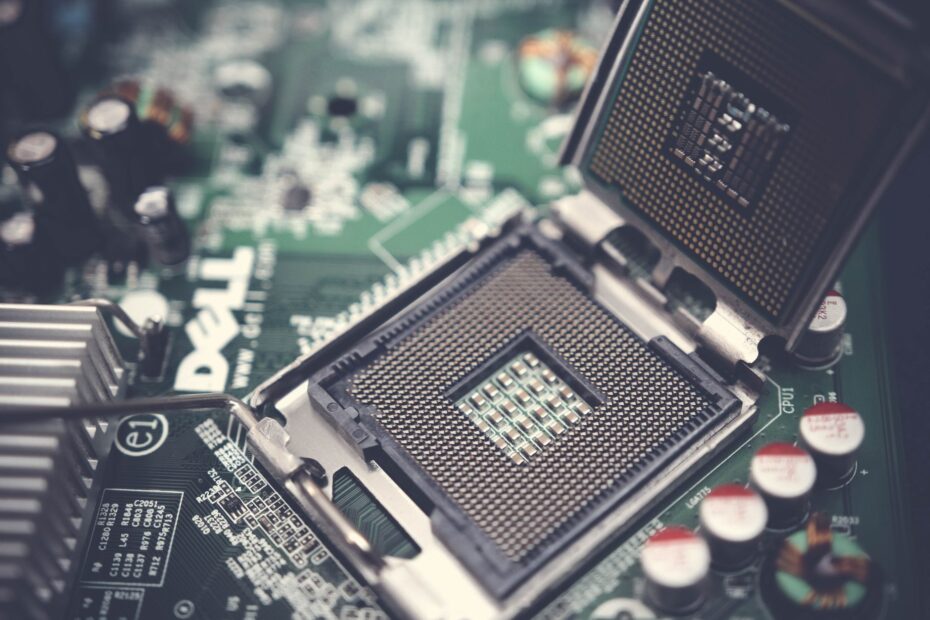
Bulk-tray chips and boxed components often differ in packaging, bundled gear, warranty coverage, and software rights rather than raw speed. Your $180 tray CPU can run like its boxed twin, yet arrive in a plain sleeve without a cooler and with a narrower path after a fault.
This comparison covers physical components and Windows 11 licensing for your DIY PC, with attention to missing gear, ownership limits, and the costs that appear after checkout.
OEM and Retail Parts Move Through Different Channels
A plain cardboard tray holding 20 processors shows the basic split. OEM, short for Original Equipment Manufacturer, describes hardware or software shipped in volume to PC makers, integrators, and system builders. A company such as CyberPowerPC can receive components this way for installation in finished desktop systems.
Retail hardware reaches your home through a consumer channel. It arrives in branded product packaging, with documentation and small extras meant for one installation. An Intel boxed processor or AMD retail processor reaches a store shelf because its box forms part of the product you receive.
Marketplace labels describe different conditions
“OEM” does not mean tray, bulk, open-box, refurbished, and surplus mean the same thing. A tray processor describes shipment format. Open-box points to a returned package. Refurbished signals prior use or repair, while surplus describes stock released from an earlier supply contract.
That distinction follows your part after checkout. You need the exact condition label because a new OEM SSD and a refurbished OEM SSD can have different service coverage, wear history, and return terms.
Once condition is separated from identity, the model number becomes the meaningful basis for comparing performance.
Matching Model Numbers Deliver Matching Performance
A chip bearing the same model number performs the same regardless of its box art. A genuine OEM CPU, SSD, or motherboard with the same part number, clock limits, capacity, controller, and revision as its retail counterpart delivers the same performance in your system. Silicon does not gain frames per second from retail packaging.
Your OEM vs retail CPU choice becomes clearer after that model check. An Intel Core i7 tray processor and the same boxed Core i7 use the same architecture. Their cooler, packing, and service route can differ. The same rule applies to a GPU with an identical board and firmware revision.
Model suffixes can change the hardware
Small suffixes carry real weight. An SSD with a different SKU can use another NAND type, controller firmware, capacity rating, or encryption feature. A motherboard built for a large PC maker can omit retail BIOS options, headers, antennas, or a standard rear-panel layout you expect.
Match the manufacturer part number, revision, and stated firmware before treating two listings as equivalent. Your brand name alone does not prove equal hardware.
Genuine OEM hardware is original equipment, not an imitation by definition. Still, your confidence should rest on seller records, intact labels, condition details, and serial-number status rather than the three letters “OEM.”
Packaging and Included Gear Change Your Total Cost
The missing cooler is where a low listing figure becomes a larger cart total. Bulk packaging cuts material, shelf presentation, and individual shipping protection. Retail boxes use fitted inserts, manuals, and room for accessories, which matters during shipment to your door.
| Detail | OEM supply item | Retail supply item |
|---|---|---|
| Packaging | Your part can arrive in a tray, sleeve, or plain carton. | Your part arrives in a branded box with fitted protection. |
| CPU cooling | Your tray processor commonly arrives without an included CPU cooler. | Your boxed CPU can include a stock cooler, subject to model. |
| Accessories | Your shipment can omit cables, antennas, and adapters. | Your box can include model-specific installation items. |
| Documentation | Your documentation can be minimal or absent. | Your package includes consumer-facing setup material. |
Extras vary by category, not merely by label. With a retail motherboard, you can receive SATA cables, Wi-Fi antennas, an M.2 screw kit, driver media, and an I/O shield. An OEM board can contain only the board, leaving you to source missing items before installation.
What counts as a costly omission varies by component, since some parts need proprietary hardware to function.
- CPU cooler: Your tray processor needs a separate cooling plan before you power on the system.
- SATA cables: Your motherboard box can lack cables for 2.5-inch drives.
- Wi-Fi antennas: Your wireless board needs matched antennas for normal reception.
- Display adapters: Your GPU package can omit the cable or adapter your monitor needs.
- Bundled software: Your retail peripheral can include setup utilities or a license code.
Component Types Carry Different OEM Trade-Offs
A CPU is the clearest example, but each category brings its own risks. Tray CPUs omit a stock cooler in many cases, while retail processors bring clearer manufacturer service terms. GPUs rarely turn on a cooler bundle; missing power adapters and serial eligibility matter more for your purchase.
| Component | OEM concern | Retail advantage |
|---|---|---|
| CPU | Your tray unit can lack a cooler and direct brand service. | Your boxed unit has fuller packaging and clearer claim routing. |
| Motherboard | Your board can lack cables, antennas, or standard firmware options. | Your retail box lists included hardware and setup material. |
| GPU | Your card can be a system pull with uncertain prior use. | Your retail card has its intended accessories and serial paperwork. |
| SSD or hard drive | Your drive needs a serial and usage-status review. | Your package clarifies mounting gear and service eligibility. |
| Peripheral | Your keyboard or mouse can omit its receiver, cable, or software. | Your retail package includes the intended connection hardware. |
| Windows | Your license attaches to one initial machine under its terms. | Your license has broader movement rights between PCs. |
Storage deserves extra care because it can look unused while carrying prior hours of operation. Your drive serial number, firmware revision, and stated source tell you more than an “OEM” title. Before motherboard installation, inspect socket pins, BIOS revision, board-specific cables, and the I/O shield.
Service Coverage Matters More Than the Box
A cardboard box is disposable; a failed part is not. Retail components tend to route service claims straight to the manufacturer, while OEM parts can route responsibility to the original system builder, distributor, or seller. Your receipt alone does not settle that route.
Coverage length changes by brand, category, region, purchase date, and original distribution route. AMD, Intel, Samsung, Seagate, ASUS, and Western Digital publish terms that differ across product lines. Your serial number can show that a component was intended for a prebuilt machine rather than standalone shipment.
Retail reduces ownership friction
Retail suits your new PC project, a complex motherboard installation, or any part where direct technical help has real value. A stable OEM item suits your budget-focused system after you have priced missing gear and accepted a seller-led return route.
That makes “better” a question of ownership burden, not speed. Your retail total buys a clearer route through defects and missing pieces; OEM leaves more responsibility in your hands.
Windows Licenses Carry Different Movement Rights
Windows is not a physical component, so its OEM label has sharper limits. A Windows 11 OEM license is intended for the initial PC where you install it, while a Windows 11 retail license carries broader transferability under Microsoft’s terms. Hardware activation records your machine configuration with Microsoft.
Your motherboard acts as the system’s identity anchor. A motherboard replacement or major platform move can trigger activation trouble for an OEM license, especially after a move from Intel to AMD. Retail licensing gives you a clearer route to remove the license from one PC and activate it on another.
| License type | Best fit | Movement between PCs |
|---|---|---|
| Windows 11 OEM | Your stable, long-term desktop with no planned platform swap. | Your rights are tied more tightly to the initial machine. |
| Windows 11 retail | Your upgrade-heavy PC or a machine you plan to replace. | Your license has broader transfer rights after removal from the prior PC. |
Windows 11 Pro retail versus OEM turns on your hardware plans, not edition features. Both can run BitLocker, Remote Desktop host, and business controls after valid activation. Your lower OEM entry figure suits a fixed machine; retail suits repeated migrations and direct Microsoft help.
Listings Need a Separate Legitimacy Review
A listing can use “OEM” as camouflage for missing facts. Your part deserves a tighter review before payment, especially for tray CPUs, system-pull GPUs, storage, and Windows keys. A key that activates does not prove that your license has valid transfer rights or service access.
- Exact part number: Match your listing SKU against the maker’s product record.
- Clear condition: Look for a direct new, used, open-box, or refurbished statement.
- Label photos: Inspect seals, model stickers, ports, and physical wear in sharp images.
- Serial availability: Ask whether serial details are available before installation.
- Return terms: Read the written return window and defect process.
- Service source: Identify whether your claim goes to the maker or the seller.
Pause at a figure far below the normal market range, vague stock photographs, absent business details, or claims of permanent manufacturer coverage on a tray item. Those signs do not prove misconduct, yet your exposure rises sharply without a stated origin and written terms.
Keep screenshots of your listing, serial label, invoice, and stated coverage before installing the part. Your records matter when a seller description changes.
Your Choice Depends on Budget, Coverage, and Upgrade Plans
Your final total decides whether the OEM route is truly cheaper. Add the cooler, thermal paste, cables, antenna, adapter, stronger shipping protection, and a possible replacement interval to the listing figure. A $25 gap disappears after you add a $35 cooler and a $12 cable pack.
| Your situation | Stronger fit | Reason |
|---|---|---|
| Budget DIY desktop | OEM hardware after a full extras tally | Your savings remain real only after you price missing items. |
| New PC assembly | Retail components | Your box contents and claim route reduce installation surprises. |
| Business workstation | Retail components and retail Windows | Your downtime has a higher cost than a small upfront gap. |
| Frequent hardware upgrader | Retail Windows and retail core parts | Your movement rights and direct service route matter over time. |
Choose retail for your new assembly, an intricate motherboard, or a Windows license that will move with you. Choose OEM only after exact model numbers, included items, written service terms, and your upgrade plans line up. That is the practical difference between OEM and retail PC parts.
What to Keep in Mind
OEM hardware is not slower hardware by default. Your real trade-off sits in the box, the accessories, the service route, and, for Windows, your right to move a license later. Match the precise model number, add every missing item to your total, and keep written proof of where responsibility sits before installation.
FAQ
What is the difference between OEM and retail PC parts?
System builders receive OEM parts in bulk, whereas retail versions arrive packaged for individual installation. Your hardware can perform the same with a matching model number, but retail packaging commonly includes more accessories, clearer service routing, and consumer-facing documentation.
Are OEM PC parts new, genuine, and equal in performance to retail parts?
A genuine OEM component can be new and can match retail performance exactly when model number, revision, controller, and firmware match. Your listing still needs a clear condition statement because OEM stock can also be sold as used, refurbished, surplus, or a system pull.
Which components commonly have different coverage or included accessories when sold as OEM?
CPUs, motherboards, GPUs, storage drives, and peripherals can differ in included gear and service routes. Your tray CPU can lack a cooler, while an OEM motherboard can lack cables, antennas, an I/O shield, or consumer documentation.
Is an OEM CPU good, and does it include a cooler or manufacturer coverage?
With the right cooler, a tray-sold processor works well when its model number matches your planned build. Tray processors commonly arrive without a stock cooler, and your service claim can go through the seller rather than Intel or AMD.
What is the difference between a Windows OEM license and a retail Windows license?
After activation on its first PC, a Windows OEM license is generally intended to remain with that machine. A retail Windows license has broader movement rights between PCs after removal from the prior machine, subject to Microsoft license terms.
Can a Windows OEM license be transferred to a new motherboard or PC?
Replacing a motherboard can trigger Windows activation problems because an OEM license is typically linked to its original PC. Your retail Windows license has greater flexibility to move after removal from the prior machine, subject to Microsoft license terms.